


MediaTek Universal Tool Review: Free FRP Bypass or Risky Software?
Getting locked out of an Android device due to Factory Reset Protection (FRP) is an incredibly frustrating experience. Many users turn to the internet for quick fixes and come across various free software claims.
One of the most frequently discussed utilities in tech forums is the MediaTek Universal Tool. In this MediaTek Universal Tool review, we will examine its core features, safety concerns, and whether it is truly the best option for bypassing an FRP lock. Let's dive deep into what this software actually does and if the risks outweigh the rewards.
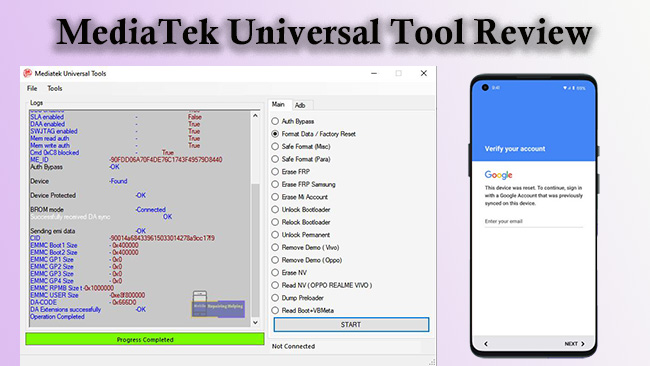
What Is the MTK Universal Tool?
The MediaTek Universal Tool, sometimes referred to as the ST MTK Universal Tool or TMT MediaTek Tool, is a specialized Windows utility. It was created specifically to service Android smartphones and tablets that are powered by MediaTek (MTK) processors. Technicians and advanced users often utilize this program to resolve deep-rooted software issues without paying for official support.
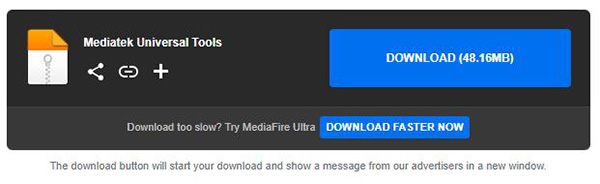
Core Features and Capabilities
The MediaTek Universal Tool, sometimes referred to as the ST MTK Universal Tool or TMT MediaTek Tool, is a specialized Windows utility. It was created specifically to service Android smartphones and tablets that are powered by MediaTek (MTK) processors. Technicians and advanced users often utilize this program to resolve deep-rooted software issues without paying for official support.
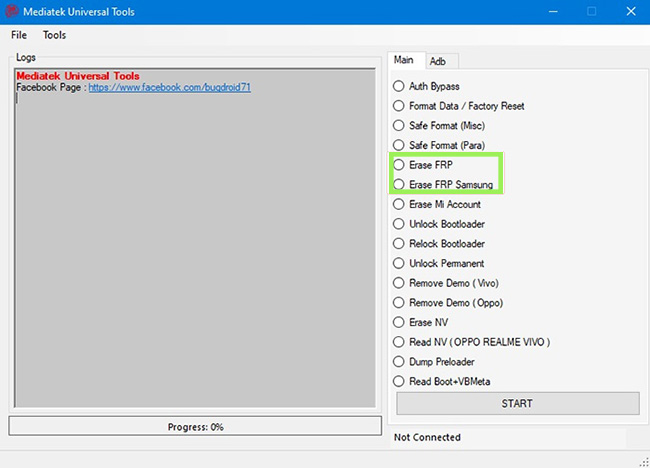
- Erasing FRP locks on MTK devices.
- Removing forgotten PINs and pattern locks.
- Unlocking and relocking bootloaders.
Hardware Limitation of MTK Universal Tool
It is absolutely crucial to understand the hardware restrictions of this software before downloading it. As the name heavily implies, the MTK Universal Tool is exclusively compatible with devices utilizing MediaTek chipsets. This covers many popular models from brands like Xiaomi, Oppo, Vivo, and Infinix. However, if your phone runs on a Qualcomm Snapdragon or Samsung Exynos processor, this tool will not work and could potentially damage your device.
Is the MediaTek Universal Tool Safe to Download?
The appeal of free software is strong, but it often comes with hidden costs regarding system security.
Navigating Malware Warnings
The most significant drawback of the MediaTek Universal Tool is its alarming security profile. Because it relies on unofficial exploits to bypass Android security, almost all major antivirus programs, including Windows Defender, flag the executable file as severe malware.
Users are typically instructed to completely disable their antivirus shields before extracting the ZIP file. Doing this exposes your computer to immense risk, as you can never be entirely sure what else is bundled within unverified downloads.
The Risk of Bricking Your Device
Beyond the threat to your PC, using aggressive exploit tools carries a risk to your phone. If the connection drops during the bypass process or if you accidentally select the wrong firmware operation, your phone could become permanently bricked. Without dedicated customer support to guide you through errors, you are entirely on your own if something goes wrong.
How to Use the MediaTek Universal Tool for FRP Removal
If you understand the security risks and have verified that your device has an MTK processor, you can proceed with the bypass operation. You will need a Windows computer, a high-quality USB cable, and the correct MTK USB drivers installed beforehand. Follow the exact sequence below to remove the FRP Lock from your phone.
- Step 1. Go to this website to download the MediaTek Universal Tool on your computer. Locate the file folder that the tool download file was downloaded to, and then install it on your computer.
- Step 2. Launch the tool and connect your phone to the computer via a USB cable.
- Step 3. On the tool’s menu, select Erase FRP. Click the START button.
- Step 4. Follow the instructions to bypass the FRP lock on your phone.
Top 3 Safer Alternatives for Android FRP Bypass
Given the severe malware warnings and lack of official support, many users prefer software that guarantees safety and reliability. Premium unlocking tools offer polished interfaces, broad hardware compatibility, and dedicated customer service teams. Here are the top three reliable alternatives that protect both your computer and your smartphone.
Top 1. TunesKit Android Unlocker: Safe and Fast Screen Removal
For users looking for a streamlined, secure experience, TunesKit Android Unlocker is a fantastic choice. This officially supported software excels at quickly removing various screen locks and bypassing FRP without requiring you to compromise your PC's antivirus. It features an incredibly intuitive interface that guides beginners through the process step-by-step, entirely eliminating the risk of accidental device bricking.
Key Features of TunesKit Android Unlocker
No complex tools, no risk - just connect, follow clear instructions, and bypass FRP lock on your Android device.
 600,000+ Downloads
 Pros:
Pros:- Features a highly intuitive, user-friendly interface that guarantees a risk-free unlocking process without triggering antivirus alarms.
 Cons:
Cons:- As a premium commercial tool, it requires a purchase to unlock its full capabilities, and it lacks the advanced system repair utilities found in larger, multi-purpose suites.
Top 2. DroidKit: The All-in-One Android Savior
DroidKit is a comprehensive, professionally developed suite designed to resolve almost any Android issue. It provides a highly secure, guided process for bypassing FRP locks on a massive range of devices, including those with Qualcomm and Exynos chips. In addition to unlocking, it offers powerful data recovery and system repair tools, making it a versatile investment for long-term device maintenance.
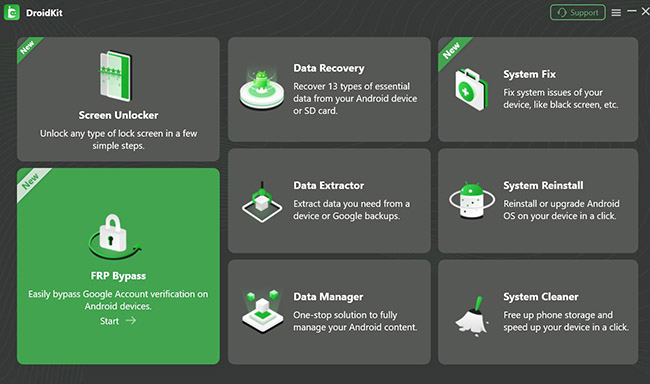
Pros:- Offers broad compatibility across different processors (Qualcomm, Exynos, MTK) and includes an extensive suite of extra features like data recovery.
Cons:- It requires a premium paid subscription, and the sheer number of features might be overwhelming for users who only want a quick, single-purpose unlock.
Top 3. SamFw FRP Tool
Unlike the premium options, SamFw is heavily specialized for the Samsung ecosystem and is widely celebrated in the mobile repair community. It utilizes Samsung's specific diagnostic test mode to communicate directly with the device and remove locks rapidly. This targeted approach makes it incredibly efficient for compatible smartphones, provided you are comfortable navigating a slightly more technical environment.
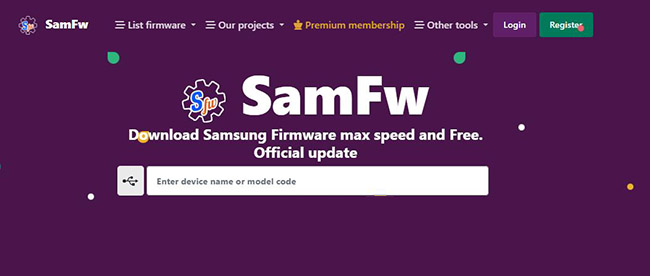
Pros:- It is completely free to download and exceptionally fast when processing bypass operations on Samsung Galaxy devices.
Cons:- The tool's effectiveness is primarily limited to Samsung hardware, and users occasionally report false-positive security flags from Windows Defender during the installation process.
Conclusion
The MediaTek Universal Tool undeniably delivers on its promise of free FRP removal for compatible MTK devices. However, the mandatory requirement to disable your computer's antivirus makes it an inherently dangerous download for the average user. If system security and ease of use are priorities for you, investing in a professional alternative like TunesKit Android Unlocker is strongly recommended.


