- Utilities
- Unlock
- Data Management
- Multimedia
- Solutions
- Support

Pokémon GO is a location-based augmented reality (AR) mobile game that focuses on collecting and developing Pokémon. As you explore the real world and catch different species using your phone's GPS, you gain not only new Pokémon but also the joy and progress of becoming a stronger trainer.

Encourages you to discover your own neighborhood.

Aims to find and catch diverse species.

Makes progress and becomes a stronger trainer.

Blends the physical world with the Pokémon universe.

Joins a global network of other players.

In Pokémon GO, you grow your collection by catching Pokémon in the wild and hatching them from Eggs. Both methods help you build a unique team as you explore the Pokémon GO world.
Pokémon spawn randomly on the map, but their types depend on your environment - Water-type Pokémon, for example, often appear near lakes, rivers, or oceans. Real-world weather also affects spawns, with rainy days boosting Water- and Electric-type Pokémon.
You can also obtain Pokémon by hatching Eggs from PokéStops or Gifts. Place an Egg in an Incubator and walk 2 km, 5 km, 7 km, or 10 km to hatch it - sometimes into rare Pokémon.
Catching Pokémon is all about mastering your throw. It may take a little practice, but it's easy to learn.
Once caught, Pokémon are stored in your Pokémon Bag. From there, you can manage and strengthen your team in several ways:
 Related Articles
Battling is a key part of Pokémon GO. In this part, you'll learn how battles work, the different battle types, and the rewards you can earn.
Pokémon GO battles are real-time, not turn-based. Each Pokémon uses Fast Attacks and Charged Attacks in either PvP (Player vs. Player) or PvE (Player vs. Environment) battles.
A Pokémon's strength is determined by its CP, HP, and core stats - Attack, Defense, and Stamina (also known as IVs). Type matchups are just as important. With 16 Pokémon types in the game, choosing Pokémon with type advantages can greatly increase your chances of winning.

| PvP | PvE | ||
|---|---|---|---|
| Great Battle League | CP cap 1500 - beginner-friendly and strategy-focused | Gym Battles | Defeat rival teams, defend Gyms, and earn PokéCoins |
| Ultra Battle League | CP cap 2500 - more competitive, higher investment | Team GO Rocket Battles | Fight Grunts, Leaders, and Giovanni |
| Master Battle League | No CP limit - ideal for maxed-out and Legendary Pokémon | Raid Battles | Team up to defeat powerful Raid Bosses |
| Max Battles | Power Spot battles with temporary Pokémon transformations | ||
Battling is where your training finally pays off! In Pokémon GO, battles are divided into two main categories: PvP (fighting other humans) and PvE (fighting the game's computer-controlled challenges). Here is the breakdown of every way you can test your Pokémon's strength.
Battling isn't just about the thrill of victory; it is the most efficient way to earn the rarest resources in the game. Whether you are taking down a Gym or competing in the GO Battle League, your efforts are always rewarded.

Trading lets you exchange Pokémon with friends to complete your Pokédex or improve your team. Below is a quick guide to trading rewards, rules, and steps.
 What You Can Earn from Trading
 What You Can't Trade & More Trading Rules
 How to Trade with Friends in Pokémon GO

Your Item Bag is your survival kit. You'll receive many kinds of items in Pokémon GO as rewards when you level up, spin the PokéStop, or complete event tasks. Some of them can also be bought from the Shop with PokéCoins.
 Pokéball
Used to catch wild Pokémon. Great and Ultra balls have higher success rates.
 Berries
Used to make wild Pokémon easier to catch (Razz, Golden, Nanab), or get more candies (Pinap, Silver).
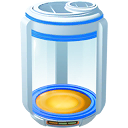 Incubator
Used to hatch Pokémon Eggs by walking required distances.
 Incense
Used to attract Pokémon to your current location for a limited time.
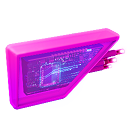 Lure Module
Used to attract more wild Pokémon to a specific PokéStop for all nearby trainers.
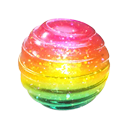 Candy
Candy
Used to power up and evolve Pokémon of the same species.
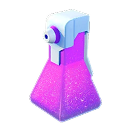 Potion
Used to heal your Pokémon's HP after they take damage in battles.
 Revive
Used to heal your Pokémon to half its health after they faint. A Max Revive fully restores HP.
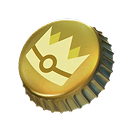 Gold Bottle Cap
Used to max out a Pokémon's all IV stats via Hyper Training. This rare, one-time-use item must be used within a deadline.
 Silver Bottle Cap
Used to max out a Pokémon's one IV stat via Hyper Training.
 Raid Passes
Used by Trainers to join Raid Battles. Can be acquired by spinning the Photo Disc at a Gym.
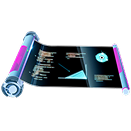 Technical Machines (TMs)
Used by Trainers to teach a Pokémon a new random Fast Attack or Charged Attack.
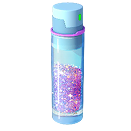 Stardust
The universal currency for almost every upgrade and trade.
 Lucky Egg
Used to double the amount of experience (XP) you earn for 30 minutes.
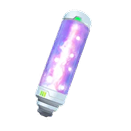 Max Particles (MP)
Used to enter Max Battles and upgrade Max Moves of of Dynamax and Gigantamax Pokémon.
 Star Piece
Used to boost all earned Stardust by 50% for 30 minutes.
 Team Medallion
Used to switch teams once (Instinct, Mystic, or Valor) per year (365 days).
 Gift
Gift
Collected from PokéStops and sent to friends for mutual benefits (can't open yourself).
Sometimes, bad weather or a busy schedule keeps you indoors. In these cases, TunesKit Location Changer helps you bypass physical limits by safely changing your GPS location on iOS and Android devices - so you can keep playing Pokémon GO without going outside.
With five flexible movement modes - Teleport, Jump Teleport, Two-Spot, Multi-Spot, and Joystick - you can explore, catch, battle, and trade more freely in Pokémon GO. A built-in cooldown timer also helps reduce the risk of account suspension.
Check the quick guide below or watch the video to learn how to use TunesKit Location Changer!


 Articles

Let TunesKit Location Changer level up your Pokémon GO gameplay anywhere.