


EFRP.Me APK Review for Android FRP Bypass
Being locked out of your Android device due to Factory Reset Protection (FRP) can be frustrating. Users searching for "EFRP.Me APK" are typically looking for a solution to regain access to their phone without losing critical data. In this comprehensive review, we will explore what EFRP.Me APK is, how it works, its advantages and limitations, and a safe alternative for bypassing FRP.
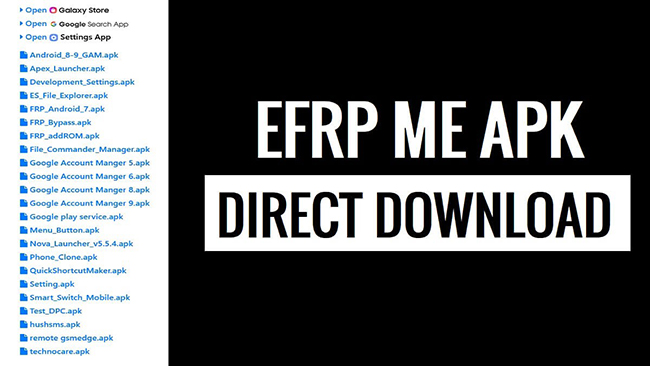
Part 1. Full Review of EFRP.Me APK
Before diving into the technical details, it’s important to first understand what EFRP.Me APK actually is and why so many Android users turn to it when facing a Google FRP lock.
1.1 What is EFRP.Me APK?
EFRP.Me APK is an unofficial Android application designed to bypass Google's FRP lock, which prevents unauthorized access after a factory reset. It is often marketed as a PC-free solution, meaning users can install and use it directly on their Android device without needing a computer.
Key Features of EFRP.Me APK:
- Wide device compatibility: Works with popular brands like Samsung, Huawei, Xiaomi, OPPO, Vivo, LG, Motorola, OnePlus, and Realme.
- Supports multiple Android versions: From Android 5.0 (Lollipop) up to Android 12/13 on some devices.
- PC-free operation: Users can bypass FRP directly on their phone.
- No root required: The tool claims to bypass FRP without needing root access.
1.2 How EFRP.Me APK Works
EFRP.Me APK utilizes Android's accessibility features and system settings to bypass FRP. While it does not require a PC, it typically relies on the TalkBack feature to gain limited access to system settings and a browser from the lock screen.
General Process Overview:
- Enable TalkBack on the device from the FRP lock screen.
- Navigate to a browser or app store via TalkBack shortcuts.
- Download and install EFRP.Me APK.
- Open the APK and follow the on-screen instructions to bypass FRP.
- Access Google account settings to either remove or add a new account.
1.3 Pros and Cons of EFRP.Me APK
 Pros:
Pros:- No computer required
- No root access needed
- Simple idea (APK-based shortcut tool)
- Useful for older Android devices
 Cons:
Cons:- Inconsistent success rate
- Frequently blocked by Android updates
- Complex navigation steps
- No customer support or official updates
- High failure rate on newer phones
1.4 Is EFRP.Me APK Safe?
Safety is one of the most important aspects to consider when dealing with APK tools, especially those downloaded from unofficial sources. Many users focus solely on whether the bypass works, without considering the long-term risks to their personal data and device security. There are some risks you should know if you use EFRP.Me APK.
Potential risks include:
- APK files are often downloaded from unofficial websites
- Risk of malware, spyware, or adware
- No official verification or security audits
- Unknown data collection behavior
Safer practices if you consider it:
- Only use on devices you legally own
- Avoid modified or "cracked" APK sites
- Scan files before installing
1.5 How to Download and Use EFRP.Me APK
Below is a general step-by-step outline for downloading and using EFRP.Me APK safely. Always back up your data if possible, and ensure your APK is downloaded from a trusted source.
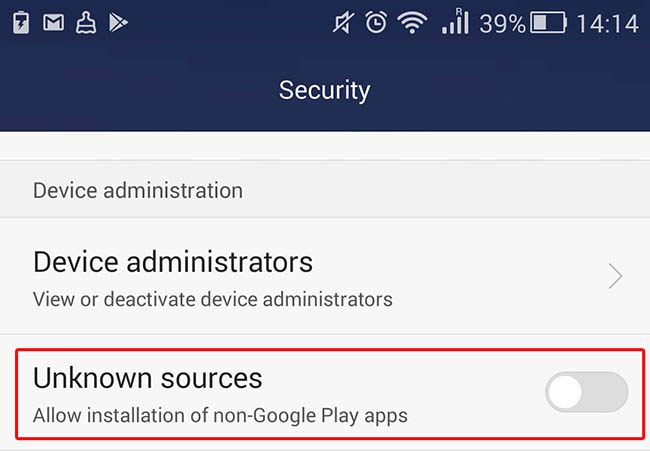
Step 1. Navigate to Settings > Security to enable installation from Unknown Sources on your Android device.
Step 2. On the FRP lock screen, tap Accessibility > TalkBack > Activate.
Step 3. Use TalkBack gestures to open a browser and download EFRP.Me APK.
Step 4. Locate the downloaded APK and install it. Grant all necessary permissions.
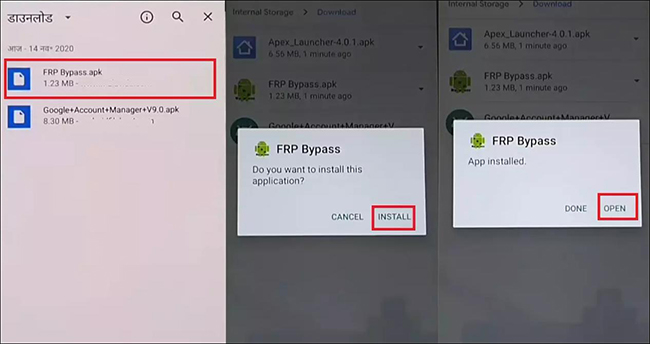
Step 5. Open EFRP.Me APK and follow on-screen instructions to remove Google account verification. After bypass, restart the device to confirm access.
Part 2. Best Alternative to EFRP.Me APK - TunesKit Android Unlocker
While EFRP.Me APK offers a potential bypass solution, users may prefer more reliable and secure alternatives, especially on newer Android devices or when safety is a priority.
TunesKit Android Unlocker is a professional Android solution that includes an FRP bypass feature. Unlike EFRP.Me APK, which is unofficial and PC-free but carries significant security and reliability risks, TunesKit Android Unlocker provides:
- Support for a wide range of Android brands and versions, including newer devices that EFRP.Me may fail on.
- Step-by-step guided interface, reducing the chance of errors or device issues.
- Data safety measures, aiming to bypass FRP without unnecessary data loss.
Why Choose TunesKit Android Unlocker
Bypass FRP lock without passcode with ease. No Technical Skills Needed. High Success Rate. Support lots of Android version incuding 16.
 600,000+ Downloads
Let's learn the detailed steps to bypass FRP lock on your Android phone via TunesKit Android Unlocker.
Step 1 Connect your Android device
Download and install TunesKit Android Unlocker on a Windows PC or Mac. Use a USB cable to connect your Android phone to the computer.
Step 2 Select feature to bypass FRP
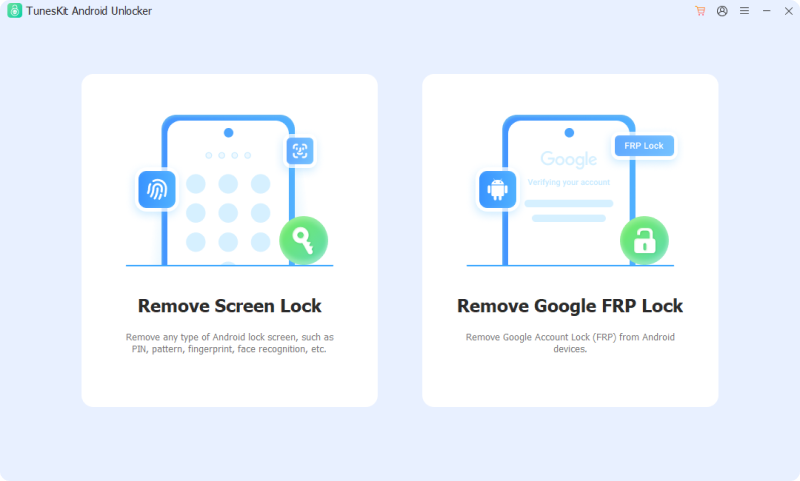
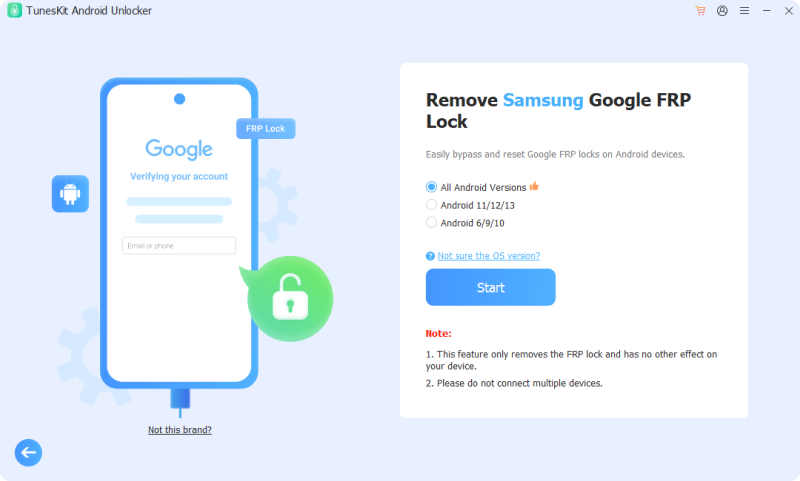
Open the program and select the Remove Google FRP Lock feature from the main interface. Then, choose the brand of your phone. After selection, click the Start button.
Step 3 Remove FRP lock from Android phone
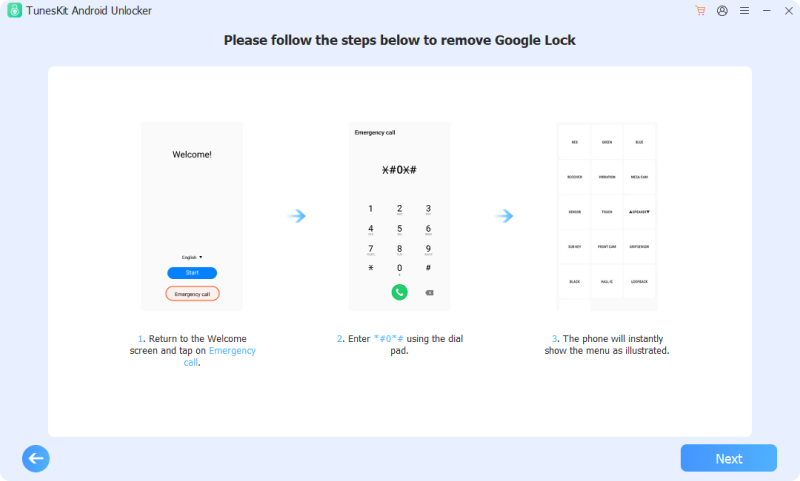
There is an instruction to tell you how to set your phone. Follow it. Click the Next button to start the removal process. You will see a prompt. Tap Allow on the pop-up.
Part 3. FAQs about EFRP.Me APK
-
1. Is EFRP.Me APK free to use?
Yes, most versions are free to download, but risks come from unofficial sources.
-
2. Can EFRP.Me APK permanently remove a Google account?
No. In most cases, EFRP.Me APK does not permanently remove the Google account. It usually provides a temporary bypass so that the device can be used, rather than fully removing the original account from Google's servers.
Part 4. Conclusion
EFRP.Me APK is a PC-free, unofficial tool that may help some users bypass Android FRP locks. However, its reliability is inconsistent, and security risks are significant. Users looking for a more dependable solution should consider professional alternatives like TunesKit Android Unlocker, which provide higher success rates and better device compatibility.


