


2026 Best Software to Unlock Android Phone
Getting locked out of your Android phone is more common than people think, and it usually happens at the worst possible time. Whether you forgot your password, entered the wrong pattern too many times, or bought a second-hand device that's still tied to a previous account, the need for a reliable solution becomes urgent. That's where the best software to unlock Android phone comes in.
This guide is designed to help you understand your situation clearly, choose the right tool, and avoid common mistakes that could cost you time or data.
- Identify Your Lock Type First (Critical Step)
- Quick Comparison: Best Android Unlock Software (2026)
- Top 1. Tenorshare 4uKey for Android
- Top 2. Dr.Fone - Screen Unlock (Android)
- Top 3. TunesKit Android UnlockerHOT
- Top 4. iMyFone LockWiper (Android)
- Top 5. PassFab Android Unlocker
- Top 6. DroidKit
- FAQs About Android Unlock Software
- Final Verdict
Identify Your Lock Type First (Critical Step)
Before jumping into any unlocking software, it's essential to understand what kind of lock you're dealing with. This step is often overlooked, but it directly determines whether a tool will work for you or not.
Most users fall into one of the following categories:
1. Screen Lock (Most Common)
Screen Lock includes PIN code, Password, Pattern lock, Fingerprint ID, and Face ID. This is the most straightforward scenario. In most cases, Android unlock software can remove the lock and restore access to your device.
2. FRP Lock (Factory Reset Protection)
FRP Lock is triggered after a factory reset and common on second-hand device. It requires the previously synced Google account. This type of lock is more restrictive and requires tools that specifically support FRP bypass, not just standard screen unlocking on an Android phone.
Quick Comparison: Best Android Unlock Software (2026)
| Tool | Screen Unlock | FRP Unlock | Ease of Use | Data Loss | Price (USD) |
|---|---|---|---|---|---|
| Tenorshare 4uKey | Yes | Yes | Easy | Yes | ~$24.95/month |
| Dr.Fone | Yes | Yes | Medium | Yes | ~$29.95/month |
| TunesKit Unlocker | Yes | Yes | Easy | Yes | ~$29.95/month |
| iMyFone LockWiper | Yes | Yes | Medium | Yes | ~$29.99/month |
| PassFab Unlocker | Yes | Yes | Easy | Yes | ~$24.95/month |
| DroidKit | Yes | Yes | Medium | Yes | ~$69.99/year |
Top 1. Tenorshare 4uKey for Android
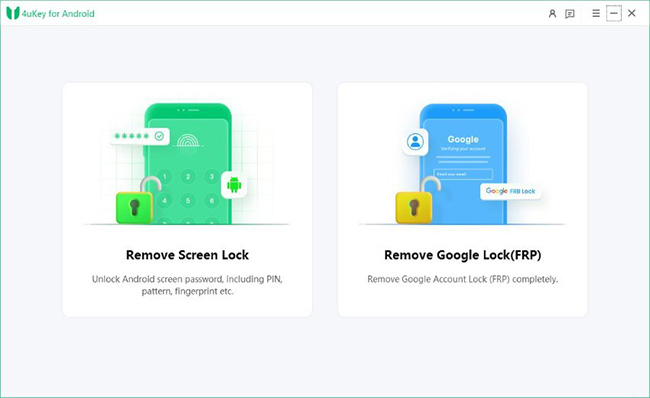
Tenorshare 4uKey for Android is a well-rounded Android unlocking tool designed for ease of use and broad compatibility. It supports both screen lock removal and FRP bypass, making it suitable for most common lock scenarios. The interface is intuitive and guides users step by step, which is especially helpful for beginners.
It works with a wide range of Android brands and versions, though most unlocking processes will result in data loss. Overall, it is a reliable option for users who want an effective solution without dealing with complex technical steps.
 Pros:
Pros:- High success rate.
- Clean and simple UI.
- Works on most Android versions.
 Cons:
Cons:- Data loss on most devices.
- Full features require paid version.
Top 2. Dr.Fone - Screen Unlock (Android)
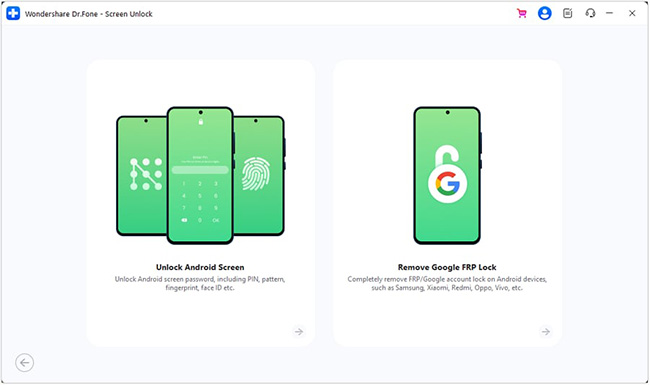
Dr.Fone - Screen Unlock (Android) is known for its strong brand reputation and polished user experience. Developed by Wondershare, it provides a structured unlocking process with clear instructions, making it accessible to users with little technical knowledge.
The software supports both screen lock removal and FRP bypass, and it is regularly updated to maintain compatibility with newer Android versions. While it is generally more expensive than alternatives, many users prefer it for its stability and reliability. It is a solid choice for those who value a trusted and well-supported solution.
Pros:- Easy to use.
- Strong brand credibility.
- Supports multiple unlock types.
Cons:- Limited no-data-loss support.
Top 3. TunesKit Android Unlocker
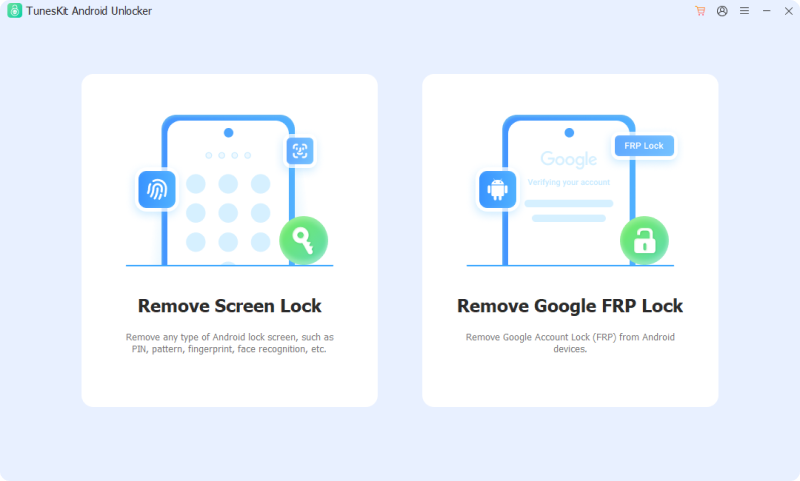
TunesKit Android Unlocker has gained attention as a popular option in the Android unlocking space, offering both screen lock removal and FRP bypass capabilities. It provides a guided unlocking process that is relatively easy to follow, making it accessible to users without technical experience.
Why Choose TunesKit Android Unlocker
Remove Screen Lock and bypass FRP lock without passcode with ease. No Technical Skills Needed. High Success Rate. Support lots of Android version incuding 16.
 600,000+ Downloads
The tool supports a range of Android devices and focuses on delivering a straightforward workflow. While it may not yet have the same level of long-term reputation as more established tools, it can still be a practical choice for most unlocking scenarios on your Android phone.
Pros:- Supports both screen lock and FRP unlock.
- Simple and guided process.
- Beginner-friendly.
Cons:- Less proven across all device models.
Top 4. iMyFone LockWiper (Android)
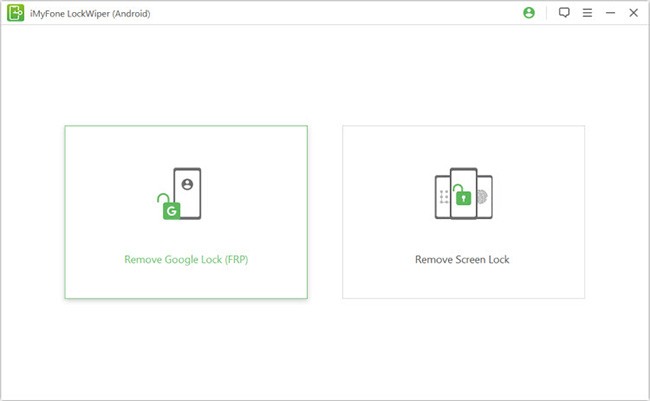
iMyFone LockWiper (Android) is particularly effective for Samsung devices, offering reliable performance in both screen lock removal and FRP bypass scenarios. While it supports multiple Android brands, its optimization for Samsung makes it a preferred choice for users within that ecosystem.
The software provides a guided unlocking process, though the interface may feel slightly less intuitive compared to some competitors. Despite this, it delivers consistent results and is especially useful when dealing with brand-specific restrictions or FRP locks on Samsung phones.
Pros:- Good compatibility with Samsung models.
- Decent unlocking success rate.
Cons:- Interface not as intuitive.
- Slower process on some devices.
Top 5. PassFab Android Unlocker
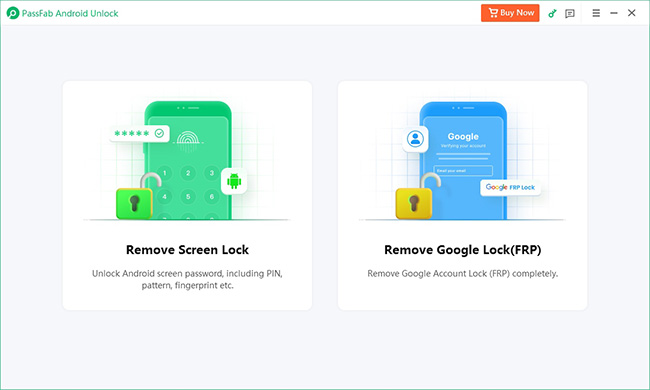
PassFab Android Unlocker is a straightforward and affordable solution for users who need a quick unlock without advanced features. It focuses on simplicity, offering a clean interface and a guided process that is easy to follow even for beginners.
While it may not support as many devices or advanced scenarios as premium tools, it performs well for basic screen lock removal and FRP bypass tasks. This makes it a practical choice for users who want an efficient and budget-friendly option for occasional use.
Pros:- Fast unlocking process.
- Beginner-friendly.
Cons:- Limited advanced features.
- Lower compatibility vs top tools.
Top 6. DroidKit
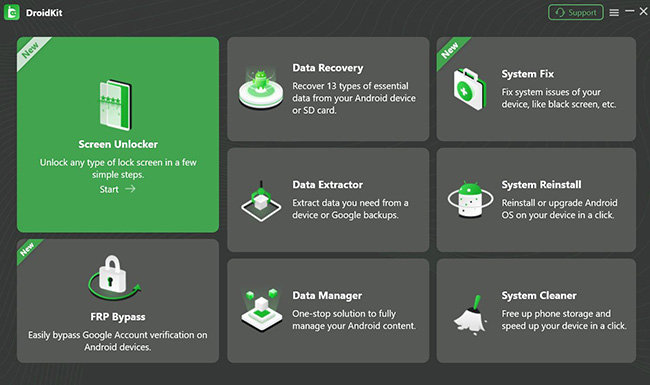
DroidKit offers more than just unlocking capabilities by combining multiple Android management tools into one platform. In addition to removing screen locks and bypassing FRP, it includes features like system repair and data recovery, which can be useful in more complex situations.
The interface is clean and user-friendly, making it accessible to a wide range of users. However, because it is not solely focused on unlocking, its performance in this area may vary depending on the device and scenario.
Pros:- Multiple features beyond unlocking.
- Clean interface.
Cons:- Unlock success varies by device.
- Not specialized for unlocking only.
FAQs About Android Unlock Software
-
Can I unlock Android without losing data?
In most cases, no. The majority of unlocking methods involve resetting the device, which erases data.
-
Is Android unlock software safe to use?
Yes, as long as you use reputable tools such as Tenorshare 4uKey for Android or TunesKit Android Unlocker.
Final Verdict
When it comes to choosing the best software to unlock Android phone, there are a lot of sounds about which is the best. In reality, the right choice depends less on popularity and more on your specific situation—such as your device model, Android version, and whether you are dealing with a screen lock or an FRP lock. Taking a few minutes to compare features and limitations can help you avoid unnecessary risks and get back into your phone more efficiently.


