How to Jailbreak iOS 27 on iPhone
Want to know how to jailbreak iOS 27 on iPhone? Jailbreak availability depends on your iPhone model, iOS version, and whether compatible exploits or tools have been released.
This guide covers the current iOS 27 jailbreak status, supported devices, available tools, key risks, and safer alternatives. We'll keep it updated as new jailbreak methods appear, so you can quickly see what works, what doesn't, and whether jailbreaking iOS 27 is worth trying.

Can You Jailbreak iOS 27?
As of October 2026, there is no publicly available jailbreak tool confirmed to support iOS 27. Jailbreak development depends on security exploits, device hardware, and the exact iOS version, so compatibility can vary between releases.
Apple regularly patches vulnerabilities through iOS updates, which makes newer versions more difficult to jailbreak. If an iOS 27 jailbreak becomes available, it may initially support only specific iOS builds or iPhone models.
Before trying to jailbreak iOS 27, always verify the tool's official compatibility information and avoid websites claiming guaranteed support without credible evidence.
Supported iPhone Models
At this time, there is no confirmed list of iPhone models that support an iOS 27 jailbreak.
Support will depend on the exploit and jailbreak tool used. A future jailbreak could support certain devices or iOS 27 versions while excluding others.
For this reason, avoid assuming that the iPhone 18 series, iPhone Air, iPhone 17 series, or older models are supported unless the jailbreak developer specifically confirms compatibility.
5 Best Tools for Jailbreak iOS 27
As for now, no public and stable jailbreak is available for iOS 27. While some tools and exploits are being researched for early iOS 27 builds, none are confirmed to provide a reliable jailbreak. The following are the 5 tools most commonly discussed by the jailbreak community, along with their compatibility and limitations.
Tool 1: Dopamine
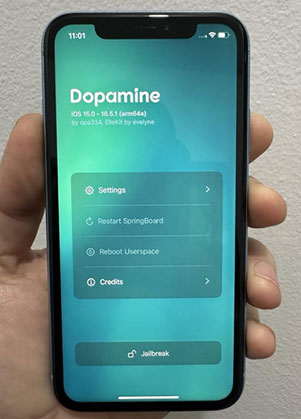
Dopamine is a modern rootless jailbreak tool designed for newer iOS versions and supported devices. It uses software-based vulnerabilities to provide jailbreak access while keeping the system partition protected.
Unlike traditional rootful jailbreaks, Dopamine uses a rootless architecture, which improves system stability and reduces the risk of damaging system files.
 Pros:
Pros:- Allows re-jailbreaking directly from the device without a computer after initial setup.
- Includes Sileo and supports jailbreak tweaks.
- Uses a rootless design for improved system safety.
- Receives frequent developer updates.
 Cons:
Cons:- The jailbreak app may require re-signing every 7 days on iOS 16.7+.
- The jailbreak process may occasionally crash.
- No confirmed support for iOS 26 or iOS 27.
- Beta releases can be unstable, and some apps such as Zebra may experience crashes.
Tool 2: TrollStore
TrollStore is not a jailbreak tool. It is a permanent IPA installation utility that allows users to install applications outside Apple's App Store without traditional app-signing limitations.
It takes advantage of specific iOS vulnerabilities to provide long-term app installation capabilities on compatible iOS firmware versions.
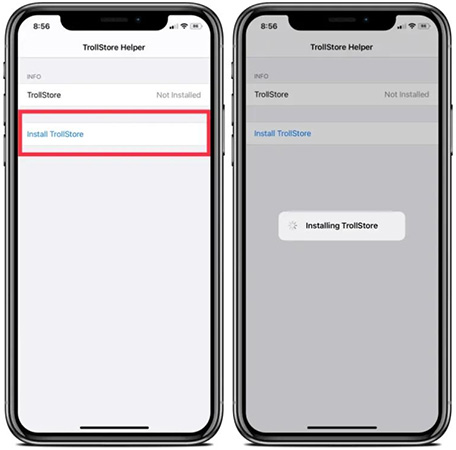
Pros:- Supports permanent IPA installation without requiring a full jailbreak.
- Does not require app re-signing, unlike traditional sideloading methods.
- Provides a simple way to install apps outside the App Store.
- Works on specific iOS versions, mainly iOS 14.0–16.6.1 and selected iOS 16.7.x / iOS 17.0 versions depending on the device and exploit availability.
- Supports a wide range of devices, including many A12–A17 iPhones and iPads on compatible firmware versions.
Cons:- Not a full jailbreak and cannot provide complete system-level access.
- Compatibility depends on the exact iOS version and device model.
- Does not officially support iOS 17.1+ or iOS 18/26/27.
- Requires specific exploits that may not be available on all devices.
- Installing untrusted IPA files may introduce security risks.
 Further Reading: TrollStore IPA Download (2026): Free Install Guide for iOS 14–17
Tool 3: Misaka
Misaka is an iOS customization and tweak management tool that allows users to modify certain system features without installing a traditional jailbreak. It uses available iOS exploits and customization frameworks to enable features such as interface changes, system tweaks, and experimental modifications.
Unlike full jailbreak tools, Misaka does not provide complete root access to the device. Instead, it focuses on lightweight customization and works only on specific iOS versions and compatible devices.
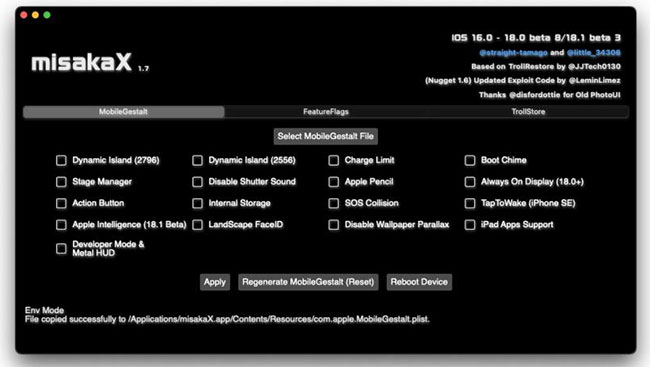
Pros:- Provides iOS customization features without requiring a traditional jailbreak.
- Supports various system tweaks and customization options through available exploits.
- Compatible with selected devices running iOS 15.0–17.0 (depending on exploit availability).
- Supports many modern devices, including A11–A17 chip devices on compatible iOS versions.
- Offers a user-friendly interface compared with traditional jailbreak tools.
Cons:- Not a complete jailbreak and cannot access all system-level functions.
- Compatibility varies significantly between iOS versions and device models.
- Limited or no support for newer versions such as iOS 18, iOS 26, and iOS 27.
- Some features may stop working after iOS updates.
- Certain tweaks may be unstable or unavailable depending on the exploit environment.
Tool 4: Palera1n
Palera1n is an open-source jailbreak tool that leverages Apple's checkm8 bootrom exploit, a hardware-level vulnerability affecting compatible A8–A11 devices. Since the exploit resides in the device's boot ROM, it cannot be patched through iOS software updates on supported hardware.
It is designed for developers, security researchers, and advanced users who want greater control over their Apple devices.
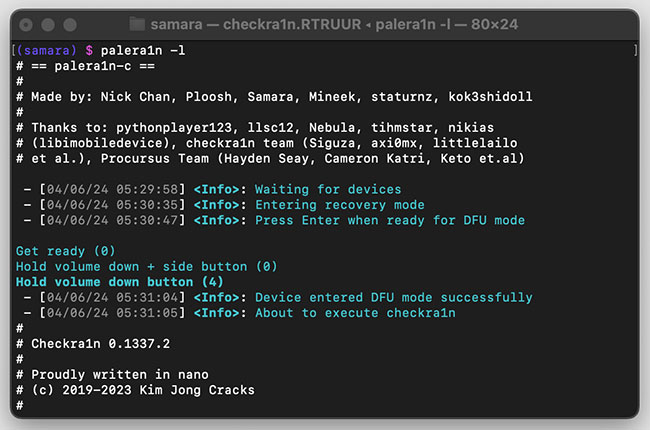
Pros:- Uses a hardware exploit that is difficult for Apple to block with software updates.
- Regularly updated and may support newer iOS 27 versions.
- Offers both rootful and rootless jailbreak modes.
- Supports compatible iPhones and T2 Macs.
- Backed by a large community with extensive guides and support.
Cons:- Requires a computer to reactivate the jailbreak after every reboot.
- Only supports A8–A11 devices, up to iPhone X.
- Some A10/A11 devices require the passcode to be disabled while jailbroken.
- May not work reliably in virtual machines such as VirtualBox or VMware.
Tool 5: Unc0ver
unc0ver is one of the best-known jailbreak tools for older iPhone and iPad models. It supports selected devices running older iOS versions, mainly up to iOS 14.8, but it does not currently support iOS 27. If you see websites advertising an unc0ver jailbreak for iOS 27, verify the claim carefully, as the official tool has not announced iOS 27 compatibility.

Pros:- Well-known and widely used in the jailbreak community.
- Supports many older iPhone and iPad models.
- Semi-untethered, allowing users to re-enable the jailbreak after a reboot.
- Compatible with popular tweak managers on supported versions.
Cons:- Does not support iOS 27.
- Limited to older iOS versions and devices.
- May require sideloading tools such as AltStore.
- The jailbreak must usually be reactivated after restarting the device.
Repair iOS 27 Jailbreak Issues Without Data Loss
If your iPhone starts freezing, crashing, or getting stuck in a boot loop after updating to iOS 27 or experimenting with system modifications, the problem may be caused by an iOS system error rather than a working jailbreak. Before restoring your iPhone and erasing its data, you can try TunesKit iOS System Recovery. Its Standard Repair mode is designed to fix 150+ iOS problems while preserving your personal data.
For example, it can fix iPhone stuck on update requested, iPhone black screen of death, and iPhone jailbreak failed issues, and etc. Compatible with macOS and Windows, it is the first choice when you encountered iOS 27 jailbreak failed issue.
Fix iOS 27 Jailbreak Issues with TunesKit
Effortlessly revive your iOS 27 device from jailbreak-induced crashes and boot loops without erasing any of your precious personal files.
 600,000+ Downloads
Here's how to repair your device without data loss using TunesKit iOS System Recovery.
Step 1. Connect iPhone to PC
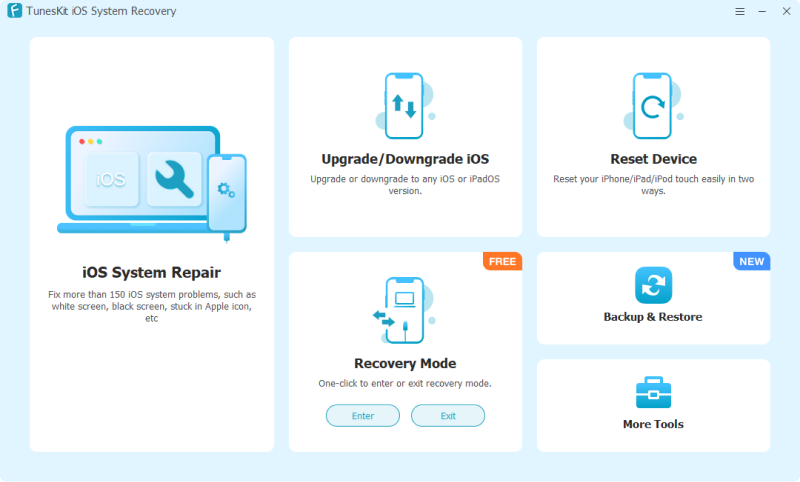
Download and install TunesKit iOS System Recovery onto your Mac or PC. Launch it and use a genuine USB cable to connect your iPhone to your computer. Once the device is recognized, click the "iOS System Repair" button to begin the repair process. On the next page, click the "Start" button to move on.
Step 2. Choose A Repair Mode
Select "Standard Repair" from the main interface. It is crucial that you stick to this mode, as it is the only option that repairs your operating system without erasing your data.

Step 3. Check and Download Firmware Package
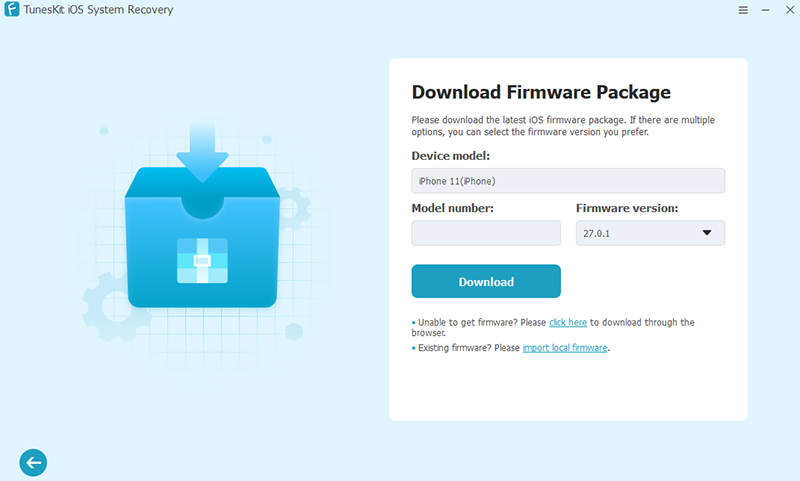
The software will then prompt you to download the appropriate firmware package for your specific iPhone model. Verify that the device info shown on the screen is correct, then click "Download."
Step 4. Start to Repair
Once the download is finished, click the "Start Standard Repair" button. The software will begin fixing the system glitches on your iPhone. Ensure your device stays connected to the computer throughout this entire operation.

FAQs About Jailbreak iOS 27
-
Are "no computer" jailbreak sites for iOS 27 safe?
Be cautious. There is currently no widely verified iOS 27 jailbreak that works through a website or profile. Avoid sites that require surveys, unknown apps, or suspicious configuration profiles.
-
What should I do if I want to jailbreak iOS 27 later?
Avoid unnecessary iOS updates and stay on the lowest compatible version when possible. If you want to downgrade, check whether Apple is still signing the target firmware. See how to downgrade iOS 27 to iOS 26.
-
Will jailbreaking iOS 27 erase my data?
Some jailbreak or restore-related processes may cause data loss. Back up your iPhone before making system-level changes.
-
Should I update iOS if I want to jailbreak later?
Generally, avoid unnecessary updates if jailbreaking is your priority. New iOS versions may patch vulnerabilities that could be useful for future jailbreak development.
Final Thoughts
There is currently no widely verified public jailbreak for iOS 27, so be cautious of websites claiming to offer instant jailbreak tools or profiles. If you are experiencing crashes, boot loops, or other system problems, TunesKit iOS System Recovery can help repair 150+ common iOS issues. Its Standard Repair mode is designed to fix common problems without erasing data. If you want to downgrade iOS 27, TunesKit can also help you install an older version that is still signed by Apple.