


FRP Hijacker by Hagard Review: Is It Still Effective for Samsung in 2026?
The "Factory Reset Protection (FRP)" lock is a security cornerstone for Android, but it becomes a major headache when you legitimately lose access to your Google credentials. For years, FRP Hijacker by Hagard has been a household name in the GSM community for bypassing these locks on Samsung devices.
However, as we move through 2026 with Android 15 and 16 now standard on the latest Galaxy S26 and A-series models, many users are wondering if this legacy tool still holds its ground. This review analyzes the features, compatibility, and safety of Hagard's utility to help you decide if it is the right solution for your device today.
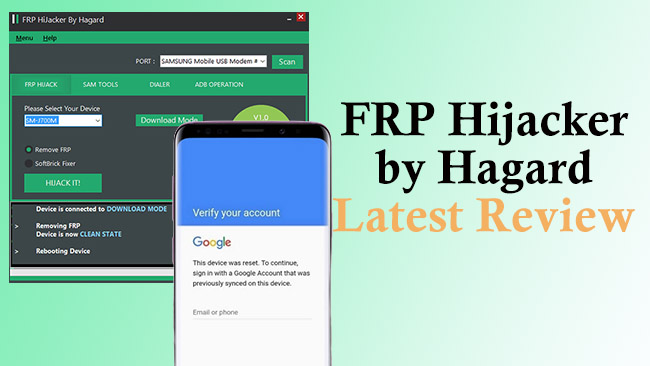
What Is FRP Hijacker by Hagard?
FRP Hijacker by Hagard is a specialized, Windows-based software utility designed to bypass the Factory Reset Protection (FRP) lock on Samsung Android devices. Developed by a well-known developer in the GSM community named Hagard, it gained popularity as a free, powerful alternative to expensive professional "box" tools used by repair shops.
In the context of 2026, it is primarily viewed as a legacy specialist tool. While it was a "gold standard" for older Samsung models, its role has shifted as Android security has evolved.
What Can FRP Hijacker by Hagard Do?
When a Samsung phone is factory reset without the owner first removing the Google account, it triggers a "Google Verification" lock. FRP Hijacker is designed to "hijack" the communication between the phone and a PC to force that lock open. Its primary functions include:
- Bypassing the Google Lock: It uses various exploits to skip the setup screen so you can access the home screen.
- Enabling ADB (Android Debug Bridge): It forces the phone to allow USB commands, which is often the "key" needed to run more advanced unlock scripts.
- Fixing "Softbricks": It can repair devices stuck on the "emergency" or "firmware upgrade encountered an error" screen, which often happens after a failed flash attempt.
- Operating in Download Mode: Unlike many methods that require the phone to be powered on and at the setup screen, this tool can work while the phone is in its low-level "Download Mode."
Compatibility Matrix: Will It Work for You?
The biggest challenge with FRP Hijacker in 2026 is the "Security Patch" wall. Samsung's modern Knox security is significantly more robust than it was when this tool was first released.
| Device Category | Android Versions | Compatibility Status |
|---|---|---|
| Legacy (Galaxy J, S6, S7) | Android 5.0 - 7.0 | Highly Effective |
| Mid-Range (Galaxy S8, S9, A10) | Android 8.0 - 10.0 | Moderate Success |
| Modern (Galaxy S21 - S24) | Android 11.0 - 14.0 | Limited (ADB only) |
| Latest (Galaxy S25, S26) | Android 15.0 - 16.0 | Unlikely / Incompatible |
Security & Risks: Is It Safe?
When you download FRP Hijacker, your antivirus or Windows Defender will almost certainly flag it as a Trojan or Malware. This is common with "cracking" or "hijacking" tools because they utilize system exploits to function.
While the original tool by Hagard is considered a "false positive" by the GSM community, the risk lies in where you download it. Because there is no official website, many third-party download links bundle the tool with actual malicious software. Always use a sandbox environment or a secondary PC when running legacy GSM tools.
How to Use FRP Hijacker: A Step-by-Step Guide
If you are working with a compatible legacy device, follow these steps to attempt a bypass. Ensure you have the Samsung USB Drivers and the Microsoft .NET Framework 4.5 installed on your PC first.
- Step 1. Download and install FRP Hijacker on your computer. Launch the FRP Hijacker tool as an Administrator on your Windows PC.
- Step 2. Connect your phone to your PC via a USB cable.
- Step 3. Power off your Samsung device and put it into Download Mode (typically by holding Power + Volume Down + Home/Bixby buttons). Once a warning screen appears, release the buttons. Press the Volume Up button to enter Download Mode.
- Step 4. Click the Scan button on the tool to let the tool detect your connected device.
- Step 5. Click Remove FRP and then select your phone model from the provided list.
- Step 6. Click the HIJACK IT button to start the bypass process.

Modern Solution for 2026 Security Patches - TunesKit Android Unlocker
While Hagard's tool is a legend for older models, users with modern Samsung devices—specifically those on Android 11 through Android 16—will encounter "Security Patch" errors. For these newer devices, the manual exploits used by legacy tools have been largely patched by Google and Samsung.
For those who find that FRP Hijacker cannot communicate with their device or fails during the "Hijack" process, TunesKit Android Unlocker serves as a more contemporary alternative. Unlike legacy utilities that rely on outdated exploits, this tool is updated to handle the more complex encryption found in recent Samsung firmware.
- FRP Bypass for Modern OS: It specifically targets the Google Lock on Samsung devices running newer versions of Android where Hagard's ADB Enabler might fail.
- Screen Lock Removal: Beyond just FRP, it acts as a general utility to remove PINs, patterns, and fingerprints if you are locked out of the device entirely.
- Guided Interface: While Hagard's tool requires some technical knowledge of COM ports and Download Mode, TunesKit uses a wizard-based approach that identifies the device version automatically.
Key Features of TunesKit Android Unlocker
No complex tools, no risk - just connect, follow clear instructions, and bypass FRP lock on your Android device.
 600,000+ Downloads
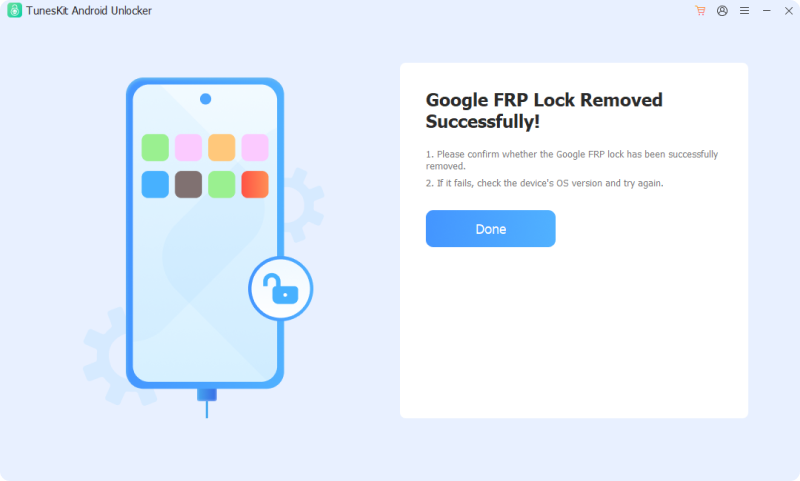
- Step 1. Launch the software on your computer and select the "Remove Google FRP Lock" option from the main interface. Connect your Samsung device to the PC using a USB cable.
- Step 2. Click the "Start" button. The software will ask you to confirm your device brand (Samsung). Ensure your device is at the initial "Welcome" screen (the very first screen you see after a reset).
- Step 3. Follow the on-screen instructions to set up your phone. Once done, click the Next > Start buttons to start the bypass process.
Part 8. Conclusion
FRP Hijacker by Hagard remains a powerful, free utility for anyone refurbishing older Samsung devices or fixing "soft-bricked" legacy phones. However, for modern users on Android 15+, it serves more as a historical artifact than a reliable solution. TunesKit Android Unlocker becomes a better choice in 2026.


