


2026 Easy Samsung FRP Tool: Review, V2.7 Download, & Best Alternative
Factory Reset Protection (FRP) is a built-in Android security feature that prevents unauthorized access after a factory reset. While this protection is useful, it can also lock out legitimate owners who forget their Google account credentials. That's why many users search for Easy Samsung FRP Tool, a free utility designed to bypass Google account verification on Samsung.
But does Easy Samsung FRP Tool V2.7 still work in 2026? And what should you do if it fails? In this in-depth review, we'll cover everything you need to know, including the latest V2.7 download information, features, pros and cons, step-by-step instructions, and the best alternative.
- What Is Easy Samsung FRP Tool?
- Key Features of Easy Samsung FRP Tool V2.7
- Pros and Cons of Easy Samsung FRP Tool
- Easy Samsung FRP Tool V2.7 Download
- How to Use Easy Samsung FRP Tool to Bypass Samsung FRP
- Does Easy Samsung FRP Tool Still Work in 2026?
- Best Alternative to Easy Samsung FRP ToolHOT
- Easy Samsung FRP Tool vs TunesKit Android Unlocker
- Final Verdict
What Is Easy Samsung FRP Tool?
Easy Samsung FRP Tool is a lightweight Windows program developed by the Easy Firmware team. It helps Samsung users bypass the Google account verification screen that appears after a factory reset.
FRP was introduced by Google in Android 5.1 to protect stolen devices. After a reset, you must sign in with the Google account previously synced to the phone. If you forget those credentials, tools like Easy Samsung FRP Tool may help you regain access.
Key Features of Easy Samsung FRP Tool V2.7
Despite its small size, Easy Samsung FRP Tool includes several useful functions that can help trigger FRP bypass methods on Samsung devices. Here are the main features available in version 2.7.
- Free to Use: The software is available at no cost.
- Lightweight Download: The installer is approximately 12–13 MB.
- Supports Many Samsung Models: Compatible with a wide range of Galaxy devices.
- Opens Browser on Locked Device: Allows users to access a browser to continue bypassing steps.
- Driver Signature Utility: Includes an option to disable Windows driver signature enforcement.
- Simple Interface: One-click buttons make the process easier for non-technical users.
Pros and Cons of Easy Samsung FRP Tool
 Pros:
Pros:- Completely free.
- Small download size.
- Supports many Samsung phones.
- Popular among repair technicians.
- Useful for older Android versions.
 Cons:
Cons:- Windows only.
- Requires Samsung USB drivers.
- May trigger antivirus warnings.
- Limited success on Android 14/15 and newer security patches.
- No official customer support.
Easy Samsung FRP Tool V2.7 Download
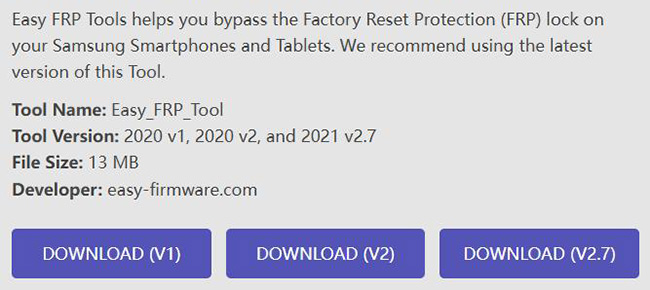
Many users search specifically for the latest Easy Samsung FRP Tool V2.7 download. You can download it from the website:
Below are the key file details, system requirements, and important safety tips to know before installing it.
Before Downloading
- Download from reputable firmware websites.
- Scan the file with antivirus software.
- Avoid suspicious mirrors and pop-up ads.
System Requirements
- Windows 7/8/10/11
- Samsung USB drivers
- USB cable
- Stable internet connection
How to Use Easy Samsung FRP Tool to Bypass Samsung FRP
Once you have downloaded the software, you can use it to remove the FRP lock on supported Samsung devices. Follow the steps below to complete the process.
- Step 1. Install the latest Samsung USB drivers on your PC. Run the program as Administrator. Connect your phone to this PC.
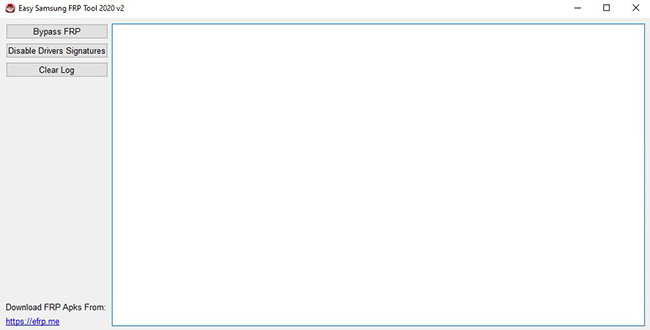
- Step 2. Click Bypass FRP. Then, look at your phone screen. Follow the pop-up message to open a web browser.
- Step 3. Enter gsmclassic.com on the browser and visit the website.
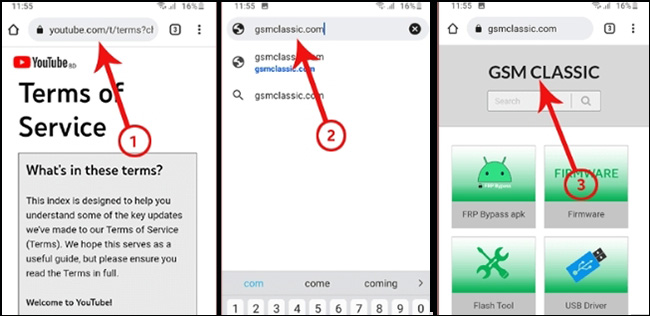
- Step 4. Tap FRP Bypass apk and then find the Direct Set Screen Lock option.
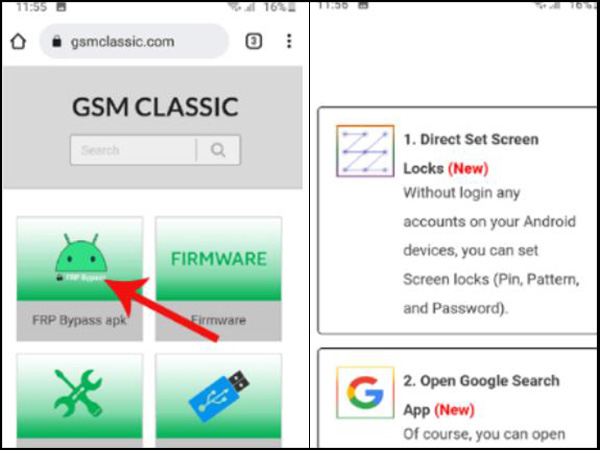
- Step 5. Set up a screen lock for your phone and then restart your phone. Now the FRP lock on your phone has been removed successfully.
Does Easy Samsung FRP Tool Still Work in 2026?
Because Samsung regularly updates its security system, older FRP tools may not work on all devices. Here is what you should know about Easy Samsung FRP Tool's compatibility in 2026.
Easy Samsung FRP Tool still works on some devices, particularly older Samsung models, devices with outdated security patches, and Android 5.1 to Android 10 (sometimes later).
If the tool cannot open the browser or the bypass APK no longer works, you'll need a newer solution.
Best Alternative to Easy Samsung FRP Tool
If Easy Samsung FRP Tool doesn't work on your device, using a newer FRP removal solution is often the most practical next step. This is especially true for Samsung phones running recent Android versions, where older bypass methods may no longer be effective.
Among the available options, TunesKit Android Unlocker stands out as one of the best alternatives to Easy Samsung FRP Tool because it is designed to remove both Samsung FRP locks and Android screen locks through a guided process.
Key Features of TunesKit Android Unlocker
Removes Google FRP lock from Samsung devices. Unlocks PINs, passwords, patterns, fingerprints, and facial recognition locks.
 600,000+ Downloads
- Step 1. Download and install TunesKit Android Unlocker on your Windows or Mac computer. Open the program and select Remove Google FRP Lock from the main interface.
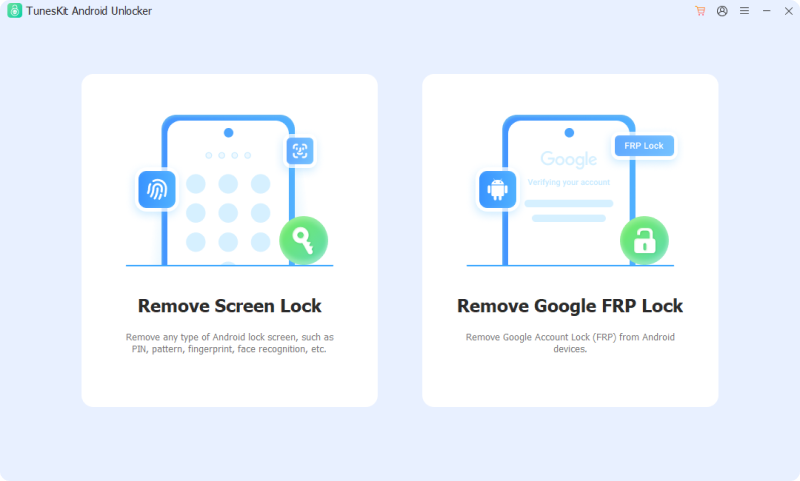
- Step 2. Use a USB cable to connect your Samsung phone or tablet to the computer. Make sure the device is on the Google verification screen.
- Step 3. Choose the correct device brand and confirm your Samsung model details if prompted. This allows the software to prepare the most suitable FRP removal method.
- Step 4. TunesKit will provide on-screen instructions to help you enter the appropriate mode, such as Recovery Mode, depending on your device.
- Step 5. Click the Next button. The software will automatically perform the necessary steps to remove the FRP lock. This may take several minutes.
Easy Samsung FRP Tool vs TunesKit Android Unlocker
| Feature | Easy Samsung FRP Tool | TunesKit Android Unlocker |
|---|---|---|
| Primary Purpose | Bypass Samsung FRP lock | Remove Samsung FRP lock and Android screen locks |
| Price | Free | Paid (free trial available) |
| Supported Platforms | Windows | Windows and Mac |
| Supported Samsung Android Versions | Best for older firmware; inconsistent on latest versions | Samsung Android 6–16 |
| Other Supported Brands | Samsung only | Samsung, Xiaomi, Redmi, vivo, OPPO, realme, Motorola, and more |
| Ease of Use | Moderate; may require manual steps | Beginner-friendly guided wizard |
| Screen Lock Removal | No | Yes (PIN, pattern, password, fingerprint, face lock) |
| Official Updates | Rare | Regular updates |
| Technical Support | No | Yes |
| Success Rate on Newer Devices | Limited | Generally higher |
Final Verdict
Easy Samsung FRP Tool V2.7 remains a useful free option for certain Samsung devices, particularly older models that have not received the latest security updates. However, because its effectiveness is increasingly inconsistent in 2026, it may not be the most reliable solution for every user. In this final verdict, we summarize when the tool is worth trying and when it makes more sense to use a modern alternative like TunesKit Android Unlocker.


