How to Factory Reset a Locked LG Phone: Complete Guide
This guide is for an LG phone locked by a screen PIN, password, pattern, or Knock Code. If your phone says SIM locked, Network locked, or asks for a network unlock code, a factory reset will not remove that carrier restriction.
Forgot the PIN, password, pattern, or Knock Code on your LG phone? If you can no longer get past the lock screen, you can usually factory reset a locked LG phone without entering the screen password.
However, there is one important catch: a factory reset erases the data stored on the phone, and Android's Factory Reset Protection (FRP) may ask you to sign in with a Google Account that was previously synced to the device afterward. This guide explains how to factory reset a locked LG phone, which method to choose for your situation, what gets deleted, and what to do if the reset does not work.
Before You Factory Reset a Locked LG Phone
A factory reset is irreversible once it begins. Before using it to remove a forgotten LG screen lock, understand what will happen afterward.
Will a Factory Reset Remove the LG Screen Lock?
Yes. A factory reset removes the current PIN, password, pattern, or Knock Code because it erases the phone and returns Android to its initial setup state. It is therefore useful when you cannot remember the screen credentials and cannot access the Settings app.
However, it is important to distinguish between removing the screen lock and bypassing Google verification. A factory reset does not necessarily make the phone immediately usable.
Will Factory Resetting a Locked LG Phone Delete Everything?
A factory reset normally removes data stored in the phone's internal memory, including:
- Installed apps
- App data
- Android settings
- Saved accounts
- Local photos and videos
- Downloads
- Messages stored only on the device
- The existing screen lock
Data that was already synchronized with services such as Google Photos, Google Contacts, or another cloud service may be restored after you sign back in.
If the LG phone is already completely locked, you may not be able to create a new backup before resetting it. Check whether important information was previously synced to your Google Account or another backup service.
If the phone contains a removable microSD card with important files, consider removing the card before beginning the reset.
 Warning: Android devices may use Factory Reset Protection, commonly called FRP. If a Google Account was previously added to the LG phone, Android may ask you to verify ownership during setup after a button-based factory reset.
How to Factory Reset a Locked LG Phone
For a locked LG phone, the right factory reset method depends on what access you still have. Below are the most practical options, including hardware buttons, Google Find Hub, and TunesKit Android Unlocker, with clear steps and important limitations for each method.
Method 1. Factory Reset a Completely Locked LG Phone with Buttons
If you cannot get past the lock screen at all, the hardware-button method is normally the most useful solution. It does not require access to Android Settings or knowledge of the current screen password.
- Step 1. Hold the Power button and shut it down to turn off the LG phone.
- Step 2. Press and hold the Volume Down button and Power button simultaneously. Don not release them when the phone first vibrates or begins starting.
- Step 3. When the LG logo appears, keep holding Volume Down. Next, briefly release the Power button and immediately press and hold the Power button again.
- Step 4. Release the buttons when the Factory data reset or Factory hard reset screen appears. You will see a confirmation screen asking whether you want to erase user data and restore default settings.
- Step 5. Use the Volume Up/Down buttons to move between options. Highlight Yes, then press the Power button to select it and enter the next window.
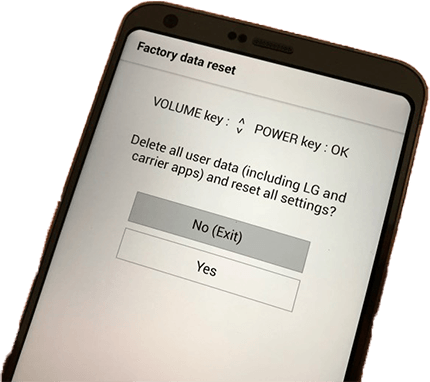
- Step 6. A second confirmation screen may appear. Select Yes again. The LG phone will begin erasing its internal data and restoring factory settings. Do not interrupt the phone while this process is running.
- Step 7. After the reset is complete, the phone will restart and display the Android setup screen.
Method 2. Factory Reset a Locked LG Phone with Google Find Hub
If the LG phone is still connected to your Google Account, you may be able to erase it remotely with Google Find Hub, previously known as Find My Device.
This method is useful when:
- You cannot physically perform the button reset
- The phone is lost or somewhere else
- The phone is still associated with your Google Account
- The device can communicate with Google's device-finding service
- Step 1. On another phone or computer, open Google's Find Hub service.
- Step 2. Sign in with the same Google Account associated with the locked LG phone.
- Step 3. Select the LG phone from your available devices.
- Step 4. Choose the option to factory reset, erase, or remove the device's data.
- Step 5. Read the warning carefully and confirm the reset.
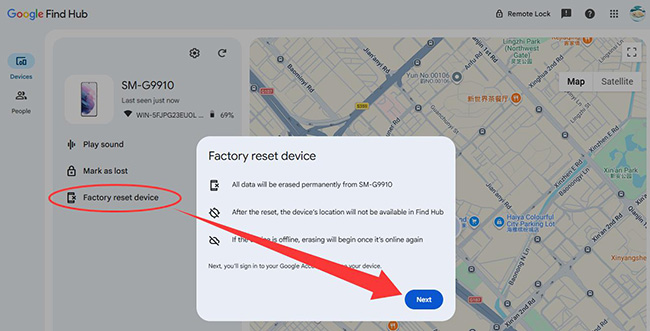
Once the command reaches the LG phone, its stored data will be erased.
Method 3. Remove a Locked LG Screen with TunesKit Android Unlocker
If your main goal is to regain access to an LG phone after forgetting the PIN, pattern, or password, manually performing a factory reset is not your only option. A desktop screen-unlock tool can guide you through the required recovery process when the hardware-button procedure is difficult to complete.
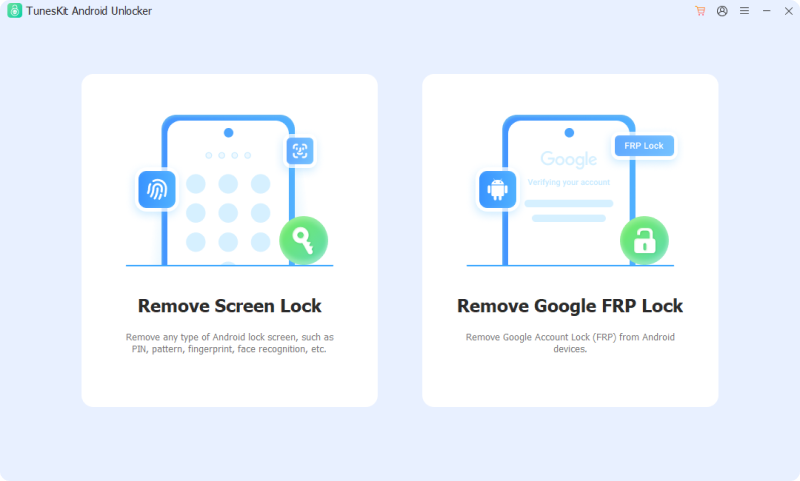
TunesKit Android Unlocker supports LG devices in its Remove Screen Lock mode and can remove common Android lock types, including PIN, pattern, password, fingerprint lock, and face recognition. It is particularly useful if you are unsure how to complete the LG reset procedure manually or repeatedly fail to reach the correct recovery screen. The program provides onscreen instructions based on the connected device.
Key Features of TunesKit Android Unlocker
Factory reset LG phone without unlocking it. No Technical Skills Needed. High Success Rate. Support lots of Android version including 16.
 600,000+ Downloads
Step 1. Connect the locked LG phone to a computer
Download and install TunesKit Android Unlocker on a Windows PC or Mac. Connect the locked LG phone to the computer with a USB cable. From the main interface, choose Remove Screen Lock.
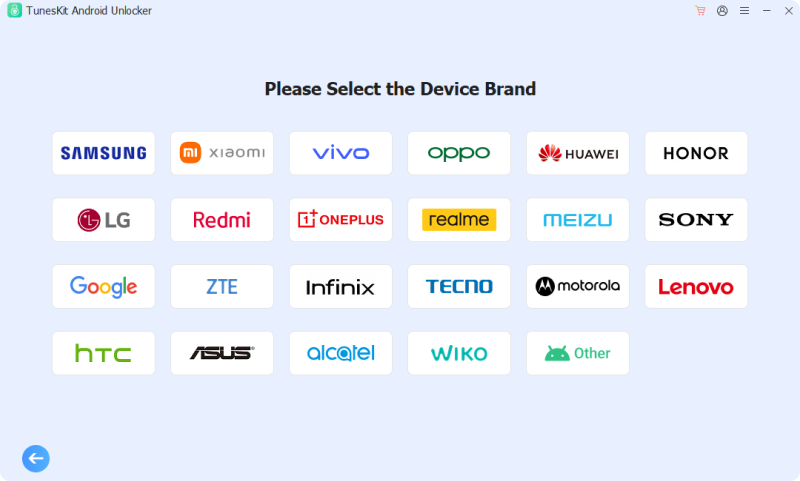
Step 2. Select LG as the device brand
Choose LG from the supported Android brands and click Start. The program will warn you that removing the screen lock will erase data from the phone. Read the notice before continuing.
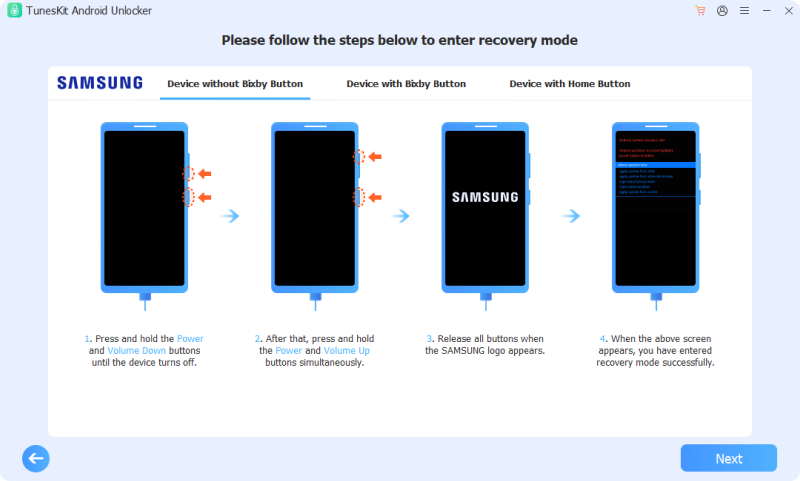
Step 3. Put the locked LG phone into Recovery Mode
Follow the onscreen instructions to enter the appropriate recovery mode. The exact hardware-button sequence can vary by device, so following model-specific prompts can be easier than trying different button combinations yourself.
Step 4. Start removing the LG screen lock
Once the LG phone has entered the required mode, follow the remaining onscreen instructions and click Next when prompted. TunesKit will proceed with the screen-lock removal process. Keep the phone connected to the computer until the process finishes.
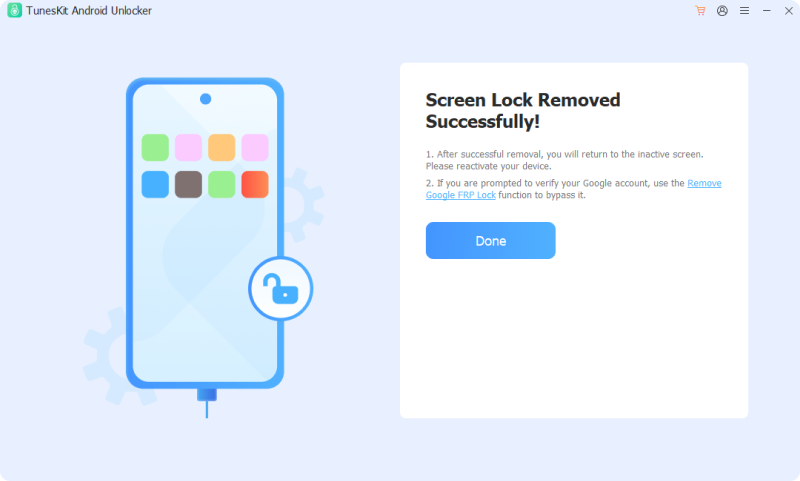
After the process completes, the previous screen PIN, password, or pattern will no longer block access. Follow the Android setup instructions to configure the phone again.
FAQs About Factory Resetting a Locked LG Phone
-
Can Google Find Hub Remove the LG Password Without Erasing Data?
No. Find Hub should be viewed as a remote factory-reset option, not as a way to simply delete the screen PIN while leaving personal files untouched. After the reset, Factory Reset Protection may still require the Google Account previously associated with the device.
-
Why is my LG asking for a Google Account after factory reset?
The phone is likely protected by Factory Reset Protection. Android may require a Google Account that was previously synced to the device before allowing setup to continue.
-
Will factory reset remove an LG SIM or network lock?
No. SIM and carrier network locks are separate from the Android screen lock. Contact the original carrier if the phone cannot accept another network's SIM.
Conclusion
If you need to factory reset a locked LG phone, using the Volume Down and Power buttons remains the most direct solution when you have forgotten the PIN, pattern, password, or Knock Code. Google Find Hub can also remotely erase an eligible device connected to your Google Account.
If you have trouble completing the manual reset procedure, TunesKit Android Unlocker provides another way to remove a forgotten LG screen lock through a computer-guided process. Keep in mind that, like a factory reset, its LG screen-lock removal process erases device data.