FoneLab iFoneWiz Review: Does It Really Work? (2026 Testing)
Being locked out of your iPhone or iPad is an incredibly frustrating experience. Whether you forgot a passcode or bought a second-hand device trapped by an old Apple ID, that moment of panic is universal. Your immediate concern is saving your personal data, followed closely by wondering if third-party unlocking tools are actually safe and effective.
To give you the honest truth, I personally put the newly updated FoneLab iFoneWiz (formerly known as FoneLab iOS Unlocker, tested here at version V3.0) to the test.
I used two different test devices to challenge the software under varying technical environments:
- An older iPhone 7 Plus running iOS 15.8.7
- A modern iPad Pro running the latest iPadOS 26
While the software makes big promises, my hands-on testing here revealed exactly where it succeeds and where it hits roadblock limitations.
| Feature | Pros | Cons |
|---|---|---|
| Setup & Interface | 2.7 MB file size; Clean and easy-to-navigate interface. | Installation takes unusually long (~5 minutes). |
| Screen Unlock | 100% success rate; Fast process (~15 minutes); Clear warnings. | Factory resets the device, resulting in total data loss. |
| Apple ID Removal | Removes Apple ID instantly if "Find My" is turned off. | Fails if "Find My" is ON; Requires complex Two-Factor setup. |
| Activation Lock | Provides built-in tutorials for the required steps. | Older devices only; Requires a risky, complex jailbreak. |
| MDM Bypass | Highly effective; Removes the profile in ~5 minutes. | The lock returns if you restore from an iCloud backup. |
Installation & First Impressions
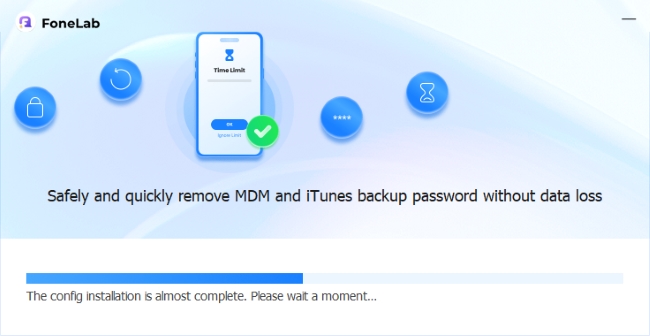
The installation file is remarkably small at just 2.7 MB. However, do not let the tiny file size fool you—the actual installation process takes about 5 minutes, which feels surprisingly long for such a lightweight package.
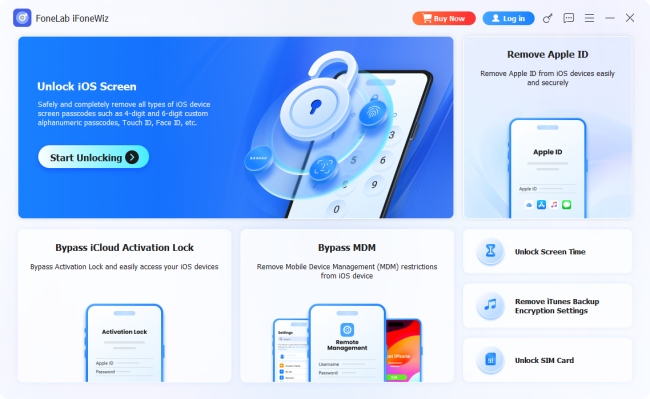
Once launched, the main interface is exceptionally clean, uncluttered, and features clear navigation that absolute beginners can easily understand.
Core Features & Hands-On Testing Results
Testing the software directly is the only way to verify if it lives up to the hype. I systematically tested FoneLab's core modules using an iPhone 7 Plus and an iPad Pro to determine its true success rate.
1. Unlock iOS Screen
This feature is designed to wipe away forgotten 4-digit passcodes or 6-digit passcodes, Touch ID, or Face ID.
When I connected my iPhone, the program recognized the exact model and system details instantly, showing excellent attention to technical detail. The on-screen instructions carefully guided me to put the phone into Recovery Mode. Once connected, I clicked "Start Now" to download the required iOS firmware.
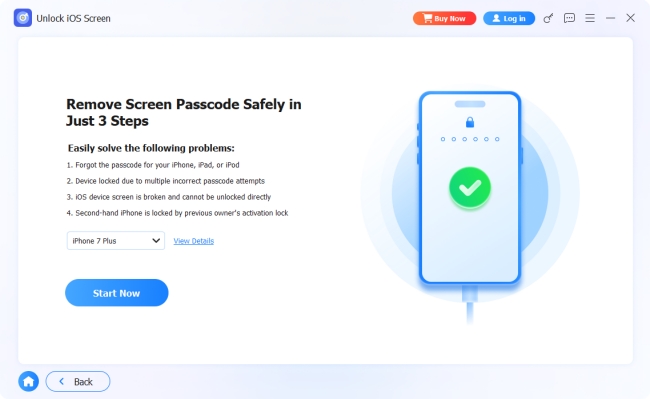
 Critical Warning: FoneLab clearly prompts you twice before proceeding, explicitly stating that removing the screen lock will completely erase all data and settings on your device.
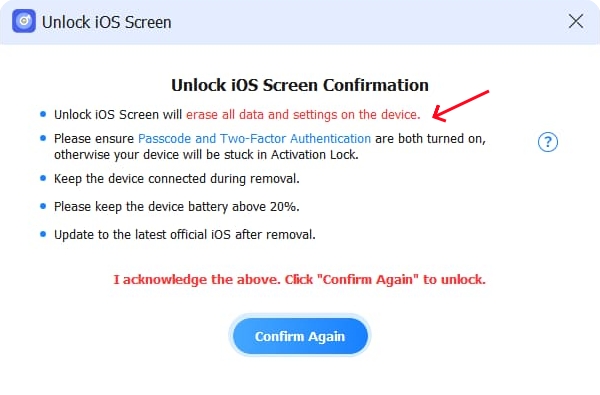
Because my test phone didn't contain crucial data, I confirmed the prompts. The software downloaded the firmware and removed the screen lock. The entire process took about 15 minutes and successfully unlocked the phone. I then ran the exact same test on the modern iPad Pro, and it successfully unlocked that device as well.
2. Remove Apple ID
This tool aims to strip an old or forgotten Apple ID from a device so you can log in with a new account.
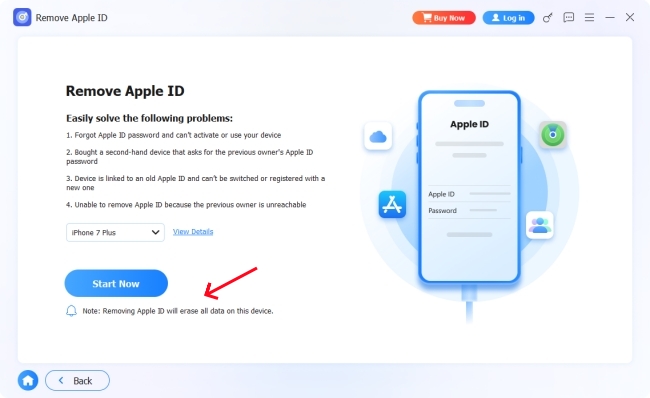
I clicked "Start Now" and was promptly warned that this process would also wipe all data. The program required me to trust the computer and enter my screen passcode. It then asked me to check if "Find My" was enabled.
- The iPhone 7 Plus Test ("Find My" ON): Because "Find My" was active, the software required me to manually set up Two-Factor Authentication on the device. The workaround steps were quite complicated, and ultimately, the software failed to remove the Apple ID on this device.
- The iPad Pro Test ("Find My" OFF): Because "Find My" was disabled on my iPad Pro, FoneLab removed the Apple ID almost instantly.
The Verdict: The success rate of this feature heavily depends on your specific iOS version and whether the "Find My" security ecosystem is turned on.
3. Bypass iCloud Activation Lock
If an iPhone is stuck on the iCloud Activation Lock screen after a factory reset, this feature attempts to bypass it.
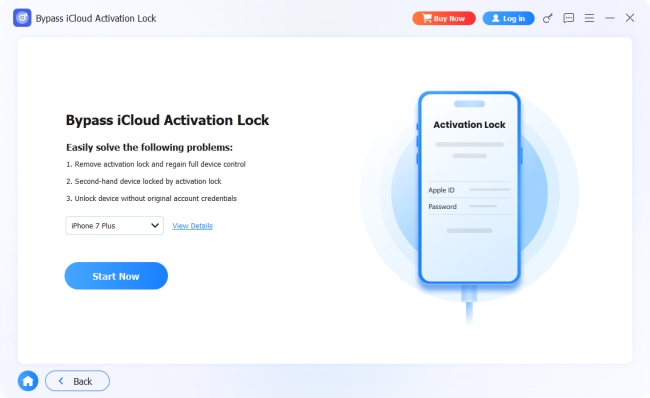
Upon clicking "Start Now", the software explicitly displayed its strict hardware compatibility rules:
| Supported Devices | Supported iOS Versions |
|---|---|
| iPhone 6 to iPhone X | iOS 12.0 to iOS 17.7.10 |
| iPad mini 4 to iPad Air 2 | iPadOS 12.0 to iOS 17.7.10 |
| iPod Touch (7th Gen) | iOS 12.0 to iOS 17.7.10 |
Because of these rules, I could only test this feature using my iPhone 7 Plus. The program immediately informed me that it must jailbreak the device to bypass the Activation Lock. It provided a built-in tutorial link but explicitly warned that jailbreaking carries severe risks, including permanently bricking the phone or limiting its post-unlock cellular functions.
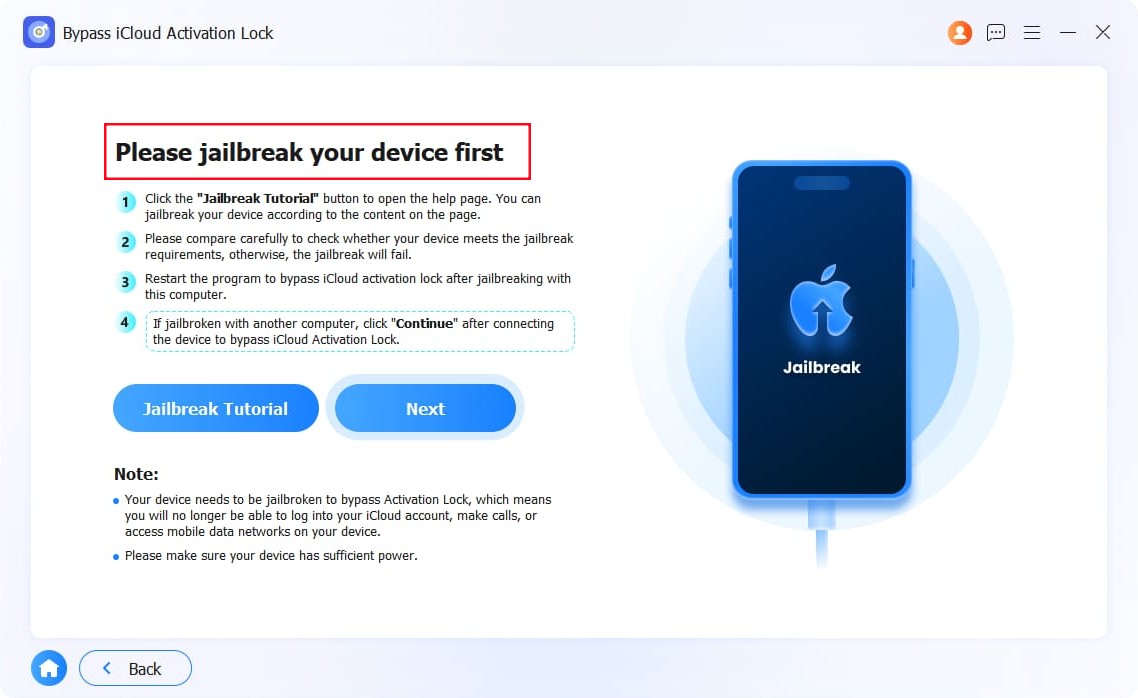
After reviewing the tutorial, the jailbreak process looked incredibly complex and risky. To protect the device, I chose to abandon the test at this stage. If you are not tech-savvy, this feature is highly restrictive.
4. Bypass MDM (Mobile Device Management)
This module bypasses corporate or school management profiles that lock down device settings.
I tested this using the iPad Pro, which carried an active MDM lock. The software displayed an important tip right on the home screen: If your device is currently on the "Apps & Data" setup screen, do not choose to restore from an iCloud Backup, or the MDM bypass might fail.
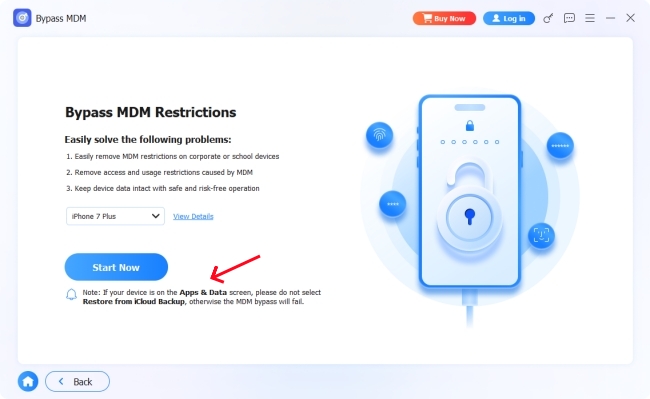
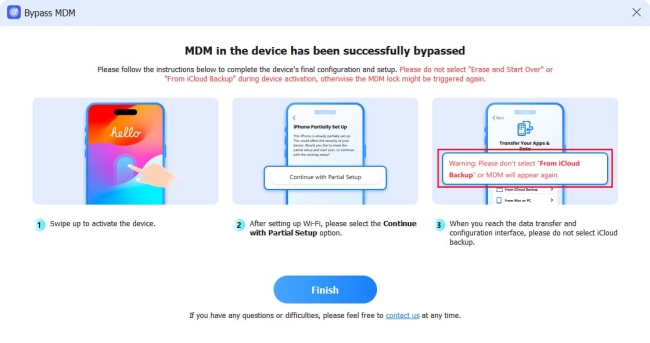
After clicking "Start Now", the program instructed me to disable "Stolen Device Protection" in my iPad settings. Once disabled, it provided a final warning that the process would wipe the device. After confirming, the tool went to work and successfully removed the MDM lock in just 5 minutes.
 Important Setup Note:
When setting up your newly bypassed iPad, you must avoid selecting "Restore from iCloud Backup" during the initial configuration, or the MDM lock will return.
Why TunesKit iPhone Unlocker Is a Strong Alternative?
If FoneLab iFoneWiz encounters compatibility errors on your specific device, TunesKit iPhone Unlocker serves as a highly reliable fallback. It features an identical core feature set, allowing users to wipe passcodes, remove Apple IDs and Activation Locks, and clear out MDM restrictions.
While both tools are bound by the same technical realities—meaning a screen unlock will always cause total data loss — TunesKit is a great alternative if you experience connection glitches or firmware download errors within FoneLab's environment. A major advantage of TunesKit is its recent 2026 update, which introduced a jailbreak-free method for removing the iCloud Activation Lock on supported older devices.

- Step 1. Download the latest version of TunesKit iPhone Unlocker and connect your locked device via USB.
- Step 2. Select your required unlocking mode directly from the straightforward main dashboard.
- Step 3. Follow the provided on-screen steps to download the firmware and initiate the unlocking procedure.
Why Choose TunesKit iPhone Unlocker?
An all-in-one iOS unlock tool for iPhone, iPad, and iPod touch. Supports all iOS devices and versions, with high success rate.
 600,000+ Downloads
600,000+ Downloads
600,000+ Downloads
FAQs Related to FoneLab iOS Unlocker
-
Is FoneLab iOS Unlocker safe?
Yes, FoneLab (now called iFoneWiz) is safe. Our tests showed the installation file is completely clean and triggers no antivirus warnings. Remember to download it from its official website.
-
Does FoneLab really work?
Yes, but it depends on the lock. It easily removes screen passcodes (in about 15 minutes) and MDM profiles (in 5 minutes). However, it struggles with Apple IDs if "Find My" is on, and it requires a complex jailbreak for iCloud Activation Locks.
-
Can FoneLab remove Apple ID?
Yes, but only if "Find My" is disabled on your device. In our tests, it instantly removed the Apple ID with "Find My" turned off, but failed when the feature was active.
-
Does FoneLab require jailbreak?
Mostly no. You do not need a jailbreak to unlock a screen passcode, bypass MDM, or remove an Apple ID. However, bypassing the iCloud Activation Lock does require a jailbreak.
-
Will FoneLab erase data?
Yes. Using the "Unlock iOS Screen," "Remove Apple ID", or "Bypass MDM" features will factory reset your device and permanently erase all your photos, files, and settings.
Final Verdict: Is FoneLab iFoneWiz Worth It?
FoneLab iFoneWiz (V3.0) is a genuine, safe utility, but it has very distinct strengths and technical limits.
It is an excellent, fast solution if you need to wipe a standard screen lock or bypass a corporate MDM profile. In both of those scenarios, it worked flawlessly in less than 15 minutes across both old and new devices.
However, it is not a magic fix for cloud security. If you are trying to remove an Apple ID with "Find My" turned on, the process is complicated and prone to failure. Furthermore, its Activation Lock bypass feature is limited to older devices and requires a complex, risky jailbreak.
Overall, FoneLab iFoneWiz is a useful option for standard unlocking needs, especially screen unlock and MDM removal. Users who need a simpler and more stable experience across newer iOS versions may also want to compare it with alternatives like TunesKit iPhone Unlocker before making a final decision.