How to Unlock Motorola Phone Password without Factory Reset
Forgetting your Motorola phone PIN, pattern, or password can be frustrating—especially when you’re trying to avoid a factory reset and data loss. Many users search for ways to unlock Motorola phone password without factory reset, hoping there is a hidden bypass or simple trick. This guide explains what actually works, what doesn’t, and the real chances of unlocking your Motorola phone without wiping it.
Can You Unlock Motorola Phone Password without Factory Reset?
Yes, but only in limited conditions.
Modern Motorola phones use Android encryption, which protects your data with your lock screen password. However, if certain features were enabled before you got locked out, you may still regain access without resetting the device. In the next part, we will show you the conditions and how to unlock your Motorola phone without factory reset.
How to Unlock Motorola Phone Password without Factory Reset?
In some specific situations, Motorola phones can still be unlocked without erasing data - especially if certain security features were already enabled before you got locked out. Below are the scenarios where unlocking your Motorola phone without a factory reset may actually work, and how to unlock your phone in those scenarios.
Scenario 1. Smart Lock is enabled
Smart Lock is the most reliable way to unlock your phone without a password. If previously activated, your phone may unlock automatically in trusted conditions.
Smart Lock includes trusted places, trusted devices, and on-body detection. If you meet one of those conditions, you can do the following things to try to unlock your phone automatically.
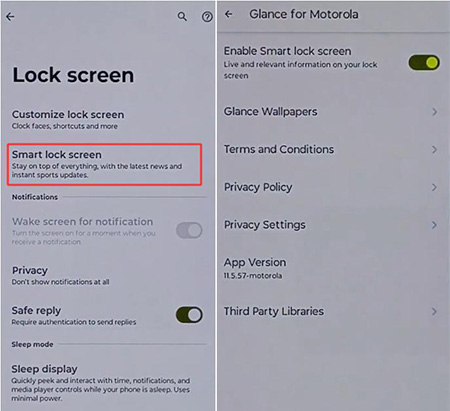
- Step 1. Go to a previously trusted location.
- Step 2. Connect a paired Bluetooth device.
- Step 3. Wait a few moments for auto-unlock.
If Smart Lock triggers, you can immediately access and back up your data.
Scenario 2. Fingerprint or Face Unlock still works
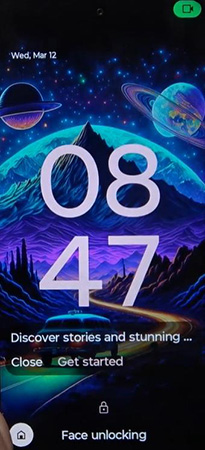
In some situations, your Motorola phone may still accept fingerprint or face recognition, even if you’ve forgotten your PIN, pattern, or password. This happens because biometric data is stored separately and can sometimes remain active after a temporary lockout. However, this is a limited and conditional method, not a full bypass solution.
 When it may work:
You have not restarted the phone recently.
The device has not triggered a full security re-verification.
Fingerprint sensor or face recognition was already set up and active.
The system has not disabled biometrics after too many failed attempts.
Scenario 3. USB Debugging
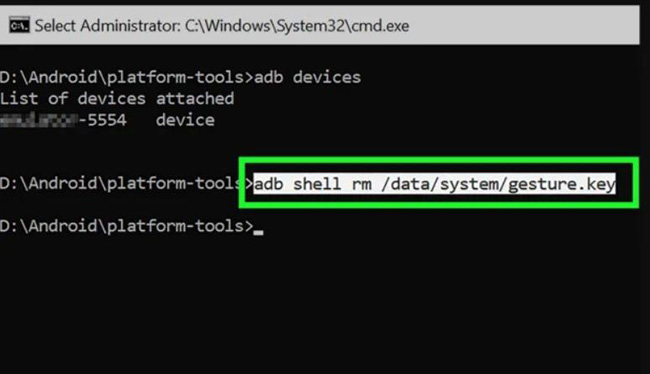
If you previously enabled USB debugging on your Motorola phone before it was locked, you may be able to use the Android Debug Bridge (ADB) to interact with the device from a computer. This is one of the few technical methods that can sometimes help without a factory reset, but it only works under very specific preconditions.
When this method can work:USB debugging was enabled in Developer Options before the lock.
Your computer was previously authorized (RSA trusted connection already confirmed).
The phone is still recognized by ADB on the PC.
The device has not been rebooted in a way that blocks debugging access.
- Step 1. Open a command prompt or terminal on the computer.
- Step 2. Run ADB commands to check device connection.
- Step 3. If the device is authorized, attempt available recovery or access commands.
 Warning:
❌ Most users do NOT have USB debugging enabled before being locked out
❌ Newer Android versions block many ADB-based modifications
❌ It does NOT work if the phone is not previously authorized
❌ It cannot reliably remove modern lock screens on updated Motorola devices
What to Do If You Still Cannot Unlock Your Motorola Phone?
If you’ve tried Smart Lock, biometric access, and USB debugging but still cannot unlock your Motorola phone, you are not alone. In most real-world cases, users eventually reach this stage. At this point, because of Android encryption, manual bypass methods are no longer effective. This is where many users choose a professional Android unlocking solution to regain access safely.
One widely used solution is TunesKit Android Unlocker, a desktop-based tool designed to help users remove Android screen locks when they are completely locked out of their devices. It is commonly used when you forgot your Motorola password, Smart Lock is not enabled, USB debugging is not available, and the phone is fully locked and inaccessible.
Key Features of TunesKit Android Unlocker
Unlock screen lock and bypass FRP lock without passcode with ease. No Technical Skills Needed. High Success Rate. Support lots of Android version incuding 16.
 600,000+ Downloads
How to Use TunesKit Android Unlocker to Unlock Motorola Phone?
Here are the detailed steps for you to use TunesKit Android Unlocker to unlock a Motorola Phone without password.
Step 1. Connect Your Motorola Phone
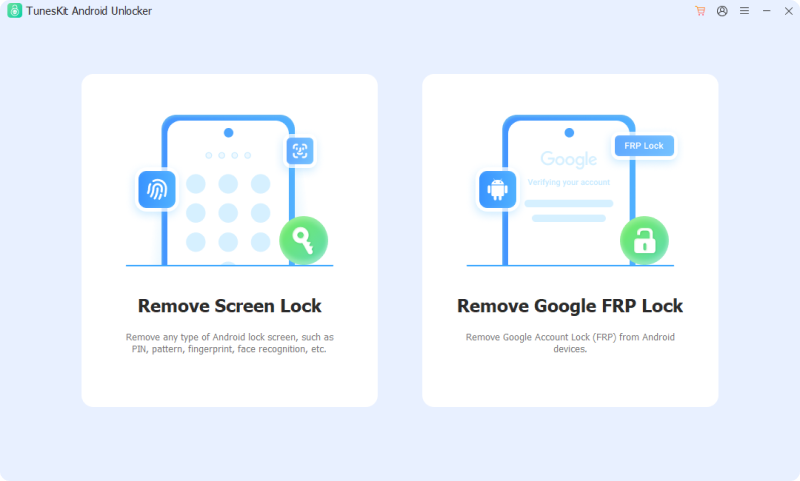
Download and install TunesKit Android Unlocker on your Windows computer. Open the program and select Remove Screen Lock from the main interface. Use a USB cable to connect your locked Motorola phone to the computer. Once the device is detected, click Start to continue.
Step 2. Confirm Device Information
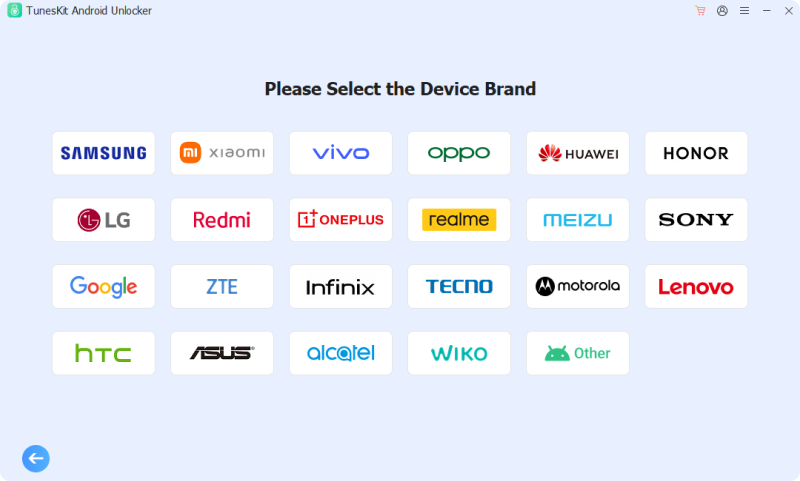
TunesKit will give you many options about your phone's brand. Select the correct one, Motorola, and follow the on-screen instructions to proceed.
Step 3. Remove the Screen Lock
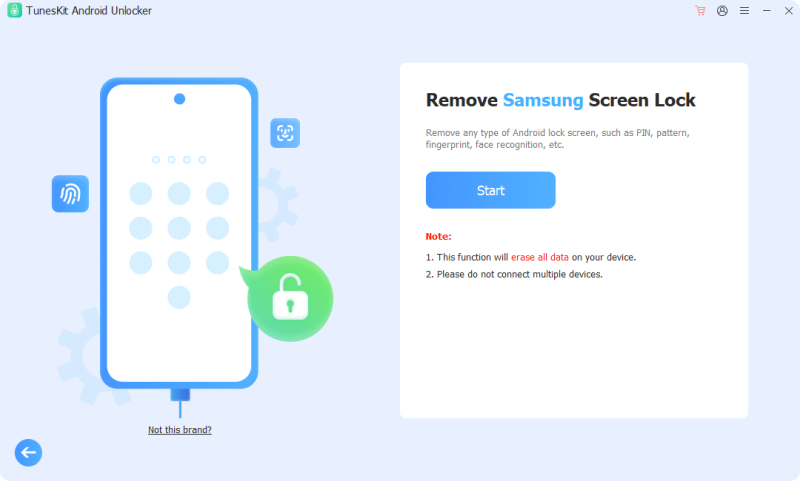
Click the Start > Continue buttons. TunesKit will begin removing the screen lock automatically. Wait for the process to complete without disconnecting the device.
Warning: While TunesKit Android Unlocker can help remove the screen lock when other methods fail, the process may erase data on certain Motorola devices due to Android security restrictions.
FAQ: Unlock Motorola Phone Password without Factory Reset
-
Is there a master code to unlock a Motorola phone?
No. Motorola does not provide a universal master code that can bypass the lock screen on modern devices. You may find websites claiming to offer Motorola unlock codes, but these codes are typically related to SIM network unlocking, not removing a screen lock.
-
Can Google Find My Device unlock my Motorola phone?
No. Google Find My Device cannot remove or bypass your screen lock. It does not provide an option to unlock a Motorola phone without the current password.
-
Why can't I use my fingerprint after entering the wrong password multiple times?
This is a built-in Android security feature. After too many failed password attempts, Motorola phones may temporarily disable biometric authentication and require the primary PIN, pattern, or password instead. This helps prevent unauthorized access even if someone has access to your fingerprint or face data.
Conclusion
Unlocking a Motorola phone without factory reset is possible in some cases, but only when specific pre-set conditions exist. If those conditions are not met, Android’s encryption system makes bypassing the lock screen without reset impossible. In this case, TunesKit Android Unlocker would be your best alternative solution to unlock your phone without password.