


iSunshare iPhone Passcode Genius Review 2026: Is It Safe to Use?
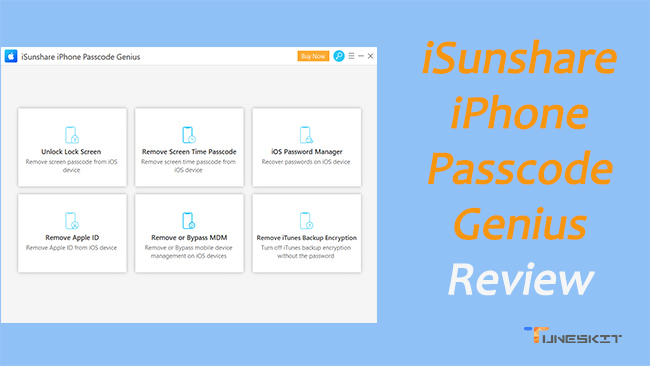
This post is a review of iSunshare iPhone Passcode Genius. According to my firsthand experience, you'll see whether it's worth buying.
Forgetting your iPhone passcode can instantly turn your device into an unusable "brick". Whether you're dealing with a forgotten new code or a second-hand phone stuck on an old Apple ID, being locked out is a major headache. Instead of making a costly trip to a repair shop, many users turn to iSunshare iPhone Passcode Genius.
This review dives into iSunshare's flagship software to see if it's actually safe and effective. I'll test its features, ease of use, and how well it performs on the latest iOS versions.
- 1. What is iSunshare iPhone Passcode Genius?
- 2. Key Features of iSunshare iPhone Passcode Genius
- 3. Is iSunshare iPhone Passcode Genius Safe and Legit?
- 4. How to Use iSunshare iPhone Passcode Genius [A Hand-on Test]
- 5. Pricing and Value for Money
- 6. Pros and Cons: An Honest Assessment
- 7. FAQs Related to iSunshare iPhone Passcode Genius
- 8. Why Is TunesKit an Alternative to iSunshare? HOT
- 9. Final Verdict: Is It Worth It?
1. What is iSunshare iPhone Passcode Genius?
iSunshare iPhone Passcode Genius is a specialized tool for Windows and Mac that helps you bypass security locks on your iOS devices. It interacts directly with your device's firmware to remove lock screens, Apple IDs, and MDM profiles. Think of it as a "rescue kit" for anyone locked out of an iPhone, iPad, or iPod Touch.
The best part is that you don't need to be a tech expert to use it. The software automates complex tasks like entering Recovery Mode or DFU Mode, which are usually the most frustrating parts of using iTunes. With its simple, step-by-step interface, anyone can successfully unlock their device in minutes.
2. Key Features of iSunshare iPhone Passcode Genius
iSunshare stands out by handling much more than just basic lock screens. While other tools often fix only one specific issue, this utility tackles a wide range of iOS restrictions in a single interface.

Comprehensive Screen Lock Removal
The software is designed to handle all modern variations of the iPhone lock screen. This includes traditional 4-digit and 6-digit numeric codes, as well as biometric data such as Touch ID and Face ID. Even if the screen is physically damaged and prevents you from entering a code, the software can communicate with the device via a wired connection to initiate the reset process.
Apple ID and iCloud Account Bypass
If you've forgotten your Apple ID password or bought a used device, you can easily remove the existing Apple ID from any activated iPhone. iSunshare allows you to delete the old account without needing the password so you can sign in with a new one. Please note that this tool is designed for active devices and cannot bypass the iCloud Activation Lock screen.
Advanced MDM and Screen Time Solutions
Beyond basic passcodes, many users struggle with Mobile Device Management (MDM) profiles or forgotten Screen Time restrictions.
- MDM Bypass: Allows users to remove corporate or school-mandated restrictions in a single click.
- Screen Time: This feature can remove the time-limit passcode without deleting any of your personal photos or messages.
- iTunes Backup Encryption: It can also strip the encryption from local backups if you have lost the password required to restore your data.
3. Is iSunshare iPhone Passcode Genius Safe and Legit?
It is natural to be cautious about software that needs deep access to your iPhone. You might worry about viruses or bricking your device. Fortunately, iSunshare is a reputable developer with years of experience in password recovery. Their software is malware-free and runs entirely on your computer, meaning your private data is never uploaded to an external server.
The tool works by using official Apple firmware to safely reset your device—the same method a professional technician would use. However, it is important to understand the "Data Loss" factor. To remove a lock screen, the software must factory reset your iPhone, which erases all data. As long as you have an iCloud or computer backup, you can restore your information once the unlock is complete.
4. How to Use iSunshare iPhone Passcode Genius [A Hand-on Test]
To test its effectiveness, I used my iPhone 15 and 16 running on iOS 18. Most features had been tested and the following is how I test its main feature – Unlock Lock Screen.
Step 1. I downloaded the latest version of iSunshare from its official website and installed on my Windows computer. The installation speed is smooth and quick. The interface I saw was clean but a little outdated.
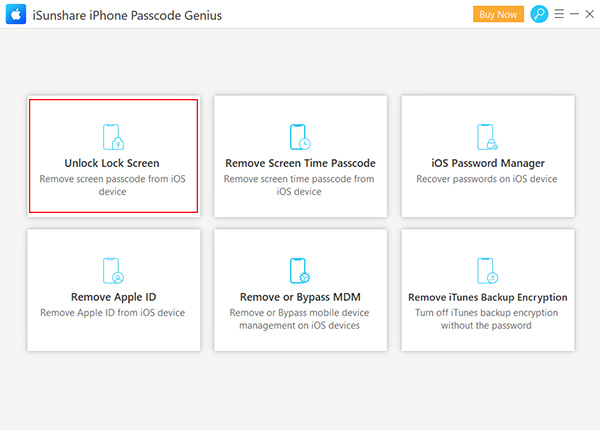
Step 2. Then I chose the "Unlock Lock Screen" option from the main menu and then clicked the "Start" button. At this time, a warning screen reminded me that the process would upgrade my iOS version and wipe all existing data.
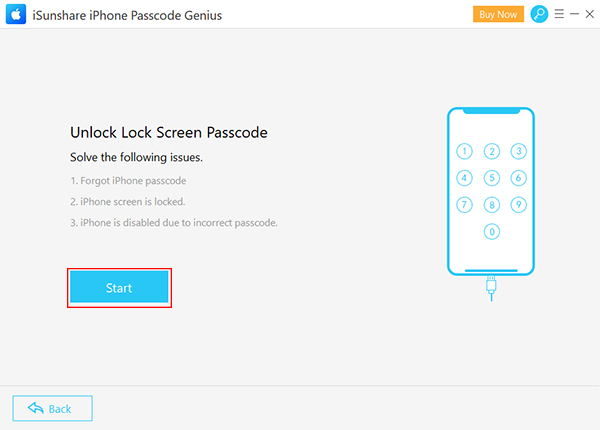
Step 3. Next, I connected my device to the computer and wait for the software to detect it. Sometimes, iSunshare failed to detect my phone. I have to follow the on-screen prompts to enter Recovery Mode by using a specific combination of the volume and power buttons.
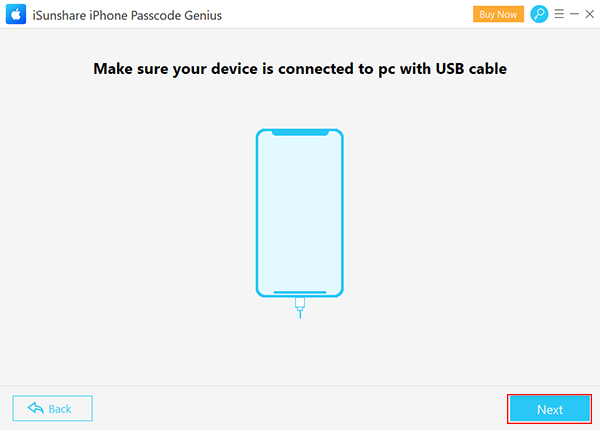
Step 4. Once detected, clicked the "Next" icon to proceed. I needed to verify the correct device model and downloaded the recommended firmware package. This file was several gigabytes in size, so stay near your router to avoid a download interruption. This process took me about 15 minutes.
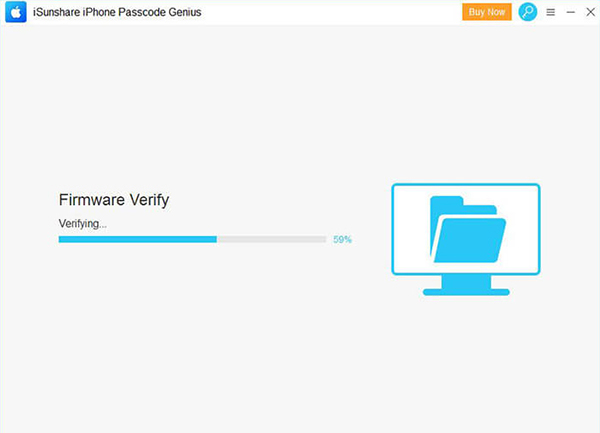
Step 5. After the verification was complete, I clicked the "Unlock" button to begin the automated process. This process took me about 8 minutes.
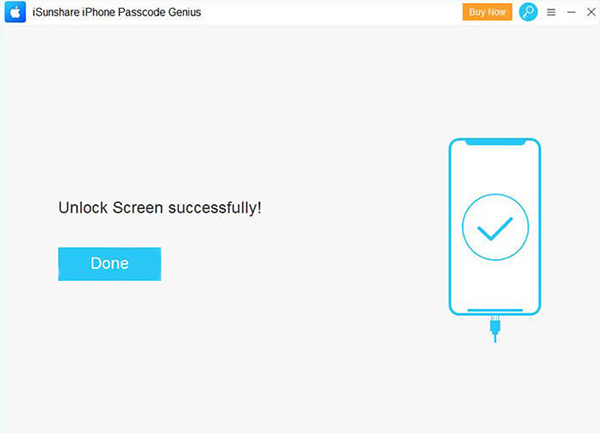
In my testing, the software demonstrated a high success rate, particularly on modern hardware like the iPhone 15 and 16 series. The speed of the unlocking process largely depends on the internet connection, as the software must download large firmware packages from Apple's servers. Once the firmware is ready, the actual removal of the passcode typically takes less than ten minutes.
5. Pricing and Value for Money
iSunshare iPhone Passcode Genius follows a "Lifetime License" model, which offers better long-term value than the monthly subscriptions favored by competitors like Dr.fone.
- Personal License: Roughly $19.95 for a lifetime of updates on one PC.
- Family License: Approximately $39.95, covering up to five different computers.
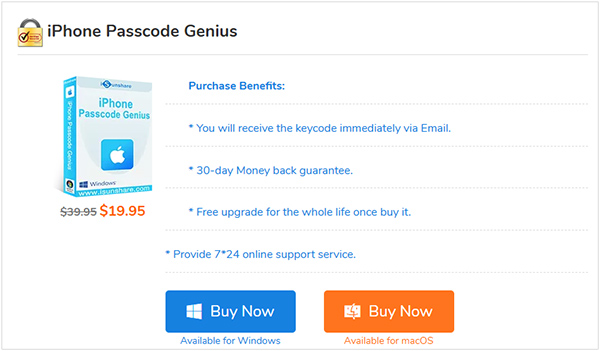
For a one-time fee, you essentially gain a permanent tool for your digital toolkit. This is particularly useful for families with multiple devices or for small business owners who manage a fleet of employee iPhones.
6. Pros and Cons: An Honest Assessment
Every tool has its strengths and limitations. Transparency is vital for building trust with readers, so I have categorized the most important factors to consider before you purchase a license.
 The Advantages:
- The interface is clean, and lacks the confusing technical jargon found in open-source tools.
- It features a very high success rate for bypassing the iPhone Unavailable screen.
- Lifetime updates are included, which is rare for such a low price point.
 The Drawbacks:
- You must have access to a computer to use this tool; there is no "mobile-only" version.
- The free trial is limited to testing device compatibility and cannot perform the actual unlock.
- It can't help you remove the iCloud Activation Lock.
7. FAQs Related to iSunshare iPhone Passcode Genius
-
Is iSunshare iPhone Passcode Genius safe to download?
Yes, the software is digitally signed and free from viruses or bundled third-party bloatware. It is trusted by millions of users globally for secure password recovery.
-
Will it remove my iCloud Activation Lock?
This tool is best for passcodes and Apple ID removal on devices you can already access. For devices stuck on the Activation Lock screen after a reset, you should check iSunshare's specific activation bypass tool - iSunshare iBypass Genius.
-
How long does the process take?
Including the firmware download, the entire process usually takes between 15 and 30 minutes. The software does the heavy lifting, so you only need to be active for the first few steps.
8. Why Is TunesKit an Alternative to iSunshare?
If you are looking for a reliable second option, TunesKit iPhone Unlocker is a popular alternative to iSunshare. While both tools are effective, many users prefer TunesKit for a few specific reasons:
- Better Stability on New iOS Versions: TunesKit is often updated faster to support the latest Apple releases, including iOS 26 and the newest iPhone 17 models.
- Higher Success Rates: Some users report a smoother experience with TunesKit when dealing with more complex Security Lockout screens.
- More Modern Interface: If you aren't tech-savvy, you might find TunesKit's design slightly more intuitive and easier to navigate.
- Broader Support Ecosystem: TunesKit offers a wider range of complementary features like Removing iCloud Activation Lock, making it a great one-stop solution for all iOS lock issues.

While iSunshare is more budget-friendly, TunesKit is often seen as the premium choice for those who want the highest possible success rate and the most modern features.
9. Final Verdict: Is It Worth It?
iSunshare iPhone Passcode Genius is a solid, budget-friendly choice for fixing an iPhone Unavailable screen. It is easy to use and highly effective at removing locks. While you will lose your data (unless you have a backup), it's a reliable way to save a locked device.
If you need even faster updates for the latest iOS versions or want a more modern, premium interface, I recommend TunesKit iPhone Unlocker. It offers slightly higher success rates for complex cases, making it a great alternative if you want maximum peace of mind.


