


4 Ways to Enable JIT on iOS 26 Without Computer
Want to unlock more power from your iPhone without being tied to a PC or Mac? If you've been searching for how to enable JIT on iOS 26 without computer, you're not alone. With JIT (Just-In-Time) compilation, you can significantly boost the performance of emulators and advanced apps — but the setup process often feels complicated and restrictive.
The good news? There are now easier, more flexible ways to get JIT running directly on your device. In this guide, we'll walk you through everything you need to know, step by step — no cables, no desktop required. Let's dive in.
Part 1: What Does JIT Mean in iPhone?
JIT on iPhone stands for Just-In-Time compilation. It's a technology that allows apps to compile and execute code in real time instead of running everything as pre-compiled code. This can significantly improve performance for certain apps.
What does JIT do on iOS?
On an iPhone, JIT is mainly useful for:
- Game emulators (like Dolphin or PPSSPP)
- Virtual machines
- Apps that run scripting languages or complex code engines
With JIT enabled, these apps can:
- Run much faster
- Deliver smoother gameplay
- Improve overall responsiveness
Why isn't JIT enabled by default?
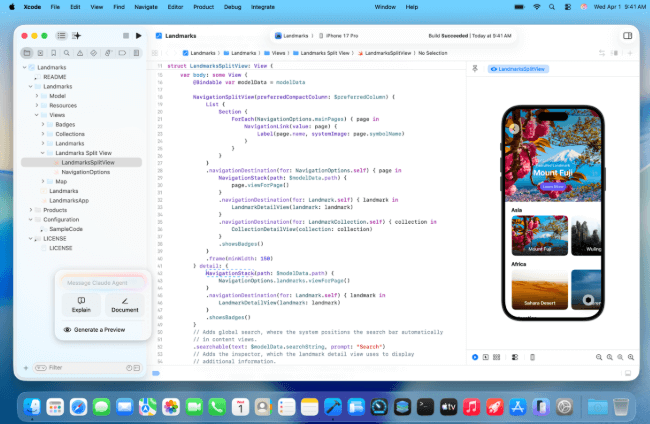
Apple restricts JIT on iOS for security reasons. Normally, you need a computer (like Xcode on Mac) to temporarily enable it for certain apps.
That's why many users search for ways to enable JIT without a computer.
Part 2: How to Enable JIT on iOS 26 Without a Computer?
Now that we've explained what JIT means on iPhone, what it does on iOS, and why Apple disables it by default, the next question is clear: can you enable JIT on iOS 26 without a computer? Below, we'll look at the possibilities and limitations.
Method 1. Cloud Streaming for JIT Apps
Cloud streaming lets you run apps that require JIT (Just-In-Time compilation) on a remote server instead of directly on your iOS device. The app runs in the cloud, and the video output is streamed to your device. This bypasses Apple's JIT restrictions without requiring a jailbreak. It also allows you to play high-performance games or use demanding apps without downloads, expensive hardware upgrades, or manual setup.
However, cloud streaming depends on a fast and stable internet connection. It may increase battery usage, introduce latency, and typically requires a paid subscription.
How to enable JIT on iOS 26 using cloud streaming:
- Step 1. Choose a cloud streaming service such as AppStreamer, Shadow, Rainway, or Parsec. Create an account and subscribe to a plan if required.
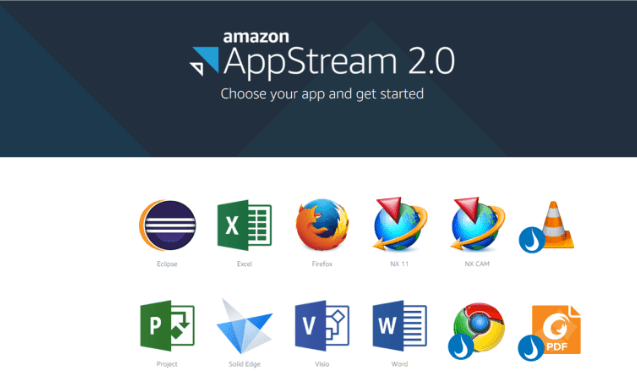
- Step 2. Download the service's app from the App Store, or access it through a supported web browser.
- Step 3. Sign in to your account and connect to your remote server where the JIT-enabled app is installed. Launch the app from the cloud environment and stream it to your iOS device.
- Step 4. Open the JIT-enabled app on the remote server and use it through the cloud streaming service on your iOS device.

Method 2. TrollStore (iOS 16.6.1, 17.0–17.0.5)
TrollStore allows you to permanently install IPA files on iOS 16.6.1 and 17.0–17.0.5 without needing a computer. It takes advantage of a CoreTrust vulnerability to bypass standard sideloading restrictions, which means apps installed through it remain signed even after a reboot. JIT-enabled apps installed with TrollStore do not expire like typical sideloaded apps.

To enable JIT on iOS 26 using this method, you'll need TrollStore (version 2.0.12 or later) and the IPA file of the JIT-enabled app you want to run.
- Step 1. Download the IPA file for the JIT-enabled app you want to install, such as Dopamine.
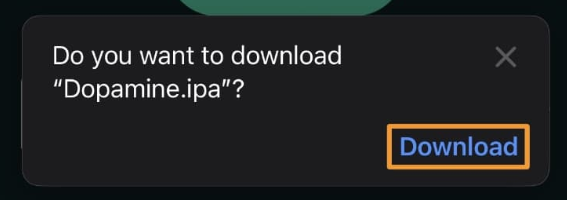
- Step 2. Open TrollStore and tap the plus (+) icon. Select the downloaded IPA file, then confirm installation.
- Step 3. Once installed, verify that the app appears on your Home Screen. Open it to ensure it launches and works properly.
Method 3. Jailbreak (Not Available for iOS 26)
Jailbreaking removes Apple's built-in restrictions on iOS, giving users root access to install apps, tweaks, and themes outside the App Store. It can enable JIT compilation for emulators and other advanced apps, while also allowing deeper system customization and full file system access.
However, jailbreaking carries significant risks, including security vulnerabilities, voided warranties, system instability, battery drain, and even the possibility of permanently damaging (bricking) your device. Tools like checkra1n provide semi-tethered jailbreaks, but they require a computer and do not support newer iPhones running iOS 14 or later. Currently, jailbreaking is not available for iOS 26.
If you are using a supported device and iOS version, here's how JIT can be enabled through jailbreaking:
- Step 1. Download the Mac version of checkra1n from its official website and open the DMG file.
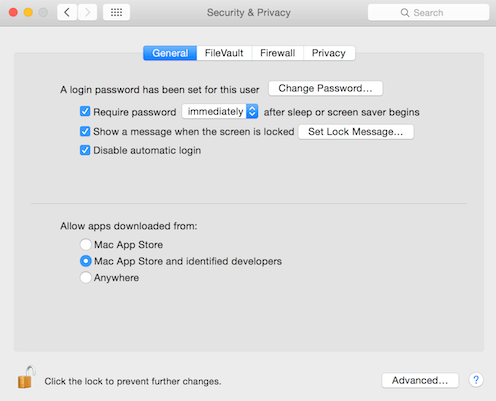
- Step 2. If macOS blocks the app, go to System Settings (or System Preferences) → Security & Privacy and manually allow it to run.
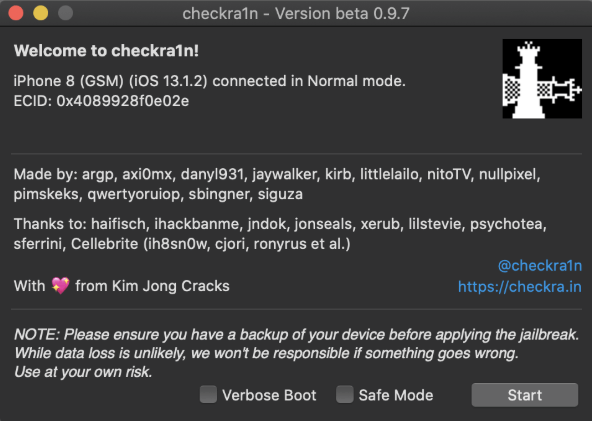
- Step 3. Connect your iPhone to your computer using a USB cable, then launch checkra1n.
- Step 4. Click "Start" and follow the on-screen instructions to enter DFU Mode. Typically, this involves holding the Power and Volume Down buttons together for about 10 seconds, then releasing the Power button while continuing to hold Volume Down for a few more seconds.
- Step 5. Once the device enters DFU Mode, checkra1n will begin the jailbreak process and automatically reboot your iPhone.
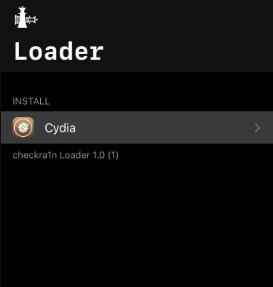
- Step 6. After rebooting, open the checkra1n loader app on your iPhone, select Cydia, and install it to complete the setup.
Method 4. StikJIT
StikJIT is a utility that allows you to enable JIT on supported iOS 17.4+ devices, including iOS 26. It works wirelessly after the initial setup and can even function offline when used with StosVPN.
Although it's not available on the App Store, StikJIT is designed to be user-friendly and privacy-focused. Keep in mind that it requires a one-time computer setup using JITterbugPair, and often relies on tools like SideStore. Some users may occasionally experience freezes or minor technical issues.
Here's how to enable JIT on iOS 26 using StikJIT:
- Step 1. Download the StikJIT IPA file from its GitHub "Releases" section. Install it using AltStore or SideStore.
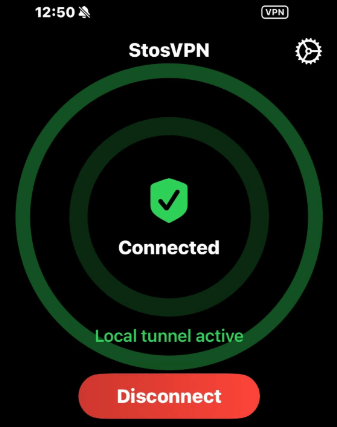
- Step 2. Open the App Store and download StosVPN. Launch it and connect to prevent potential timeout errors.
- Step 3. On a PC or Mac, use JITterbugPair (available from the SideStore website) to generate a pairing file.
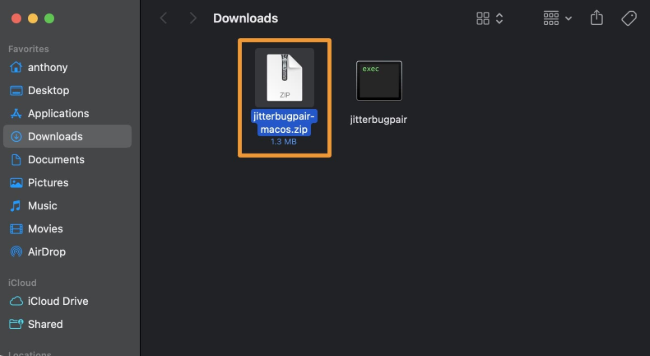
- Step 4. Connect your iPhone to the computer and tap "Trust" when prompted. Make sure a passcode is enabled on your device before pairing.
- Step 5. Locate the generated pairing file. On Mac, use Spotlight to search for "mobiledevicepairing." On Windows, Check the JITterbugPair folder. Transfer the pairing file to your iPhone using AirDrop, email, or another file-sharing method.
- Step 6. Open StikJIT on your iPhone and go to Settings. Import and select the pairing file within the app.
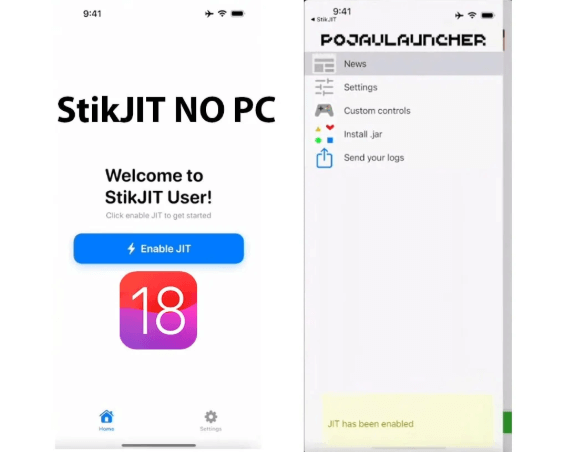
- Step 7. Confirm that the Developer Disk Image is mounted.
- Step 8. Reconnect to StosVPN if needed. Then open StikJIT, tap "Enable JIT," and choose a supported app (for example, PojavLauncher).
Part 3: Fix JIT-Related Issues on iOS 26 with TunesKit iOS System Recovery
If system glitches are preventing JIT-related apps from working properly on iOS 26, you can use TunesKit iOS System Recovery to fix underlying iOS issues without data loss. While this tool does not directly "activate" JIT, it helps resolve system bugs, crashes, or abnormal behaviors that may interfere with JIT-based apps. This software also can help you downgrade iOS 26 without iTunes, enter or exit recovery mode for free, and factory reset iPhone without passcode.
Using TunesKit iOS System Recovery is a practical way to eliminate system-level errors that may block JIT-dependent apps from running smoothly on iOS 26, especially if you want a safe repair solution without data loss.
Repair iOS 26 System Issues Easily
Use TunesKit iOS System Recovery to fix system glitches without data loss and restore smooth performance to your iPhone in just a few clicks.
 600,000+ Downloads
Step 1Connect Your iPhone
Download the program on your computer (Windows or Mac). Install and launch it. Use a USB cable to connect your iPhone to the computer. Once detected, select "iOS System Repair" from the main interface.

Step 2Choose a Repair Mode
Click "Start", then select "Standard Repair" to fix common iOS issues without erasing data. (If Standard Repair fails, you may choose "Deep Repair," but this will erase all data.)

Step 3Download Firmware Package
Confirm your device information shown on the screen. Click "Download" to get the appropriate firmware package for iOS 26. Wait for the process to complete.

Step 4Start the Repair Process
After the firmware is downloaded, click "Repair." The software will begin fixing system problems automatically. Keep your device connected during the process. Once finished, your iPhone will reboot normally. You can then reopen your JIT-related apps to check if they function correctly.

Part 4: FAQs About Enable JIT on iOS 26
-
1. Do JIT-enabled apps expire after installation?
It depends on the installation method. Apps installed via TrollStore do not expire, while apps sideloaded with standard signing methods may need to be re-signed periodically.
-
2. Does enabling JIT affect battery life or performance?
JIT itself can improve app performance. However, certain methods—such as cloud streaming—may increase battery consumption and require a stable, high-speed internet connection.
-
3. Can I enable JIT on iOS 26 without jailbreaking?
Yes. Methods such as cloud streaming services, sideloading tools, or utilities like StikJIT can help enable JIT functionality without jailbreaking. These approaches avoid modifying the core system but may require setup steps or additional apps.
Part 5: Conclusion
Enabling JIT on iOS 26 without a computer is still largely restricted due to Apple's security policies, and there is currently no fully reliable permanent method on stock devices unless your iOS version supports tools like TrollStore or a compatible jailbreak; for most users, JIT activation still requires a computer. If system issues occur during troubleshooting, TunesKit iOS System Recovery can help by fixing common iOS problems, it offers standard repair without data loss.


