


5 Best iPhone Unlock Software for Mac Users (2026 Guide)
If you're locked out of your iPhone and using a Mac, finding the right iPhone unlock software for Mac can save you hours of frustration. Whether you forgot your screen passcode, bought a second-hand iPhone that's activation locked, or need to remove an MDM profile, macOS-compatible unlocking tools provide a practical solution.
In this guide, we tested 5 of the most popular unlocking tools specifically on macOS Tahoe and Sequoia using Apple Silicon (M2/M3) machines. We also show you 4 different methods to unlock a disabled iPhone on your Mac.
What Is iPhone Unlock Software for Mac?
iPhone unlock software is a desktop application that runs on macOS and helps remove certain types of locks from an iPhone or iPad. These tools interact with iOS firmware and recovery mode to reinstall or modify system components that control access restrictions.
Types of iPhone Locks You Can Remove
Different iOS unlocking tools support different lock types. The most common include:
- 01 Screen Passcode Lock. If you forgot your 4-digit, 6-digit, Touch ID, or Face ID passcode, unlock software can restore the device by reinstalling firmware.
- 02 Apple ID Removal. If you're locked out of your Apple ID and cannot sign out, some tools claim to remove the Apple ID from your iPhone.
- 03 iCloud Activation Lock. Activation Lock appears after a factory reset when the original Apple ID is still linked. Only certain tools claim partial bypass functionality, often with limitations.
- 04 MDM (Mobile Device Management) Removal. MDM locks are typically used by schools or companies. Specialized software may bypass or remove MDM profiles without credentials.
- 05 Screen Time Passcode. Some iPhone unlockers can remove forgotten Screen Time restrictions without affecting other data on the device.
Best iPhone Unlock Software for Mac Users (Compared)
Below is a comparison of 5 top-rated iPhone unlocking software that support macOS.
| Tool | Unlock Types | macOS Support | Data Loss Risk | Pricing | Best For |
|---|---|---|---|---|---|
| 1. TunesKit iPhone Unlocker | Passcode, Apple ID, Activation, MDM | macOS 10.8 - macOS 26 | Yes (No data loss in MDM/Screen Time removal) | $34.95 | Stable performance |
| 2. PassFab iPhone Unlock | Passcode, Screen Time | macOS 26 and below | Yes | $35.95 | Beginners |
| 3. BuhoUnlocker | Passcode, Apple ID, MDM | macOS 26 and below | Yes | $29.99 | Clean interface |
| 4. AnyUnlock | Passcode, Apple ID, MDM | macOS 10.13 - macOS 26 (Tahoe) | Yes | $59.99 | All-in-one solution |
| 5. Dr.Fone - Screen Unlock (iOS) | Passcode, Activation Lock | macOS 10.13 or later | Yes | $79.95 | Reliable brand |
1. TunesKit iPhone Unlocker
- Users needing stable unlocking performance on macOS.
After testing multiple tools on a MacBook Air M2, TunesKit iPhone Unlocker stands out for its stability on Apple Silicon chips. Thanks to its minimalist design, the program is user-friendly and easy to operate for both beginners and professionals. As an all-in-one iPhone unlock software, TunesKit allows you to remove screen lock, Apple ID and iCloud Activation Lock, remove MDM and Screen Time passcode without data loss.
Why Choose TunesKit iPhone Unlocker?
Instantly unlock iPhone or iPad on Mac in different scenarios. Easy to use with a friendly UI. The success rate is up to 99.8% with a stable performance.
 600,000+ Downloads

 Pros:
Pros:- Broad device compatibility;
- Stable firmware handling;
- Suitable for various lock types.
 Cons:
Cons:- Free trial only allows compatibility check; purchase required to unlock.
2. PassFab iPhone Unlock
- Users who need guided unlocking steps.
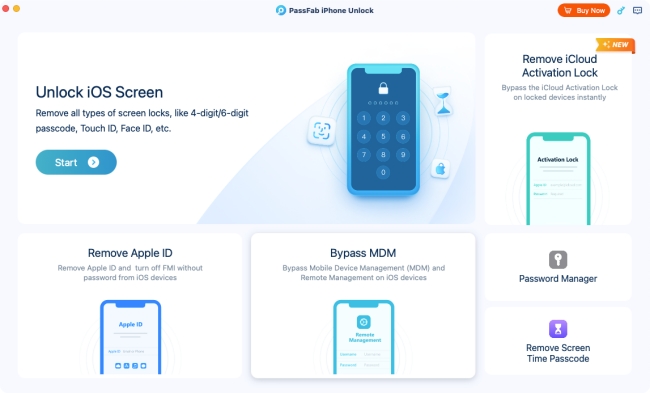
PassFab iPhone Unlock is another useful macOS-compatible unlocking tool. It can help you unlock disabled iPhone, and remove Screen Time passcode. It also supports basic Apple ID removal, and the success depends on whether Find My iPhone is enabled. PassFab works well for users who want a reliable tool without technical complexity.
Pros:- Easy step-by-step interface;
- Clear on-screen instructions;
- Widely recognized brand.
Cons:- Less comprehensive for MDM and advanced cases;
- Requires firmware download.
 Read Detailed Review: Does PassFab iPhone Unlocker Work? Full Review
3. BuhoUnlocker
- macOS users who prefer optimized, native-style apps.
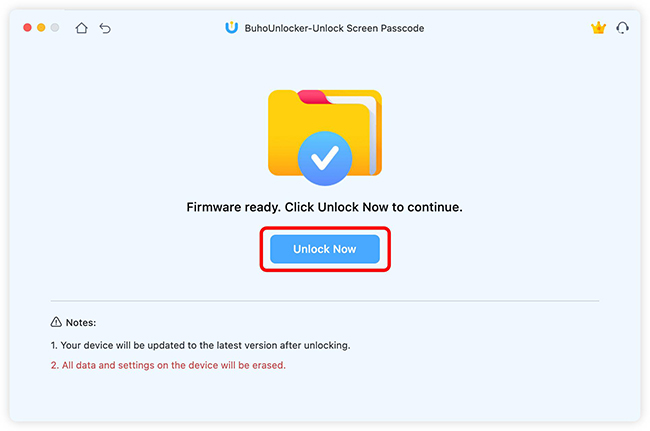
BuhoUnlocker appeals to Mac users seeking simplicity without excessive configuration steps. With BuhoUnlocker, you can remove the screen lock on iPhone, remove Apple ID and bypass MDM. But you can't use it to remove Activation Lock on your iOS device. It's compatible with newer macOS versions such as Tahoe.
Pros:- Lightweight interface;
- Straightforward workflow;
- Designed specifically for Mac
Cons:- Fewer advanced options than competitors;
- Not support iCloud Activation Lock removal.
Read Detailed Review: BuhoUnlocker Review (2026): Is This Unlocking Tool Safe & Legit?
4. AnyUnlock
- Users who want multiple unlock modes in one tool.
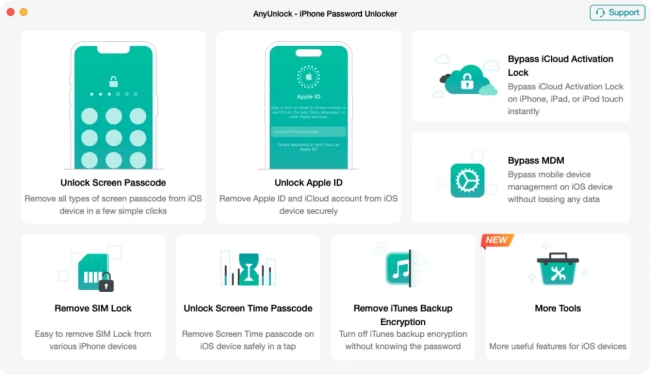
iMobie AnyUnlock is often positioned as a comprehensive iPhone unlocker for Mac, making it suitable for most scenarios. It supports multiple functions including remove screen passcode, unlock Apple ID, bypass MDM, remove Screen Time passcode, as well as limited support for Activation Lock bypass. However, data loss usually occurs for passcode removal.
Pros:- Supports a wide range of unlock types;
- Clean UI for Mac users;
- Frequent updates.
Cons:- Full version required for complete functionality;
- Data loss for passcode removal.
Read Detailed Review: iMobie AnyUnlock Review & The Best Alternative
5. Dr.Fone - Screen Unlock (iOS)
- Users who prioritize brand reputation.
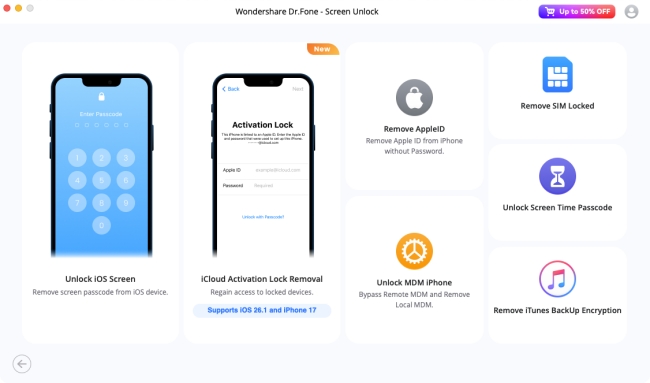
Dr.Fone is a suite of tools. When you download it, you get a dashboard of options including Screen Unlock and system repair. Dr.Fone - Screen Unlock (iOS) is a widely recognized iPhone unlocking tool that runs on macOS. It's designed to help users regain access to iOS devices when they've forgotten passcodes or are otherwise locked out. It's often considered a reliable alternative among Mac-compatible unlock software options.
Pros:- Long-standing brand;
- Frequently updated;
- Compatible with many iOS versions.
Cons:- Limited activation lock solutions;
- The file size is large because it installs the whole suite;
- The interface can feel cluttered.
How to Unlock an iPhone on Mac (Including Free Methods)
If your iPhone is locked and stuck in "iPhone Unavailable" or "Security Lockout" screen, you can try the one of the first three official recovery methods. If your iPhone is Activation locked or you want to remove MDM, or Screen Time passcode, you can try one of the paid third-party unlocking software recommended above.
Method 1: Erase iPhone via Security Lockout Feature (No Cable Needed)
If your iPhone is running iOS 15.2 or later and is connected to Wi-Fi or Cellular, you don't even need your Mac. You can reset it directly from the lock screen.
- Step 1. Enter your wrong passcode 5-7 times until the "iPhone Unavailable" or "Security Lockout" screen appears.
- Step 2. Look for the Erase iPhone button in the bottom right corner of the screen.
- Step 3. Tap it and enter your Apple ID password when prompted.
- Step 4. The iPhone will wipe itself and reset to factory settings. You can then restore from a backup.

 Note
Note
If you don't see the "Erase iPhone" button, it means your device has no internet connection or "Find My" was disabled.
Method 2: Restore iPhone via Finder on macOS
If you have a modern Mac (macOS Catalina or later), you can use Finder to unlock your device. For Macs running macOS Mojave (10.14) or earlier, the process is identical, but you will use iTunes instead of Finder.
Step 1. Connect your iPhone to your Mac using a USB-C or Lightning cable.
Step 2. Put your iPhone into Recovery Mode. This is the tricky part:
- iPhone 8 & Later: Press/release Volume Up. Press/release Volume Down. Then hold the Side button until you see a black screen with a cable icon.
- iPhone 7/7 Plus: Hold Volume Down + Side button together.
Step 3. Open Finder on your Mac. Look for your iPhone in the left sidebar under "Locations".
Step 4. A popup will appear asking to Update or Restore. Click Restore. Wait for the restoring process to end.

Method 3: Erase iPhone via iCloud Remotely
If your Mac cannot recognize the iPhone via cable (a common issue with USB-C ports), you can erase the device remotely using iCloud. The method requires that you know your Apple ID login.
- Step 1. Go to Apple iCloud.com/find website on your Mac's browser (Safari or Chrome).
- Step 2. Log in with your Apple ID.
- Step 3. Select your locked iPhone from the All Devices dropdown menu.
- Step 4. Click Erase iPhone. Confirm the action. Once the iPhone connects to the internet, it will automatically wipe itself.

Method 4: Unlock iPhone via Professional iPhone Unlocker
If the free methods didn't work — perhaps Finder kept timing out, or you forgot your Apple ID password — you can try one of the professional tools to unlock your iPhone, Apple ID, MDM locks, etc. The process is similar across most unlocking tools. Here I'll take TunesKit iPhone Unlocker for Mac as an example.
Step 1. Download and install TunesKit iPhone Unlocker on your Mac. Launch the program after finishing the installation.
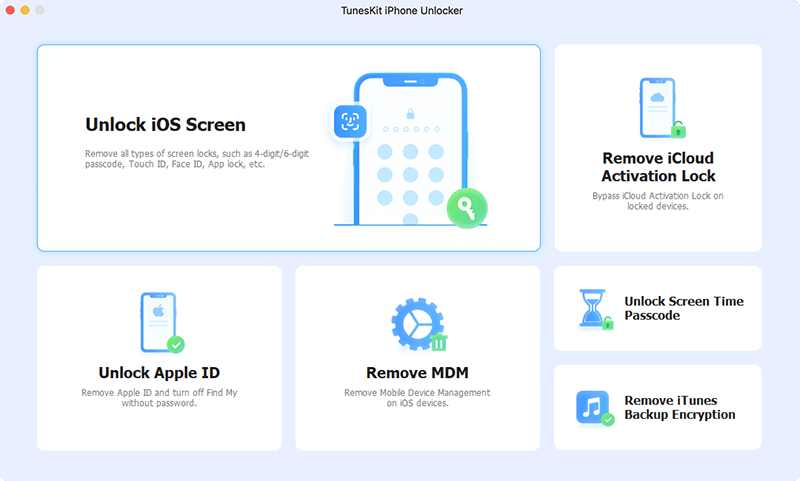
Step 2. Use a USB cable and connect your iPhone to the Mac. Choose Unlock iOS Screen or another feature on the main interface, according to your situation. Then click the Start button.

Step 3. You may need to enter DFU Mode or Recovery Mode based on the instructions. Then click the Download button and TunesKit will download the appropriate iOS firmware package.

Step 4. Now click the Unlock button and the software will start to unlock your phone. Wait for the process to complete. It typically takes about 10–15 minutes. Then you can set it up as a new.

FAQs Related to iPhone Unlock Software for Mac
-
Can I unlock my iPhone without losing data?
No. If your iPhone is disabled or you forgot the screen passcode, there is no way to unlock it without factory resetting the device. Data will be erased. You can only restore data if you have an iCloud or computer backup created before the phone was locked.
View More: How to Unlock Disabled iPhone Without Losing Data -
Does macOS have built-in unlocking tools?
No. macOS has a tool called Finder which can restore devices. But it cannot bypass Apple ID, MDM, or Screen Time locks.
-
Can I bypass iCloud Activation Lock on Mac?
Yes. With tools like TunesKit iPhone Unlocker, you can easily bypass iCloud Activation Lock without password on your Mac.
-
Is it legal to use iPhone unlock software?
Yes, it is legal to use such software on your own device. It is illegal to use these tools to unlock a stolen iPhone.
-
My Mac doesn't see my iPhone. What do I do?
This is a common issue. Try the following solutions to fix it immediately:
1. Try a different USB-C/Lightning cable (preferably the original Apple one).
2. Unplug other USB accessories from your Mac.
3. Ensure you have successfully entered Recovery Mode (Black screen with a computer icon).
Final Verdict
If you are locked out, take a deep breath. You can easily unlock it with the right iPhone unlock software on your Mac. First, try the Erase iPhone button on your lock screen (even without using your Mac). Second, try iCloud Find My if you don't have a cable. Finally, if those fail or give you errors, download TunesKit iPhone Unlocker for Mac. It is the safest, most reliable way to bridge the gap between your Mac and your locked iPhone.


