IC Bypass Tool Review 2026: Is It Safe, Free & Does It Work?

If you're looking for a way to bypass Activation Lock, you may come across IC Bypass Tool, including Pro, Universal, Ramdisk, and A12+ with Signal versions. However, compatibility, pricing, signal support, and download sources vary across different providers.
This 2026 review covers IC Bypass Tool's features, safety, compatibility, and pricing, as well as an easier alternative for supported devices.
IC Bypass Tool may be worth trying for experienced users, but it is not the best choice for beginners due to its inconsistent compatibility and reliability. Use it only after confirming support for your exact device and iOS version.
What Is IC Bypass Tool?
IC Bypass Tool refers to a group of third-party utilities or services designed to get past the Activation Lock screen on certain iPhones and iPads.
Activation Lock is part of Apple's Find My security system. When Find My is enabled, the device remains linked to the owner's Apple Account, and the lock can remain active even after the device is erased.
IC Bypass Tool attempts to work around the normal activation process without requiring the Apple Account password displayed on the Activation Lock screen.
You may encounter several names when searching for it, including:
- IC Bypass PRO
- IC Bypass UNIVERSAL
- IC Bypass RAMDISK
- IC Bypass Tool v1.3
- IC Bypass Tool A12+
- IC Bypass Tool A12+ with Signal
These names do not necessarily refer to one identical application or compatibility range. Always check which exact version a download page or reseller is referring to.
IC Bypass Tool A12+ With Signal: What Does It Mean?
A12+ refers to devices using the A12 chip or later, such as the iPhone XR, XS, and subsequent generations. With Signal means the bypass claims to preserve cellular service instead of limiting the device to Wi-Fi.
However, A12+ signal support varies by tool version and iOS version. Always confirm compatibility with your exact device before paying.
 View Also:
 Is IC Bypass Tool Free?
Not always. The installer may be free to download, but completing the bypass can require device registration or a paid activation.
Prices vary by provider and device, so check the current cost before paying. Avoid cracked or modified versions from untrusted sources.
Is IC Bypass Tool Safe and Legit?
IC Bypass Tool is a real third-party Activation Lock utility, but its versions and download sources are distributed across different providers, making it difficult to verify a single official source.
For safety, download only from a source you trust, scan the installer before opening it, and avoid cracked or modified versions. No third-party IC Bypass Tool download can be guaranteed to be completely safe.
IC Bypass Tool Compatibility
IC Bypass Tool is available in several versions, including Pro, Universal, Ramdisk, and newer A12+ variants. However, supported devices and iOS versions vary by version and provider, so there is no single compatibility list that applies to every IC Bypass Tool.
Before purchasing or registering a device, confirm:
- Device model and iOS version
- Whether cellular signal is supported
- Which Apple services remain available after bypass
Some providers currently claim support for newer A12+ devices and even iOS 26 or iOS 27, but these claims are not consistent across sources. Always verify compatibility for your exact device before paying.
How to Download and Use IC Bypass Tool
Based on our test, the BeeUnlock download directory currently provides a working download for IC Bypass Tool A12+ on Windows.
- Step 1. Go to the BeeUnlock download directory and find IC Bypass Tool A12+ (Windows). Click the download option next to IC Bypass Tool A12+. BeeUnlock will redirect you to the file-hosting page where the installer is stored.
- Step 2. Download the available IC Bypass Tool package to your PC. Before opening it, check that the file name and version match the listing on BeeUnlock.
- Step 3. Because BeeUnlock is a third-party source rather than a verified official IC Bypass website, scan the downloaded file with Windows Security or another trusted antivirus tool before running it.
- Step 4. Use a USB cable to connect your iPhone or iPad to your Windows computer. You may need to tap Trust This Computer when prompted.
- Step 5. Open IC Bypass Tool and check whether it recognizes your connected device and displays the correct model and iOS information.
- Step 6. If your device is listed as supported, follow the instructions provided by that IC Bypass Tool version. The required process may vary by device and service type.
- Step 7. Once the process is finished, your device will restart, and the iCloud Activation Lock should be bypassed.

 Tested by TunesKit:
We tested the BeeUnlock IC Bypass Tool A12+ download link in August 2026 on Windows and confirmed that the download was accessible. Third-party links and files may change, so always check the current version and scan the installer before use.
IC Bypass Tool Pros and Cons
Here's a breakdown of the pros and cons of using the IC Bypass Tool:
 Pros:
Pros:- Offers versions for both older and newer Apple devices.
- Provides another option when Apple Account credentials are unavailable.
- Some installers are free to download.
 Cons:
Cons:- Compatibility and A12+ signal support vary by version and provider.
- Full use may require paid activation.
- Download sources can be difficult to verify.
- Some cellular or Apple services may not work after bypass.
- Updating or resetting the device may affect the bypass.
A More Beginner-Friendly IC Bypass Tool Alternative: TunesKit iPhone Unlocker
If your device falls within its supported range, TunesKit iPhone Unlocker is another option to consider. Unlike older Activation Lock utilities that require jailbreaking, TunesKit includes a dedicated Remove iCloud Activation Lock mode and guides the user through the process from its desktop interface without requiring a jailbreak. This makes it more suitable for users who prefer a clearly documented desktop workflow.
However, there is an important compatibility limitation. The Activation Lock removal feature currently supports iPhone 5s through iPhone X on iOS 12.0–16.7.15, along with selected iPads and iPod touch models. It should therefore not be presented as an Activation Lock solution for newer A12+ iPhones such as iPhone XR, XS, 11, and later models.
IC Bypass Tool vs TunesKit iPhone Unlocker
| Feature | IC Bypass Tool | TunesKit iPhone Unlocker |
|---|---|---|
| Activation Lock removal | Yes, on supported versions | Yes |
| Compatibility | Varies by version/provider | iPhone 5s–X, iOS 12–16.7.15 |
| A12+ support | Available with some services | No |
| Cellular signal | Depends on service/device | Not applicable to A12+ |
| Jailbreak required | Depends on version | No |
| Windows/macOS | Varies | Windows & macOS |
How to Remove Activation Lock with TunesKit iPhone Unlocker
- Step 1. Install and open TunesKit iPhone Unlocker on your Windows PC or Mac. Connect the supported iPhone or iPad with a USB cable and choose Remove iCloud Activation Lock from the main interface.
- Step 2. Click Start. TunesKit will guide the device into Recovery Mode first. Follow the instructions displayed in the program to put the device into DFU Mode.
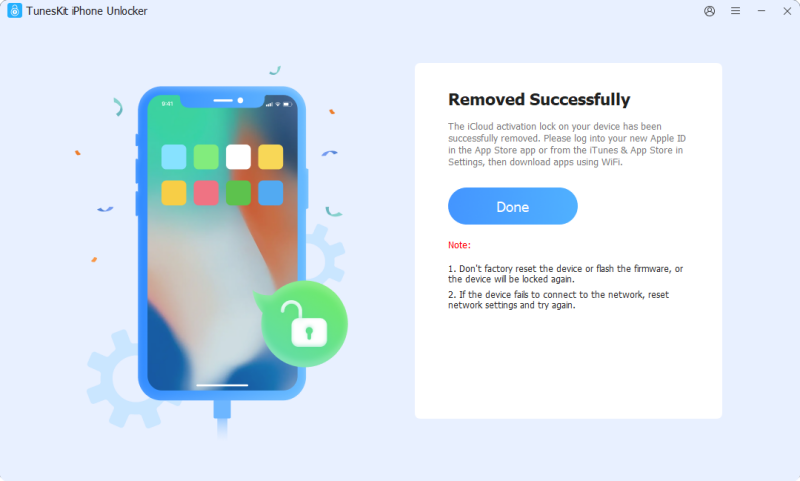
- Step 3. Once the device is prepared, let TunesKit begin the Activation Lock removal process.
Keep the iPhone or iPad connected until the program confirms that the operation is complete.
Official Ways to Remove Activation Lock First
If you legitimately own the device, Apple's official methods should normally be checked before using a third-party bypass tool.
- Apple currently allows Activation Lock to be removed by entering the Apple Account and password associated with the device or, in supported situations, the previously used device passcode.
- If you bought a used iPhone, ask the previous owner to remove the device from their account through Find My.
- If you own the device but forgot the Apple Account password, reset the password first, and then remove the lock with the new password.
- Apple also allows eligible owners with valid proof-of-purchase documentation to start an Activation Lock support request.
These options preserve Apple's normal activation process and should be considered before attempting a third-party bypass.

FAQs About IC Bypass Tool
-
Does IC Bypass Tool really work?
It can work on supported devices, but compatibility varies by tool version, iPhone model, and iOS version. Check support before paying.
-
Is IC Bypass Tool free?
The installer may be free, but device registration or activation can require payment.
-
Does IC Bypass Tool A12+ support cellular signal?
Some versions claim A12+ signal support, but availability varies by device, iOS version, and provider.
-
Does IC Bypass Tool support iOS 26 or iOS 27?
Support claims vary across providers. Verify your exact device and iOS version before downloading or purchasing the service.
-
Will all iPhone features work after bypass?
Not always. Cellular service, iMessage, FaceTime, iCloud, or other Apple services may be limited depending on the bypass method.
-
Does TunesKit iPhone Unlocker remove Activation Lock?
Yes. TunesKit iPhone Unlocker includes a no-jailbreak Activation Lock removal mode for supported older devices running iOS 12.0–16.7.15.
Final Verdict
IC Bypass Tool is worth considering only if you can confirm that your exact device, iOS version, and required features are supported. Its fragmented versions and third-party distribution make it less suitable for beginners.
Use Apple's official Activation Lock removal options first whenever possible. For supported iPhone 5s–iPhone X devices, TunesKit iPhone Unlocker offers a simpler no-jailbreak alternative with clearly published compatibility.