Tool WipeLocker Review 2026: Is It Safe and Legit?

Tool WipeLocker promotes free iCloud removal tools and a dedicated-server workflow, but its compatibility details, company information, and verification of successful results are limited. A third-party reputation checker currently gives tool.wipelocker.com a low trust score, so users should be cautious before downloading files, sharing device identifiers, or making payments.
If you are searching for a way to remove iCloud Activation Lock, you may have come across Tool WipeLocker, also written as Tool-WipeLocker, Tool Wipe Locker, tool.wipelocker, or Tool Wipe Unlocker. This Tool WipeLocker review covers its download options, dedicated server, claimed features, compatibility, safety signals, pros and cons, and an alternative for users who own or are authorized to manage the locked device.

What Is Tool WipeLocker?
Tool WipeLocker is the name commonly used for a collection of third-party iCloud Activation Lock removal tools.
The website at tool.wipelocker.com currently presents itself as Tool-WipeLocker Dedicated Server 2026 and promotes software or services for removing iCloud Activation Lock across multiple iOS versions. Its site also contains pages related to iCloud bypass, IMEI-based services, jailbreak tools, DNS methods, and downloadable unlocking utilities.
Because the product name appears in several forms online, users may search for:
- Tool WipeLocker
- Tool-WipeLocker
- Tool Wipe Locker
- tool.wipelocker
- Tool Wipe Unlocker
- Wipe Locker
These names generally refer to the same or closely related Tool-WipeLocker ecosystem.
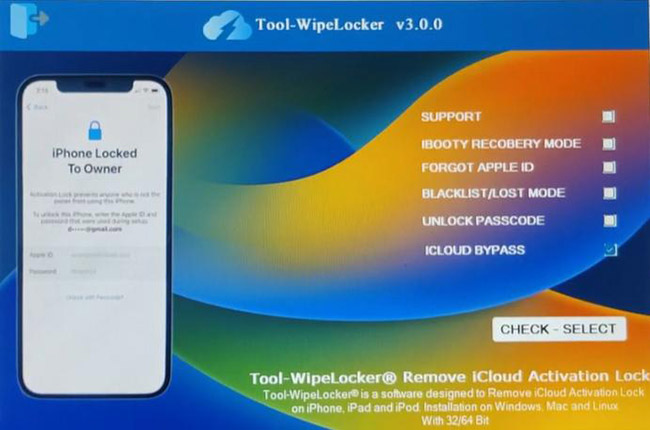
Tool WipeLocker Review at a Glance
| Item | What We Found |
|---|---|
| Product name | Tool WipeLocker / Tool-WipeLocker |
| Website | tool.wipelocker.com |
| Main purpose | Claimed iCloud Activation Lock removal |
| Current branding | Tool-WipeLocker Dedicated Server 2026 |
| Download | Download and server-based options are promoted |
| Apple Account password required | Claimed to work without it |
| Supported iOS versions | Broad support is claimed, but detailed compatibility is unclear |
| Windows/Mac | Download pages mention desktop platforms |
| Company transparency | Limited |
| Independent safety signal | Low trust score from Scam Detector |
| Our verdict | Use caution and verify the source before proceeding |
How We Reviewed Tool WipeLocker
For transparency, this review is based on the current Tool-WipeLocker website, its publicly available feature and download information, its dedicated-server pages, and third-party reputation data.
We separate what Tool WipeLocker claims from what can be independently verified. This distinction matters because an unlocking website may advertise support for many iOS versions or devices without publishing a detailed compatibility matrix or verifiable test results. We have therefore avoided treating marketing statements such as universal compatibility or guaranteed Activation Lock removal as confirmed facts.
How Does Tool WipeLocker Work?
Tool WipeLocker appears to use a combination of downloadable tools and server-based services. Its current website prominently promotes a Dedicated Server 2026, while other pages are organized around iCloud unlock tools, IMEI services, downloadable software, jailbreak methods, and Activation Lock removal.
The exact workflow can vary depending on the page or service being used. In general, users may encounter requests to:
- 1. Select an Apple device or unlocking option.
- 2. Enter device information such as an IMEI or serial number.
- 3. Generate or obtain server/software access.
- 4. Download a related program or follow the service instructions.
- 5. Wait for the claimed unlocking process to complete.
Because device identifiers such as IMEI numbers are unique, you should consider carefully where you submit them.
Tool WipeLocker Download: What Should You Check First?
The Tool-WipeLocker website promotes free software and links to several Activation Lock-related downloads and services. However, its site structure contains numerous different tools and server pages, so users should verify exactly what they are downloading before running any file.
Before downloading Tool WipeLocker, check the following.
1. Confirm the Download Source
Avoid downloading similarly named Tool WipeLocker files from random file-sharing sites, forums, or unknown mirrors. A file using the same product name does not necessarily come from the same developer.
2. Check the File Before Opening It
Scan downloaded executables or archives with your computer's security software before opening them. Be particularly cautious if a download asks you to:
- disable antivirus protection;
- turn off Windows security;
- install an unknown driver;
- provide administrator access without explanation.
3. Check Whether Payment Is Required
A page may describe a tool as free while later steps involve server access, licensing, or another paid service. Review all terms before entering payment information.
4. Be Careful with IMEI and Device Information
Tool-WipeLocker-related services may involve IMEI or other device identifiers. Only provide this information when you understand how it will be used and trust the service receiving it.
Is Tool WipeLocker Safe?
There is not enough independent evidence to describe every Tool WipeLocker download as malicious, but there are several reasons to approach it cautiously.
A third-party website reputation service, Scam Detector, currently gives tool.wipelocker.com a score of 14.2/100 and labels it with high-risk warnings. The service says its rating is generated from multiple automated risk factors. However, a third-party reputation score is a risk indicator rather than proof that every file or service on the domain is harmful.
A fairer safety assessment looks like this:
| Safety Check | Finding |
|---|---|
| HTTPS website | Available |
| Clear product identity | Partially available |
| Detailed company information | Limited |
| Public compatibility matrix | Limited |
| Independent test evidence | Limited |
| Third-party reputation score | Low |
| Multiple types of downloads/services | Yes |
| Risk level | Worth approaching cautiously |
So, Is Tool WipeLocker a Scam?
There is not enough verified evidence to make a blanket statement that Tool WipeLocker is definitively a scam. At the same time, its limited transparency and the low third-party reputation score mean users should not assume that every download, server, or paid service is safe or guaranteed to work.
If a service promises guaranteed Activation Lock removal, requests payment before showing clear compatibility, or asks you to disable security protections, verify it carefully before proceeding.
Does Tool WipeLocker Really Work?
Tool WipeLocker claims to offer tools for removing iCloud Activation Lock and lists support for many iOS versions on its official website.
The difficulty is that broad marketing claims do not tell you:
- which exact iPhone models are supported;
- which iOS subversions work;
- whether cellular functions remain available;
- whether a jailbreak is required;
- whether a specific method provides permanent or limited access.
For this reason, we would not describe Tool WipeLocker as universally compatible. Before using it, look for exact confirmation of your iPhone model, iOS version, and unlocking method rather than relying only on a general statement such as "supports iOS 12–26."
Pros and Cons of Tool WipeLocker
A clear pros-and-cons breakdown helps readers quickly assess whether the tool aligns with their needs or expectations. This section presents a balanced evaluation, highlighting any positive aspects while also clearly outlining the most significant drawbacks reported by users and reviewers.
 Pros:
Pros:- Covers the specific iCloud Activation Lock niche.
- Provides several unlocking-related resources in one website.
- Offers download and server-based options.
- Uses keywords and workflows familiar to users looking for older Apple-device unlocking solutions.
- Some options are advertised as free.
 Cons:
Cons:- Exact compatibility information is difficult to verify.
- Limited transparency about the organization behind some services.
- A third-party reputation checker currently reports a very low trust score.
- The website contains many different tools and services, which can make it difficult to determine which download is appropriate.
- Successful results cannot be assumed for every device or iOS version.
- Device identifiers may be required by some server-based workflows.
How to Use Tool WipeLocker to Bypass iCloud Activation Lock
Many users searching for a Tool WipeLocker review specifically want to understand how the tool is supposed to help bypass iCloud Activation Lock. According to Tool WipeLocker's own website and guides, the process is marketed as straightforward and accessible even to non-technical users.
It's important to note that the steps below describe how the tool claims to work, not a guaranteed or verified method for permanently removing iCloud Activation Lock.
- Step 1. Go to the Tool WipeLocker download website to download it on your computer.
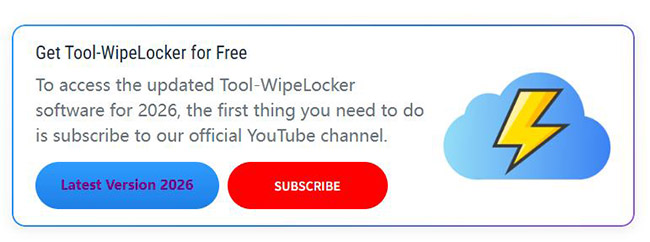
- Step 2. Open the tool and select ICLOUD BYPASS.
- Step 3. Go to the download package to find the password to enter the tool. Click the ENTER PASSWORD button.
- Step 4. Enter the model and IMEI of your device. Click the ICLOUD BYPASS button to start the removal process.
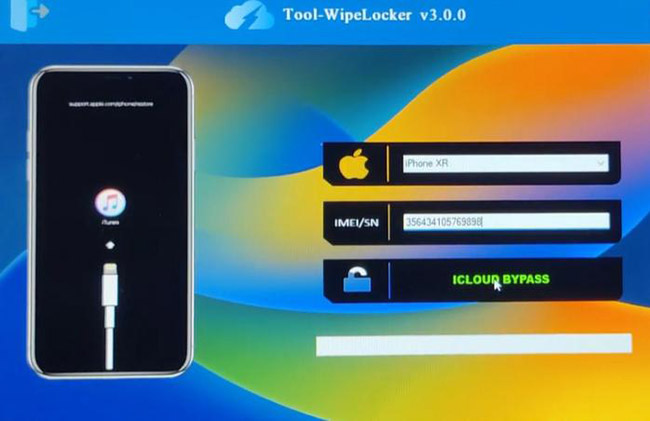
- Step 5. Wait a few minutes, and the tool will remove Activation Lock from your device.
Tool WipeLocker Alternative: TunesKit iPhone Unlocker
If Tool WipeLocker's unclear compatibility or download process concerns you, you may prefer a desktop program with a published compatibility range. TunesKit iPhone Unlocker includes an iCloud Activation Lock removal feature alongside screen passcode, Apple Account, MDM, and other unlocking options.
Why Choose TunesKit iPhone Unlocker?
Remove Activation Lock without password. Easy to use. iPhone, iPad, iPod Touch are supported.
 600,000+ Downloads
You can follow the steps below to remove iCloud Activation Lock from your device with a few minutes.
- Step 1. Install and open TunesKit iPhone Unlocker on Windows or Mac and connect the iPhone. Select Remove iCloud Activation Lock and let the program check the connected device.
- Step 2. Put your iPhone into required mode by following the on-screen instruction.
- Step 3. Follow the on-screen instructions to complete the removal process.
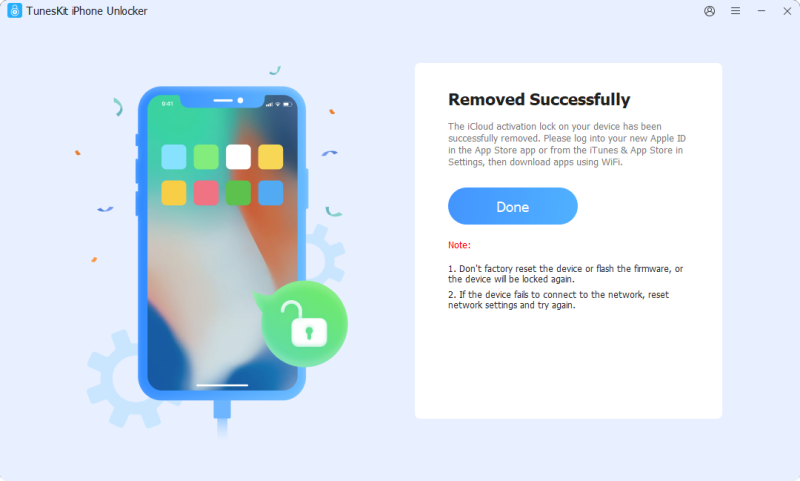
Tool WipeLocker vs TunesKit iPhone Unlocker
| Feature | Tool WipeLocker | TunesKit iPhone Unlocker |
|---|---|---|
| Product type | Download/server-based ecosystem | Desktop application |
| Activation Lock removal | Claimed | Supported on compatible devices |
| Exact iOS compatibility | Not clearly centralized | iOS 12.0–16.7.15 |
| Supported iPhones | Varies by tool | iPhone 5s–iPhone X |
| Apple Account password | Claimed not required | Not required for supported Activation Lock removal |
| No-jailbreak workflow | Depends on method | iPhone 6s–X on supported versions |
| Windows/Mac | Depends on download | Both |
| Published technical specs | Limited | Available |
| Customer support | Unclear/varies | Published support channel |
FAQs About Tool WipeLocker
-
Is Tool WipeLocker free?
Tool-WipeLocker advertises free iCloud removal software and services on its website. However, individual download or server workflows can vary, so check whether any later licensing, server, or service fee applies before proceeding.
-
Is Tool WipeLocker the same as Tool-WipeLocker?
In most search contexts, yes. Users commonly use Tool WipeLocker, Tool-WipeLocker, Tool Wipe Locker, tool.wipelocker, and Wipe Locker to refer to the same or related service.
-
Does Tool WipeLocker work on Windows or Mac?
The Tool-WipeLocker site includes Activation Lock download content mentioning Windows, Mac, and Linux, but requirements can differ between individual tools. Check the specific download page before installing.
Conclusion
Tool WipeLocker targets a very specific audience looking for iCloud Activation Lock removal, and its website offers a wide range of unlocking-related downloads and server services. However, exact compatibility, independent test evidence, and company transparency remain limited.
For users looking for a more transparent alternative, TunesKit Activation Unlocker is often considered a safer option to evaluate. While it is not an official Apple solution and has its own limitations, it offers clearer usage boundaries, desktop-based software, and upfront disclosures - making it a more reasonable choice than high-risk web-based unlock tools.