Hackt1vator Review 2026: Download, Register ECID & Fix Common Errors

If you are looking for a free iOS activation tool, you may have come across Hackt1vator. But before downloading it, you may want to know whether Hackt1vator really works, which devices it supports, how its ECID registration works, and why it sometimes shows a not registered message.
Hackt1vator is currently available for Windows and macOS and offers several activation modes, including Hello activation, MDM activation, and activation-file restoration. Its official website describes the software as free for personal, non-commercial use. However, compatibility and available features vary significantly depending on your device and activation method. This updated Hackt1vator review covers its latest compatibility, registration process, downloads, common problems, limitations, and an alternative for users who prefer a more guided solution.

Quick Answer: Is Hackt1vator Free and Does It Work?
Yes, Hackt1vator is currently free to use, according to its official website. It supports Windows and macOS and provides different activation options for compatible iPhones and iPads.
However, whether it works for your device depends on the activation mode, hardware, and iOS version. For example, the official documentation says MDM activation has broader device compatibility, while Hello activation has stricter requirements. Some modes also require jailbreaking and ECID registration.
Hackt1vator Quick Review
| Question | Quick Answer |
|---|---|
| Is Hackt1vator free? | Yes |
| Windows version? | Yes |
| macOS version? | Yes |
| ECID registration required? | Required when prompted |
| Does it require jailbreak? | Depends on the activation method |
| Does it support cellular signal? | Depends on the activation method |
| Does it support iOS 26? | The official site currently advertises iOS 26 support |
| Best for beginners? | It can be technical because some modes require DFU/jailbreak steps |
Hackt1vator Review: Features, Compatibility, Safety & Limits
Before using Hackt1vator, it is important to understand what the tool can actually do and where its limitations lie. This section reviews its main features, current device compatibility, safety considerations, and key pros and cons to help you evaluate it clearly.
What Is Hackt1vator?
Hackt1vator is a third-party iOS activation utility designed for compatible Apple devices. Its current website describes it as an untethered activation tool that works on Windows and macOS and includes several activation options. The available functions include:
- Hello-screen activation for compatible devices;
- MDM activation;
- Saving and restoring activation files;
- Integrated jailbreak-related tools for supported workflows;
- Windows and macOS support;
- ECID-based device registration.
Different functions have different compatibility requirements, so you should not assume that every Hackt1vator feature works on every device.
Hackt1vator Supported Devices and iOS Versions in 2026
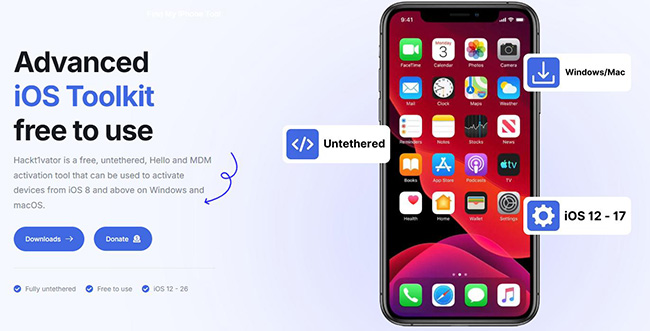
Hackt1vator's homepage advertises support for devices ranging from iPhone 4s to iPhone 17, various iPads, and iOS versions including iOS 26. However, this statement does not mean every activation function supports every listed device.
According to the current Hackt1vator documentation:
| Hackt1vator Mode | Current Compatibility Notes |
|---|---|
| MDM Activation | Official documentation describes it as supporting all iOS devices |
| Hello Activation | Only works on CheckM8 devices and on A12+ devices up to iOS 26.1. |
| Save/Restore Activation Files | Designed for checkm8-compatible devices |
| Jailbreak-based activation | Depends on supported hardware and jailbreak availability |
The official FAQ currently states that Hello activation supports checkm8 devices and A12+ devices up to iOS 26.1, while the Downloads page separately describes some Hello workflows as checkm8-only. Because these official pages are not completely consistent, check the latest Hackt1vator documentation for your exact device before proceeding.
Is Hackt1vator Safe?
Hackt1vator is distributed through its own official website, and the developer states that the software is free for personal use and does not collect telemetry. The documentation says ECIDs and certain account identifiers used for registration are hashed. That does not mean using it is risk-free.
Some Hackt1vator activation methods involve jailbreaking, entering DFU Mode, installing additional dependencies, or modifying the device environment. Hackt1vator itself warns users to understand the risks associated with jailbreaking before using those functions. For safer use, you should:
- Download Hackt1vator only from its official website.
- Check your exact device and iOS compatibility first.
- Back up accessible data whenever possible.
- Do not use activation tools on devices you do not own.
- Be cautious of unofficial "Hackt1vator download" websites or modified installers.
Hackt1vator Pros and Cons
 Pros:
Pros:- Free to use.
- Available for Windows and macOS.
- Offers multiple activation modes.
- Includes ECID registration support.
- Provides official documentation and troubleshooting information.
- MDM activation does not require jailbreak according to its current guide.
 Cons:
Cons:- Compatibility varies greatly by activation mode.
- Several workflows require jailbreak or DFU Mode.
- ECID registration adds an extra step.
- Hello activation has functionality limitations.
- Troubleshooting can be technical for inexperienced users.
- Official compatibility information across different Hackt1vator pages is not always completely consistent.
How Hackt1vator Registration and ECID Work
Hackt1vator may require device registration before certain functions become available. If you see a registration prompt, you will usually need your device ECID. Below, we explain what ECID registration means, whether it is free, and how to complete it correctly.
How to Register Hackt1vator ECID
According to the current Hackt1vator documentation, registration is handled through its Discord or Telegram community when the tool asks you to register an ECID.
- Step 1. Open the program on your Windows PC or Mac and connect the iPhone or iPad.
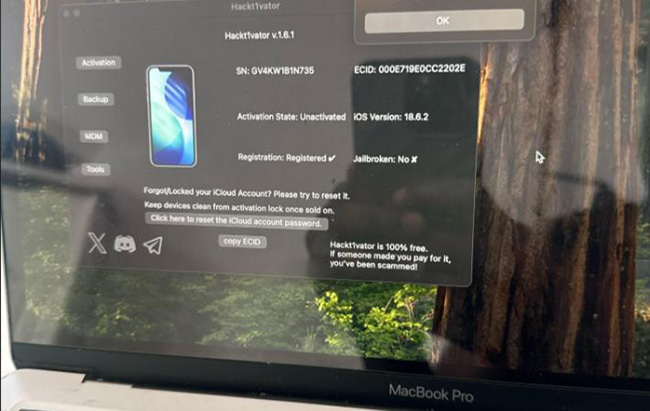
- Step 2. Use the Copy ECID option in Hackt1vator to copy the device identifier. The Downloads guide specifically instructs users to obtain the ECID through the program.
- Step 3. Use the links provided on Hackt1vator's official website or documentation rather than an unofficial community.
- Step 4. In the appropriate register channel, use the registration command specified by Hackt1vator.
- Step 5. The current official documentation instructs users to enter
/registerfollowed by the ECID. - Step 6. After your device has been registered, return to the tool and continue with the supported activation option.
Is Hackt1vator Registration Free?
Yes. Hackt1vator states that its software is provided free of charge, and its official documentation does not list a separate fee for ECID registration. Be cautious if an unrelated website or account asks you to pay simply to perform standard Hackt1vator ECID registration.
Do You Always Need to Register Hackt1vator?
Not necessarily. The official FAQ says to register the ECID if the tool prompts you to do so. However, the current Downloads instructions require registration as part of several activation workflows. Therefore, if Hackt1vator displays a registration prompt, complete the ECID registration before troubleshooting other activation errors.
Hackt1vator Not Registered or Not Working? Common Fixes
Hackt1vator may sometimes show errors such as "device not registered," fail to detect an iPhone, or encounter jailbreak and activation problems. The following solutions cover the most common Hackt1vator issues and explain what you should check before trying the process again.
Issue 1. Hackt1vator Says Device Not Registered
If you see a Hackt1vator not registered message, first verify that the ECID registered through Discord or Telegram is exactly the same as the ECID displayed in Hackt1vator. Try the following:
- 1. Reconnect the iPhone or iPad.
- 2. Copy the ECID again directly from Hackt1vator.
- 3. Check that no characters were omitted or added.
- 4. Complete registration through the official register channel.
- 5. Restart Hackt1vator after registration.
- 6. Confirm that you are using the latest official release.
Hackt1vator's current documentation specifically directs users who are prompted for registration to register the ECID through its Discord or Telegram channel.
Issue 2. Hackt1vator Says "Please Connect Your Device"
On Windows, Hackt1vator depends on Apple device drivers to recognize a connected iPhone or iPad. The developer currently recommends installing the latest version of iTunes so the required Apple drivers are available. You can also try:
- 1. reconnecting the USB cable;
- 2. changing the USB port;
- 3. restarting Hackt1vator;
- 4. restarting Windows;
- 5. checking whether the device appears in iTunes.
Issue 3. Hackt1vator Jailbreak Is Not Working
Some Hackt1vator activation modes use jailbreak tools and require the device to enter DFU Mode. The official documentation suggests checking device compatibility first. On Windows, it also recommends trying an alternative jailbreak environment if WinRa1n fails, while macOS users may need to use a compatible jailbreak separately.
If your hardware or iOS version is unsupported by the required jailbreak, repeatedly retrying Hackt1vator will not solve the compatibility problem.
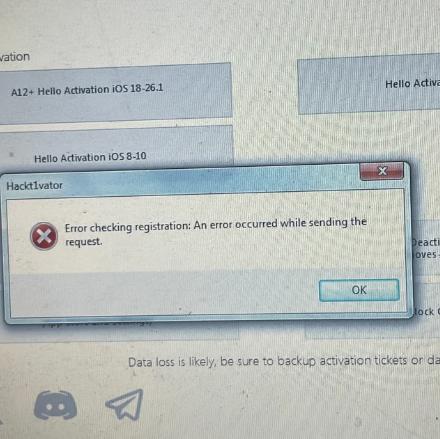
Issue 4. Hackt1vator Shows a Red Cross Error
For a red-cross error on Windows, Hackt1vator's current documentation points to the Microsoft .NET Framework as a possible cause and recommends checking the installed framework version. Before changing system components, make sure you are using the latest Hackt1vator installer and follow the developer's current Windows instructions.
Issue 5. Hackt1vator Has No Signal After Activation
This depends on the activation method. According to Hackt1vator's current documentation:
- MDM activation: cellular signal should normally remain available;
- Restored activation files: signal should normally remain available;
- Hello activation: cellular signal is not supported.
Therefore, the statement that Hackt1vator "always removes cellular signal" is inaccurate. The result depends on the workflow you used.
Issue 6. Hackt1vator Doesn't Let You Set a Normal Passcode
The same distinction applies to passcodes. Hackt1vator's documentation says MDM activation and restored activation files can generally use a normal passcode. Hello activation, however, has limitations on normal passcode functionality.
Hackt1vator Download for Windows and Mac
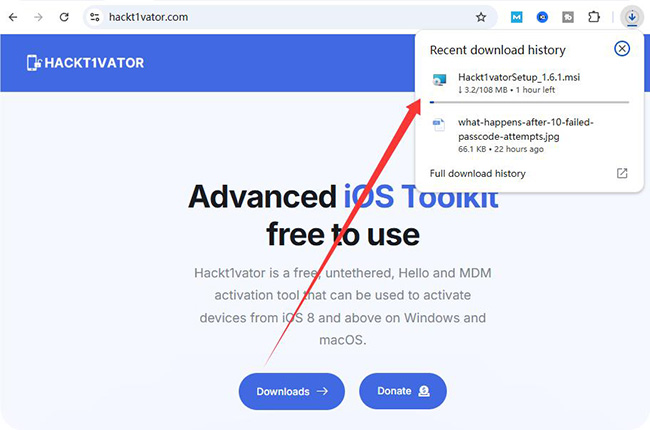
For security and compatibility, download Hackt1vator from the official Hackt1vator Downloads page, not from random software repositories. The developer currently provides versions for both Windows and macOS.
- Step 1. Download Hackt1vator from its official website on your Windows PC or Mac.
- Step 2. Open the Hackt1vator setup package.
- Step 3. Complete the installation.
- Step 4. Launch Hackt1vator from the desktop.
- Step 5. If your iPhone is not recognized, check that the Apple drivers required by Hackt1vator are installed.
Because installation requirements can change between releases, use the current instructions on the official site rather than an old third-party tutorial.
Hackt1vator Alternative: TunesKit iPhone Unlocker
Hackt1vator may suit technical users who are comfortable with ECID registration, DFU Mode, and different activation workflows. But if your supported iPhone is stuck on Activation Lock and you prefer a more guided desktop interface, TunesKit iPhone Unlocker provides another option.
Its current Activation Lock feature is designed for supported iPhones and iPads when you forgot the linked Apple Account credentials or acquired a second-hand device that remains linked to the previous owner's account. The current product page states that this Activation Lock mode does not require jailbreak.
Key Features of TunesKit iPhone Unlocker
Activation Lock removal without jailbreak. Turn off Find My iPhone/iPad/iPod touch without password. High success rate & Easy to use
 600,000+ Downloads
Hackt1vator vs TunesKit iPhone Unlocker
| Feature | Hackt1vator | TunesKit iPhone Unlocker |
|---|---|---|
| Price | Free | Paid software/free trial available |
| Windows | Yes | Yes |
| macOS | Yes | Yes |
| ECID registration | May be required | No Hackt1vator-style ECID registration |
| Jailbreak | Depends on mode | Not required for its current Activation Lock feature |
| Interface | More technical | Guided desktop workflow |
| Activation Lock device range | Depends on Hackt1vator mode | Currently iPhone 5s–iPhone X |
| Supported iOS for Activation Lock | Depends on Hackt1vator mode | Currently iOS 12.0–16.7.15 |
TunesKit's compatibility is narrower than Hackt1vator's advertised device range, so check your model and iOS version before downloading it. Its main advantage is not wider compatibility, but a simpler workflow for supported devices.
How to Remove Activation Lock with TunesKit iPhone Unlocker
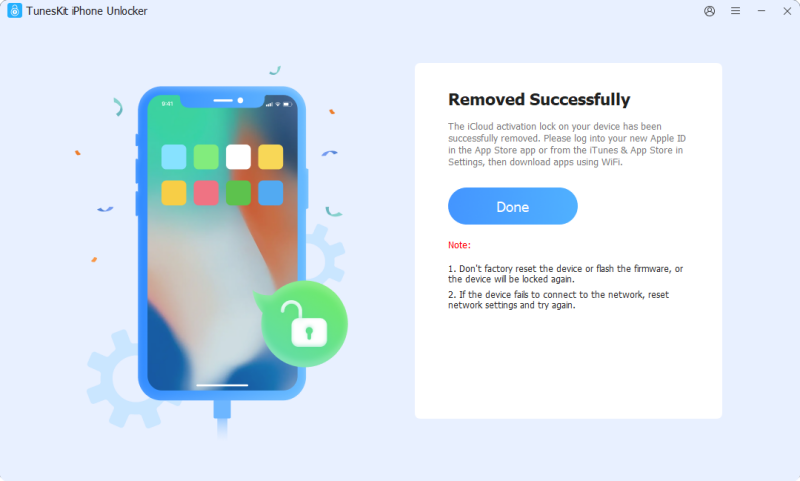
- Step 1. Install TunesKit iPhone Unlocker on your computer, open it, and connect the supported iPhone or iPad. Choose the Remove iCloud Activation Lock feature.
- Step 2. Follow the onscreen instructions and make sure the detected model and system information are correct.
- Step 3. Continue with the guided process and wait until the software completes the operation.
FAQs About Hackt1vator
-
What is Hackt1vator ECID?
ECID stands for Exclusive Chip ID. Hackt1vator uses the device ECID as an identifier in supported registration workflows. You can copy it directly from the Hackt1vator interface when registration is required.
-
Does Hackt1vator support cellular signal?
It depends. The official documentation says MDM activation and restored activation files can retain normal cellular signal, while Hello activation does not support signal.
Conclusion
Hackt1vator remains a free Windows and macOS activation tool, but it is not a one-click solution for every iPhone or iPad. Whether it works—and whether features such as cellular signal, normal passcodes, or jailbreak are involved—depends on the activation method and device compatibility.
If Hackt1vator shows not registered, start by checking your ECID registration through its official Discord or Telegram channel. If you are using a supported older iPhone and prefer a simpler guided workflow without Hackt1vator-style ECID registration, TunesKit iPhone Unlocker is another option to consider for Activation Lock removal.