iCloudin Review 2026: Is It Safe, Legit & Still Working?

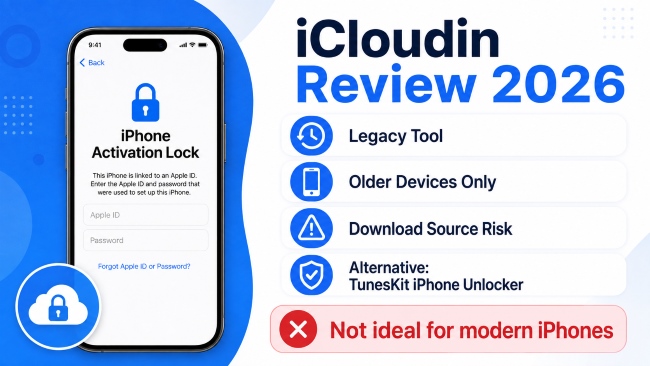
iCloudin is a legacy iCloud Activation Lock bypass tool mainly associated with older iPhones and iOS versions. In 2026, its biggest problems are limited compatibility and the lack of a clearly maintained official download source. That makes it unsuitable for most modern iPhones. In this review, we'll examine whether iCloudin still works, its safety, compatibility, download risks, pros and cons, and a current alternative for supported devices.
- Quick Verdict: Is iCloudin Worth Using in 2026?
- What Is iCloudin?
- Is iCloudin Safe and Legit in 2026?
- Does iCloudin Still Work in 2026?
- iCloudin Download: Can You Still Download It Safely?
- How the Legacy iCloudin Process Works
Quick Verdict: Is iCloudin Worth Using in 2026?
| Question | Answer |
|---|---|
| Is iCloudin free? | Yes, it was distributed as a free tool. |
| Does iCloudin still work? | Only on some older iOS devices. |
| Does it support modern iPhones? | No. |
| Is iCloudin safe? | The biggest risk is finding a trustworthy download source. |
| Is there an official download? | We could not verify a currently maintained official download source during our 2026 review. |
| Best for | Legacy devices only |
What Is iCloudin?
iCloudin is a legacy tool designed to bypass iCloud Activation Lock on some older iPhones and iPads. It is mainly associated with older iOS versions and Windows computers.
Key Features of iCloudin
iCloudin is known for a few basic features:
- Activation Lock bypass: Designed to bypass iCloud Activation Lock on certain older iPhones and iPads.
- Free to use: iCloudin has commonly been distributed as a free tool.
- Simple desktop interface: The program provides a basic interface for carrying out the bypass process.
- Windows-based use: iCloudin is most commonly associated with Windows computers.
iCloudin Compatibility
| Device / System | iCloudin Support |
|---|---|
| Older iPhones and iPads | May work on some models |
| iOS 9 or earlier | Main supported range |
| Recent iOS versions | Not supported |
| Newer iPhone models | Not supported |
| Windows | Commonly supported |
| Mac | Support is unclear |
iCloudin is mainly suitable for legacy devices. For newer iPhones and iPads, a currently maintained tool with clear compatibility information is a better choice.
Is iCloudin Safe and Legit in 2026?
iCloudin has been widely referenced as a real legacy Activation Lock tool, but its current developer, official website, and maintained download source are difficult to verify.
The main safety concern with iCloudin is not the tool itself, but where you download it from. Some installers may be outdated, modified, or bundled with unwanted software. For this reason, avoid unknown download sites and never enter your Apple Account password into an unverified tool.
Verdict: iCloudin should be treated as a legacy tool with uncertain download sources. If you cannot verify the installer, a currently maintained tool with an official website is the safer choice.
Does iCloudin Still Work in 2026?
iCloudin may still work in some legacy setups, but its usefulness is very limited in 2026. Its current maintenance status is unclear, and reliable information about recent versions, updates, and success rates is difficult to verify.
Verdict: iCloudin may be worth trying only if you already have a compatible older device and a trusted copy of the tool. For most users, a currently maintained Activation Lock solution is a more practical choice.
iCloudin Download: Can You Still Download It Safely?
You can still find iCloudin downloads online, but we could not verify a currently maintained official download source in 2026. Some sites may label their files as "official," "latest," or "iCloudin 2.0," but those claims alone do not prove the file is genuine.
Before downloading, check:
- Developer and version details: The page should clearly identify the software version and supported devices.
- Device compatibility: Be cautious if an old iCloudin version claims to support all recent iPhones.
- File security: Scan the installer before opening it.
- Account requests: Avoid installers that ask for unnecessary personal information or Apple Account credentials.
 Tip:
Tip:If the source, version, or compatibility cannot be verified, do not install the file.
How the Legacy iCloudin Process Works
The following steps describe the legacy iCloudin workflow reported in older versions and guides. Because there is no clearly maintained current manual, menu names and files may vary depending on the copy you have. Use these instructions only with a device you own or are authorized to manage.
- Step 1. If you already have a copy of iCloudin from a source you trust, scan the downloaded archive before opening it. Extract the files to a folder on your Windows computer.
- Step 2. Install or update iTunes so that the required Apple device drivers are available. Connect the older iPhone or iPad to your computer using a USB cable, and then open iCloudin. Older instructions may show an option named Host's File IMEI.
- Step 3. Older iCloudin guides describe opening the iCloudin program folder and selecting a file named Hosts_Activation_IMEI.java after choosing the corresponding option in the software. Follow the progress shown by the tool if your version provides this workflow.
- Step 4. When the process finishes, check whether the iPhone or iPad can continue past the Activation Lock screen.
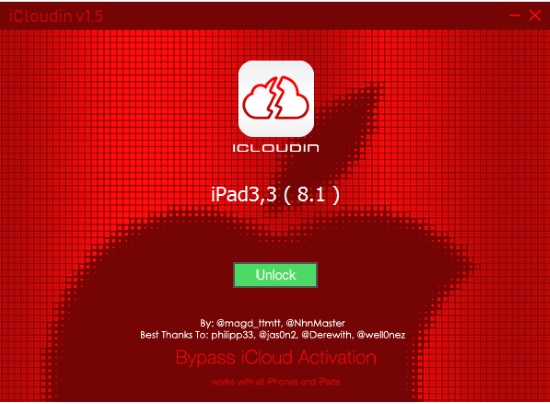
If your copy of iCloudin shows different options, asks for unexpected credentials, or does not recognize the device, do not force the process. The software version may not match the legacy instructions or your device may not be compatible.
Pros and Cons of iCloudin
iCloudin has a few advantages for legacy devices, but its limitations are much more important in 2026. For most users, the download and compatibility uncertainty is now the biggest disadvantage of iCloudin.
 Pros:
Pros:- Free in commonly distributed versions.
- Simple desktop interface.
- May work with some older devices.
 Cons:
Cons:- Limited to legacy devices and iOS versions.
- No clearly verified current official download source.
- Current development and compatibility information is unclear.
- Third-party downloads may be outdated or modified.
Official Ways to Remove Activation Lock
Before using iCloudin or another third-party Activation Lock tool, try Apple's official options if the iPhone or iPad belongs to you.
1. Enter the Linked Apple Account
On the Activation Lock screen, enter the Apple Account and password originally used to set up the device. If you remember the account but forgot the password, reset your Apple Account password first.
2. Use the Device Passcode When Available
On supported devices and situations, Apple may allow you to use the previously used device passcode to remove Activation Lock during setup. Follow the options shown directly on the Activation Lock screen.
3. Ask the Previous Owner to Remove the Device
If you bought a used iPhone or iPad, contact the previous owner. They can remove the device from their Apple Account through Find My or iCloud.com without giving you their password.
4. Remove the Device Through iCloud
If the device is linked to your own Apple Account, sign in to Find Devices on iCloud.com. Select the affected iPhone or iPad, then choose Remove This Device when available. After Activation Lock is removed, the device can be activated with another Apple Account.
5. Contact Apple with Proof of Purchase
If you legally own the device but cannot remove Activation Lock through your account, Apple provides an Activation Lock support request option. You may need valid proof-of-purchase documentation.

iCloudin Alternative – TunesKit iPhone Unlocker
If iCloudin does not support your device or you cannot find a trustworthy download source, TunesKit iPhone Unlocker is another great option for removing iCloud Activation Lock.
Unlike older iCloud bypass tools, TunesKit iPhone Unlocker provides a guided desktop interface and a clearly listed compatibility range. Its current Activation Lock removal process also works without jailbreaking the device, making the setup easier for users who are not familiar with jailbreak tools.
Why Consider TunesKit iPhone Unlocker?
- No jailbreak required for the current Activation Lock removal process.
- A simple graphical interface with step-by-step instructions.
- Clearly published device and iOS compatibility information.
- Support for both Windows and Mac.
 600,000+ Downloads
600,000+ Downloads
600,000+ Downloads
How to Remove Activation Lock with TunesKit iPhone Unlocker
- Step 1. Install and launch TunesKit iPhone Unlocker on your computer. Connect the supported iPhone or iPad with a USB cable. Choose Remove iCloud Activation Lock from the main interface.
- Step 2. Click Start. TunesKit will first put the device into Recovery Mode. Then follow the on-screen guide to manually enter DFU Mode.
- Step 3. Once the device enters DFU Mode, TunesKit will start removing Activation Lock without jailbreak. When the removal is complete, follow the on-screen instructions to set up the device again.

iCloudin vs TunesKit iPhone Unlocker
The biggest difference is that iCloudin is mainly associated with older iOS devices and legacy download sources, while TunesKit iPhone Unlocker is an actively maintained desktop program with published compatibility information.
| Feature | iCloudin | TunesKit iPhone Unlocker |
|---|---|---|
| Current maintenance | Unclear / legacy | Actively maintained |
| Official download source | Difficult to verify | Available |
| Activation Lock support | Mainly older devices | iOS 12.0–16.7.15 on supported devices |
| Jailbreak required | Depends on the legacy workflow | No |
| Windows support | Yes | Yes |
| Mac support | Unclear | Yes |
| Interface | Basic | Guided graphical interface |
| Other iOS unlocking support | Limited | Screen lock, Apple Account, MDM, Screen Time, and more |
Overall, TunesKit iPhone Unlocker is easier to use than iCloudin for supported devices, especially for users who prefer a current desktop program with a guided, no-jailbreak workflow. However, it does not support every iPhone or every iOS version for Activation Lock removal, so compatibility should always be checked first.
FAQs About iCloudin
-
Is iCloudin safe to download?
The main concern is the download source. A clearly maintained official iCloudin website is difficult to verify in 2026, so third-party installers may be outdated or modified. Only download files from sources you trust and scan them before opening.
-
Does iCloudin still work in 2026?
iCloudin may still work on some older iPhones, iPads, and earlier iOS versions, but it is not suitable for most modern devices. Its current compatibility and development status are poorly documented.
-
Is iCloudin free?
Yes. iCloudin has generally been distributed as a free tool. Be cautious if an unknown website asks you to pay for an unofficial copy.
-
Is iCloudin available for Mac?
iCloudin is mainly associated with Windows. Reliable information about a current macOS version is difficult to verify.
-
What is a current alternative to iCloudin?
For supported devices, TunesKit iPhone Unlocker is a more current option. It offers an official download source, published compatibility information, and a guided Activation Lock removal process without jailbreak.
Final Verdict
iCloudin is now mainly a legacy Activation Lock bypass tool for older Apple devices. It may still work in limited cases, but uncertain download sources, outdated documentation, and poor support for modern devices make it difficult to recommend in 2026.
If the device belongs to you, try Apple's official Activation Lock removal options first. If those methods do not apply, TunesKit iPhone Unlocker is a more current option for supported devices, with a published compatibility list and a guided no-jailbreak workflow.