Top 6 Alternatives to iMobie PhoneRescue iOS Data Recovery
Losing important data from your iPhone due to accidental deletion, system crashes, or iOS updates can be frustrating. Fortunately, iOS data recovery software can help retrieve lost photos, messages, contacts, and other valuable files. iMobie PhoneRescue is a popular recovery tool that supports data recovery from iOS devices, iTunes, and iCloud backups. However, its pricing and recovery limitations may not suit everyone.
If you're looking for a more affordable or effective solution, this guide explores the top 6 alternatives to iMobie PhoneRescue iOS Data Recovery, helping you find the right iPhone data recovery tool for your needs.
- Quick Comparison of the Best iMobie PhoneRescue Alternatives
- 1. TunesKit iPhone Data Recovery HOT
- 2. EaseUS MobiSaver
- 3. FonePaw iPhone Data Recovery
- 4. iMyFone D-Back
- 5. Tenorshare UltData for iOS
- 6. Dr.Fone - Data Recovery (iOS)
- How to Choose the Best iMobie PhoneRescue Alternative
- FAQs About iMobie PhoneRescue Alternatives
- Conclusion
Quick Comparison of the Best iMobie PhoneRescue Alternatives
Before exploring each tool in detail, here's a quick comparison of six PhoneRescue alternatives.
| Software | Key Strength | Free Version/Trial | Best For |
|---|---|---|---|
| TunesKit iPhone Data Recovery | Three recovery modes and selective recovery | Free trial | Simple, selective recovery |
| EaseUS MobiSaver | Limited free file recovery | Free edition | Budget-conscious users |
| FonePaw iPhone Data Recovery | Backup extraction and file previews | Free trial | Retrieving specific backup files |
| iMyFone D-Back | Multiple recovery modes and extensive file support | Free trial | Recovering various data types |
| Tenorshare UltData | Device and backup recovery | Free trial | Exploring multiple recovery options |
| Wondershare Dr.Fone | Data recovery within a broader mobile toolkit | Trial availability varies | Users needing multiple mobile utilities |
 Note
Recovery features, trial restrictions, and supported iOS versions may change. Check each product's official website before purchasing.
1. TunesKit iPhone Data Recovery
Best For: Users who prefer a simple recovery tool for retrieving selected files from an iOS device or available backups.
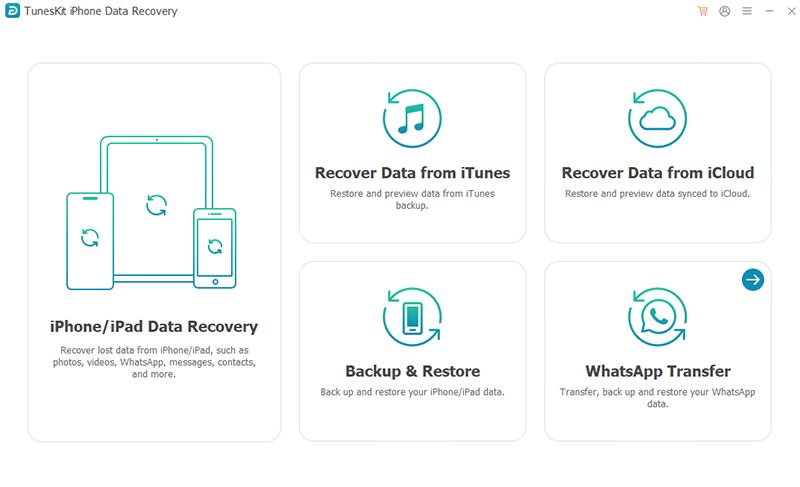
TunesKit iPhone Data Recovery is a useful iMobie PhoneRescue alternative for users who want to recover lost or deleted iOS data without complicated procedures. It supports more than 20 file types, including photos, videos, contacts, text messages, notes, and WhatsApp conversations.
One of its main advantages is its three recovery modes. You can scan an iPhone directly, extract data from an iTunes backup, or attempt recovery through iCloud backups. The software also allows users to preview recoverable files and select specific items instead of recovering everything.
Its straightforward interface makes it especially suitable for beginners. However, recovery results depend on the device's condition and whether the missing data is still accessible.
Key Features:
- Recover 20+ types of iOS data.
- Support iPhone, iPad, and iPod touch.
- Provide iOS device, iTunes, and iCloud recovery modes.
- Preview and selectively recover files.
- Export recovered data to a computer.
TunesKit – A Simple PhoneRescue Alternative
Recover 20+ types of iPhone data with three flexible recovery modes, selective file recovery, and an easy-to-use interface.
 600,000+ Downloads
 Pros:
- Beginner-friendly interface.
- Multiple recovery methods.
- Selective recovery saves time.
- Free scanning and previewing.
 Cons:
- Full recovery requires a paid license.
- Permanently erased data may not be recoverable.
- iCloud recovery can face authentication restrictions.
 Further Reading: How to Recover Lost Data on iOS Devices with TunesKit
2. EaseUS MobiSaver
Best For: Users who want to try recovering a few deleted iPhone files without immediately purchasing software.
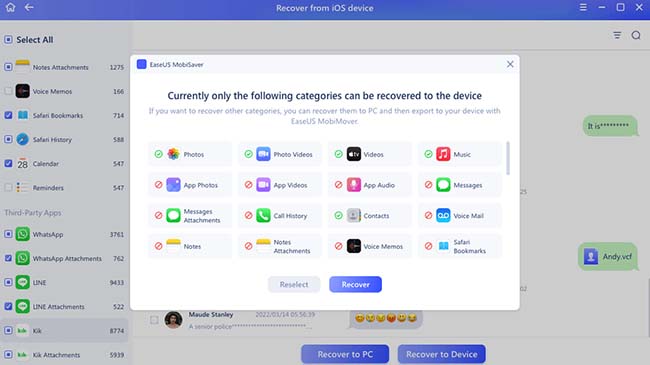
EaseUS MobiSaver is another alternative to iMobie PhoneRescue, particularly for users seeking a free iPhone data recovery option. It offers a free edition with limited recovery capabilities, making it worth considering if you only need to retrieve a small number of files.
The software provides three recovery options: scanning an iOS device, recovering from an iTunes backup, and accessing supported iCloud recovery functions. It handles common file types such as photos, contacts, messages, videos, and notes.
Unlike tools that only offer free previews, EaseUS MobiSaver allows limited file recovery in its free edition. However, recovering larger amounts of data requires upgrading to the paid version.
Key Features:
- Recover photos, messages, contacts, and other files.
- Offer three recovery modes.
- Provide a limited free recovery edition.
- Preview files before recovery.
- Support Windows and macOS.
Pros:- Limited free file recovery.
- Simple recovery workflow.
- Multiple backup recovery options.
Cons:- Free recovery limits are restrictive.
- Advanced recovery features require payment.
- Compatibility should be checked for newer iOS versions.
3. FonePaw iPhone Data Recovery
Best For: Users who want to preview and extract specific data from an iTunes backup or an accessible iOS device.
FonePaw iPhone Data Recovery is a practical iOS data recovery solution that focuses on helping users retrieve lost files from iPhones, iPads, and backups. It supports common data types, including photos, videos, contacts, messages, notes, and certain third-party app data.
The software provides three recovery modes, allowing users to scan their devices, extract files from iTunes backups, or retrieve supported iCloud-synced data. Its preview function is particularly helpful for identifying the files you want before purchasing a license.
FonePaw also allows selective extraction from existing backups, which can be useful when you don't want to restore an entire iPhone backup.

Key Features:
- Recover common iOS files and supported app data.
- Scan iPhones for accessible lost data.
- Extract selected files from iTunes backups.
- Retrieve supported iCloud-synced information.
- Preview recoverable files.
Pros:- Clear file previews.
- Selective backup extraction.
- Supports multiple data categories.
Cons:- A paid license is needed to save recovered files.
- Direct recovery from damaged or reset devices is limited.
- Does not directly restore recovered files to an iPhone.
4. iMyFone D-Back
Best For: Users who need to recover different types of iPhone data or explore additional iOS troubleshooting options.
iMyFone D-Back is a feature-rich iPhone data recovery tool designed to address different data loss situations. It supports over 38 data types according to its official product information, including photos, contacts, messages, videos, and various app files.
D-Back offers multiple recovery modes for scanning iOS devices and working with iTunes or iCloud data. Users can select file categories, preview available results, and export recovered files.
The software also includes features related to iOS system issues, making it worth considering for users whose data loss is associated with software problems. However, system repair and data recovery are separate processes, and certain repair operations may erase existing data.

Key Features:
- Support 38+ data types.
- Offer multiple iOS recovery modes.
- Recover supported data from iTunes and iCloud.
- Preview files before recovery.
- Includes iOS system repair functionality.
Pros:- Broad data type support.
- Flexible recovery options.
- Additional system repair features.
Cons:- The free trial mainly supports scanning and previewing.
- Some recovery methods require an existing backup.
- Advanced system repairs may cause data loss.
5. Tenorshare UltData for iOS
Best For: Users seeking an alternative recovery workflow for common iPhone files and existing backups.
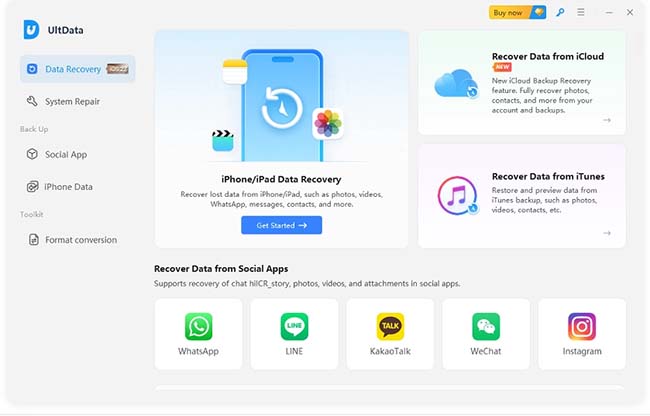
Tenorshare UltData is another iMobie PhoneRescue competitor offering recovery options for iPhone and iPad users. It is designed to help retrieve lost files, including photos, messages, contacts, notes, and supported app data.
The software combines device scanning with backup-based recovery, providing different ways to locate missing information. It also offers file previews so users can check available results before deciding whether to purchase.
Tenorshare UltData may appeal to users who want flexible recovery options. However, its ability to recover deleted files depends on the iOS version, the type of data, and whether the content remains accessible.
Key Features:
- Support multiple iOS file categories.
- Scan compatible iOS devices.
- Offer iTunes and iCloud recovery options.
- Preview and selectively export files.
- Provide Windows and Mac versions.
Pros:- Multiple recovery sources.
- Selective file previews.
- Supports various common iOS file types.
Cons:- Full recovery usually requires payment.
- File availability varies by recovery method.
- Recovery is not guaranteed after a factory reset.
6. Dr.Fone - Data Recovery (iOS)
Best For: Users who want iPhone data recovery alongside other mobile device management functions.
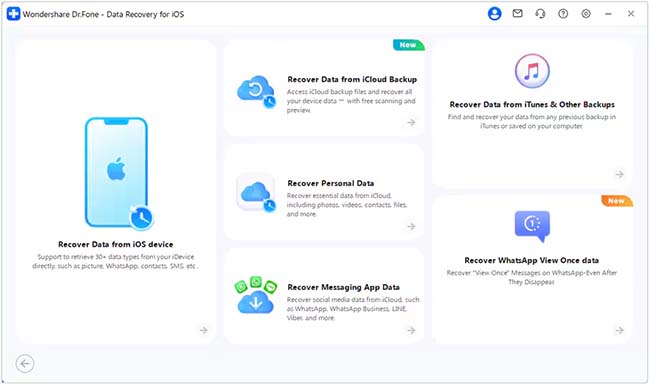
Wondershare Dr.Fone is a mobile device management toolkit that includes iOS data recovery feature. Unlike software focused on recovering deleted files, Dr.Fone offers additional utilities for managing and troubleshooting mobile devices.
Its data recovery tools are intended to help users locate selected files on supported iOS devices or retrieve information from available backups. Depending on the product module and version, supported data may include photos, messages, contacts, and other personal files.
Although its broader functionality can be convenient, users who only need to recover a few files should compare the cost and included features carefully.
Key Features:
- Provide iOS data recovery functionality.
- Include additional mobile management utilities.
- Support recovery of common data categories.
- Offer file selection and backup-related tools.
Pros:- Combines multiple mobile utilities.
- Useful for users with several device-management needs.
- Offers an alternative to standalone recovery software.
Cons:- Some features are sold separately.
- Can be more complex than a dedicated recovery tool.
- Feature availability depends on the purchased module.
How to Choose the Best iMobie PhoneRescue Alternative
Choosing the right iPhone data recovery software depends on how you lost your files and what you want to recover. Before purchasing a recovery tool, consider these factors:
1. Recovery Methods: Look for software that supports your situation, whether you need to scan an iPhone directly or retrieve files from an existing iTunes or iCloud backup.
2. Supported File Types: Make sure the tool can recover the specific data you need, such as photos, messages, contacts, or WhatsApp conversations.
3. Free Trial Limitations: Some tools allow free scanning and previews but require payment to save recovered files. Check these restrictions before purchasing.
4. iOS Compatibility: Confirm that the software supports your specific iPhone model and iOS version.
5. Recovery Safety: Prefer tools that let you preview and export files to a computer without modifying existing data. Avoid reset or repair operations unless you understand their risks.
No recovery program can guarantee that all deleted iPhone data will be restored.
FAQs About iMobie PhoneRescue Alternatives
-
Is there a free alternative to iMobie PhoneRescue?
Yes. EaseUS MobiSaver offers a free edition with limited file recovery. Other alternatives, including TunesKit, FonePaw, and iMyFone D-Back, provide trial versions that allow users to scan and preview recoverable data. However, most require a paid license for complete recovery.
-
Can I recover deleted iPhone data without a backup?
Sometimes. Certain recovery tools can scan an accessible iPhone for recoverable information, but the results depend on the device, iOS version, and whether the deleted data is still available. Files permanently removed from encrypted storage may be impossible to recover without a backup.
-
Can I recover iPhone data after a factory reset?
Generally, third-party recovery tools cannot directly retrieve erased data after a factory reset. If you have an iCloud or computer backup created before the reset, you may be able to restore or extract the missing information from it.
-
Should I check Apple's recovery options first?
Yes. Before purchasing recovery software, check the Recently Deleted folders in apps such as Photos and Messages. You should also check iCloud and your available computer backups. These options may help you restore missing files without paying for third-party software.
Conclusion
Finding the best iMobie PhoneRescue alternative depends on your recovery needs, budget, and available backups. TunesKit iPhone Data Recovery is worth considering for its straightforward interface and selective recovery options, while EaseUS MobiSaver offers limited free recovery. FonePaw, iMyFone D-Back, Tenorshare UltData, and Wondershare Dr.Fone provide additional options for different situations.
Before purchasing any iPhone data recovery software, use its free trial to check whether your missing files can be found. This can help you avoid paying for a tool that cannot recover the data you need.